

Last Updated
Overview
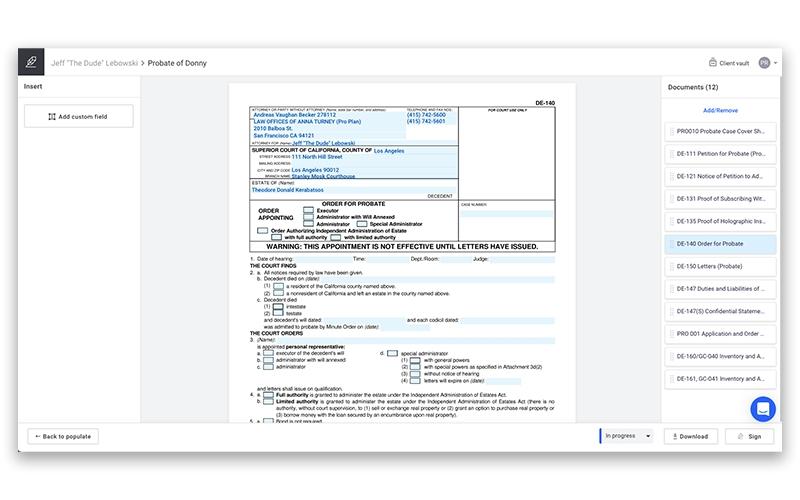
Lawyaw’s document automation feature turns standard Word files into dynamic, logic-based templates, helping legal teams draft faster and with greater accuracy. Its signature function can be challenging to use at first. However, the software ensures that every document meets compliance standards and supports the creation of reusable templates.
Lawyaw Specifications
- Document Management
- Document Automation/Assembly
- e-Signature
- Workflow Automation
What Is Lawyaw?
Lawyaw, now branded as Clio Draft, is cloud-based document automation and legal drafting software tailored for law firms. It allows you to convert Microsoft Word files into smart templates, insert conditional logic, and auto-populate client/matter data, all from a browser or Word add-in. This easy-to-use platform supports e-signatures and enables teams to work on high-priority tasks by providing access to online court forms. Lawyaw helps legal professionals reduce errors, streamline workflows, and save time by effortlessly gathering client information.
Lawyaw Pricing
The Lawyaw cost structure is based on a subscription model. The software itself offers 2 pricing modules; however, it also provides a separate bundle for Clio Draft, which can be included with all its price plans. Here lies the detailed breakdown:
- Clio Draft: $99/user/month
Practice of Law:
- Clio Work: $219/month
Business of Law:
- EasyStart: $59/user/month
- Essentials: $99/user/month
- Advanced: $139/user/month
- Expand: $169/user/month
Disclaimer: The pricing is subject to change.
Lawyaw Integrations
The software supports integration with multiple platforms, such as:
Who Is Lawyaw For?
Lawyaw is ideal for a range of practice types, including:
- Administrative law
- Bankruptcy Law
- Business and Compliance
- Intellectual property law
- Criminal law
Is Lawyaw Right For You?
Law firms often struggle with repetitive document drafting, scattered data entry, and disconnected tools, resulting in inefficiency and reduced client satisfaction. Lawyaw solves this by automating document creation, integrating client and matter data, and providing access to state-specific court forms, all within a unified platform. It simplifies operations and ensures consistency across every file by seamlessly connecting data. Backed by Clio’s GDPR compliance, it offers peace of mind to law firms, such as Lawvex.
Still not sure about Lawyaw? Contact our support team at (661) 384-7070 for further guidance.
Lawyaw Features
Advanced Document Automation
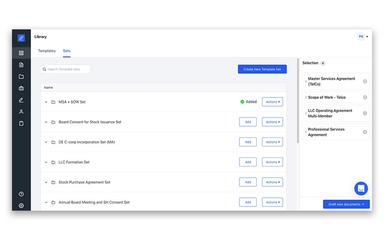
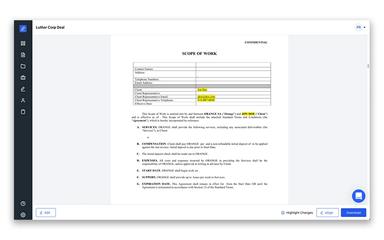
Convert your existing Word documents into reusable, logic-enabled templates via AI. This feature reduces repetitive drafting and reduces errors in draft contracts and agreements by auto-populating fields, applying conditional logic, and generating entire document sets in one click.
Court Forms
The software provides access to a constantly updated library of fillable federal, state, county, and immigration court forms across all 50 US states. The platform enables a reduction in manual searches and auto-populate forms with client and case data, improving your firm's efficacy.
E-Signatures
Lawyaw features court-compliant e-signature tools that allow you to send, sign, and track legal documents securely within the platform. This helps avoid signing delays and cuts down on the need for external tools.
Questionnaires
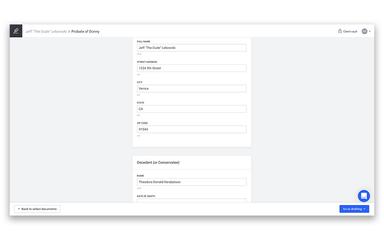
You can create dynamic, AI-powered questionnaires with this platform that adapt to clients’ responses and feed data directly into templates. This helps eliminate lengthy back-and-forth data collection time and reduce the likelihood of errors. #fd#
Pros And Cons of Lawyaw
Pros
Powerful document automation with conditional logic and templating sets.
Saves significant drafting time by automatically populating fields
Offers a global law library offering cases for all jurisdictions
Cons
Customizing templates can be time-consuming
Customer service needs improvement
Lawyaw Reviews
Total 1 reviews
4
All reviews are from verified customers
Rating Distribution
5
Stars0%
4
Stars100%
3
Stars0%
2
Stars0%
1
Stars0%
Share your experience
Anonymous
Legal Services, 11-50 employees
“cost-effective and cuts entry errors”
Pros
One of the biggest benefits of this software is that it removes the kind of common mistakes I run into most often especially small repeated data-entry errors like names. I used HotDocs before and actually preferred some of its features but this option is much more affordable.
Cons
Something I'd really want improved is the way cards carry over into new documents. Right now, when building a new document, you can only pull cards from a single document instead of having access to cards created across all previous documents. Because of that, the most practical workaround has been creating a card directory document and using that as the base when setting up anything new.�it�works but�it�adds an extra step that feels like something the developer should be able to fix.
Rating Distribution
Ease of use
6
Value for money
9
Customer Support
8
Functionality
9
Frequently Asked Questions
Does Lawyaw offer an API?
The vendor does not support the API.
What other apps does Lawyaw integrate with?
Lawyaw integrates with many other apps like Legl, Candle AI, Lawmatics, and Rapid Legal.
Does Lawyaw have a mobile app?
It offers Android- and iOS-compatible mobile apps.
What language does Lawyaw support?
It is available in English and Irish languages.
Who are the typical users of Lawyaw?
It is used by solo attorneys as well as legal professionals associated with small and mid-sized law firms.
What types of pricing plans does Lawyaw offer?
The pricing starts at $59/month. Request a personalized Lawyaw price quote for your business.
What level of support does Lawyaw offer?
The vendor offers support via email, phone call, live chat, and help center.