


TrialLine
Last Updated
Overview
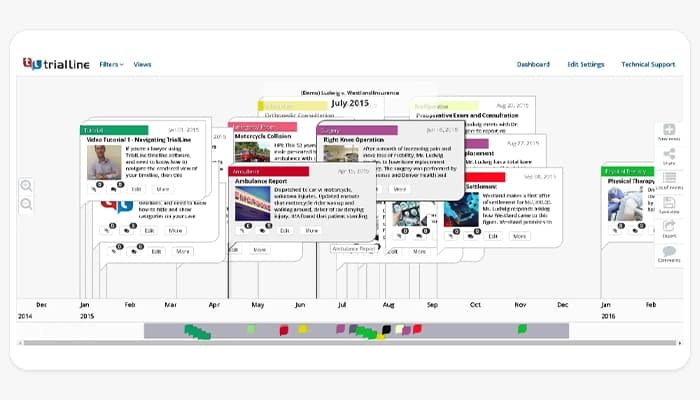
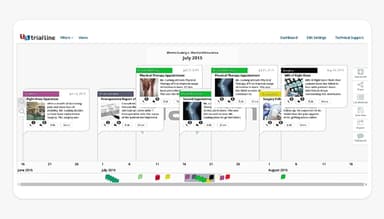
TrialLine, a robust legal timeline solution, allows seamless organization and sharing of case events and documents across any internet-connected device. Its detailed visual timelines enhance case analysis and presentation, ensuring clarity and efficiency in legal proceedings. While advanced functionalities may require extra training, TrialLine significantly improves team efficiency and effectiveness.
TrialLine Specifications
- Case management
- Document management
- Court calendaring and scheduling
- Workflow automation
What Is TrialLine?
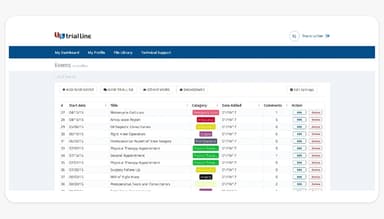
TrialLine software is a cloud-based legal timeline solution for law firms and attorneys seeking deeper case insights. It streamlines mediation, trial presentations, and case storytelling by allowing users to create detailed, visually compelling timelines. Each event can be streamlined with supporting documents, accommodating all file types for seamless organization. Collaboration is effortless with TriallLine as it allows users to share case timelines, evidence, and key details with staff, experts, juries, opposing counsel, and other attorneys. Thus, TrialLine optimizes case preparation and courtroom presentations, making complex information easy to understand and present.
TrialLine Pricing
The TrialLine price models range in the packages:
- Month-to-Month Plan: $59/per user/month
- Annual Plan: $41/per user/month or charged as a one-time payment of $499 per year
Disclaimer: The pricing is subject to change.
TrialLine Integrations
Who Is TrialLine For?
TrialLine assists various legal professionals in organizing and presenting their cases effectively. The software benefits:
- Law firms
- Attorneys
- Pro se litigants
- Paralegals
- Legal staff
- Experts and consultants
Is TrialLine Right For You?
TrialLine is a powerful legal timeline software designed to improve case management for law firms and attorneys. It enables users to build customized timelines, link supporting documents, and present case details in a structured, event-by-event format. Its intuitive interface and collaborative features streamline case preparation and presentation, making it a reliable tool for legal professionals. Several software users laud TrialLine for its powerful invoicing capabilities and meaningful HIPAA compliance.
Are you still unsure about TrialLine? Contact us at (661) 384-7070 and get expert assistance from our team regarding any further queries.
TrialLine Features
Secure Cloud-Based File Storage
TrialLine helps store case files digitally and access them remotely from any device. Attorneys can work remotely without carrying physical documents, as the software ensures seamless collaboration and efficiency from any location.
Customizable and Secure Sharing
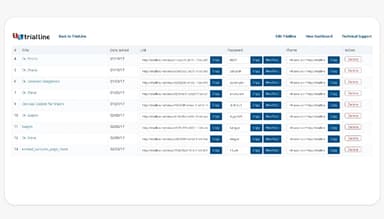
The platform allows users to create tailored views for stakeholders, clients, or partners, displaying only the necessary information. These views are password-protected, so the feature ensures confidentiality yet streamlines case collaboration and communication.
Instant Medical Record Summaries
The software supports the process of exporting comprehensive medical record summaries in seconds. This feature saves time by quickly compiling key medical details, aiding in case preparation, and ensuring accurate presentation of critical health-related information.
Powerful Courtroom Presentation Tool
TrialLine lets its users control and present case timelines remotely using a tablet. It helps display documents, images, and deposition footage in real-time. It assists users in storytelling and effectively communicating the sequence of events to judges and juries.
Web-Based with Real-Time Support
The software operates entirely online, requiring no local installation. Its web-based nature ensures easy access, and it comes with quick options for real-time technical support available to assist users with any issues. Thus, TrialLine provides immediate solutions for uninterrupted workflows.
Pros And Cons of TrialLine
Pros
Easy to deploy with deep functionality and great value
Cloud-based with a user-friendly and intuitive interface
Supports all document types and offers high customization
Enhances team efficiency and effectiveness
Cons
Specific litigation-type templates are not available
Lacks some advanced integration capabilities, according to some software users
TrialLine Reviews
Total 1 reviews
5
All reviews are from verified customers
Rating Distribution
5
Stars100%
4
Stars0%
3
Stars0%
2
Stars0%
1
Stars0%
Share your experience
Telecommunications, 500+ employees
“Solid functionality”
Pros
Getting it up and running was simple and the platform offers a strong range of functionality for the price.
Cons
I'd still like to see more templates geared specifically toward litigation.
Rating Distribution
Ease of use
10
Value for money
10
Customer Support
10
Functionality
10
Frequently Asked Questions
What level of support does TrialLine offer?
TrialLine provides support through email, ticket submission, a community forum, and a knowledge base.
What language does TrialLine support?
TrialLine supports the English language.
Who are the typical users of TrialLine?
TrialLine is typically used by law firms, attorneys, pro se litigants, paralegals, legal staff, counselors, and experts.
What types of pricing plans does TrialLine offer?
The TrialLine cost includes two pricing plans: a Month-to-Month plan at $59 per user per month and an annual plan at $41 per user per month or billed as a one-time $499 per year. The software also has a 7-day free trial available for both plans. You can request a detailed TrialLine price rundown to figure out which plan better fits your needs.
What apps does TrialLine integrate with?
Watch a free TrialLine demo to learn in detail about its integration capabilities.
Does TrialLine offer an API?
The official website of TrialLine does not specify whether or not it provides API access.
Does TrialLine have a mobile app?
No, TrialLine does not offer a dedicated mobile app but is accessible through a browser on any device.