
Article
AI Legal Assistant Software: The Complete Buyer's Guide For Law Firms
17 mins read
Last Updated


By Ramla Shahid and


Article
17 mins read
Last Updated
By Ramla Shahid and
Ask an associate at your firm if they have opened ChatGPT this month. The answer is probably yes. According to 8am’s Legal Industry Report, 69% of legal professionals now use general-purpose AI tools for work. But using an AI tool for legal work raises an even bigger question. Can the information it provides be trusted, verified, and defended if a client or bar committee ever questions it?
That is part of the reason AI legal assistants are getting more attention. They are built to ground answers in legal databases and firm documents, but they vary widely in how reliably they do it.
This guide covers what these tools do, where they fail, what they cost, and how to evaluate one for your firm.
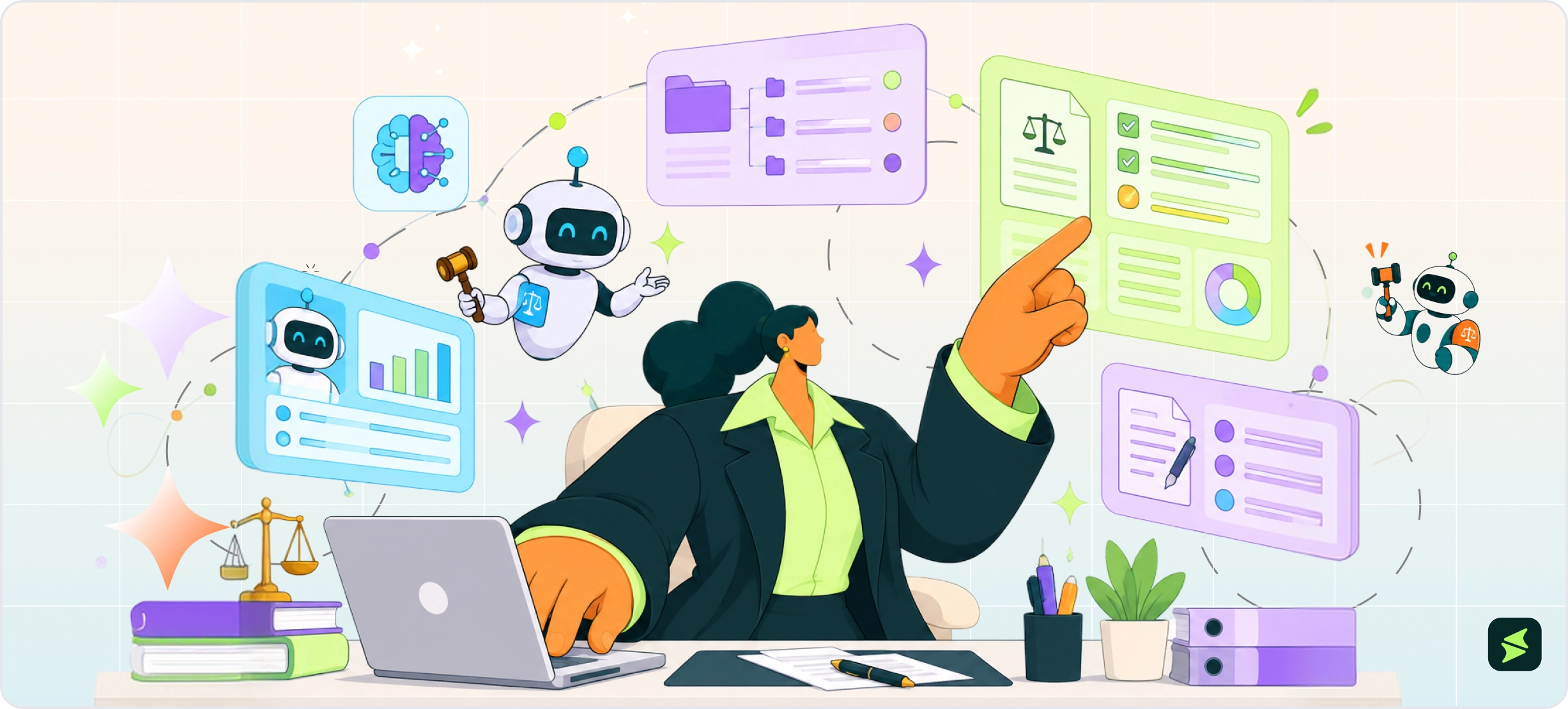
An AI legal assistant combines a large language model with legal or firm-specific information and tools for completing legal workflows. Depending on the product, it can use those sources to research an issue, analyze documents, summarize a matter, or prepare a first draft.
A lawyer is still the final reviewer. The point is to make legal work faster by taking some of the repetitive and information-heavy work off a lawyer's plate, so they can spend more of their time on analysis, judgment, and decisions that still require human intervention in the form of a legal professional.
But how does an AI legal assistant generate an answer for lawyers that they can actually use? Most systems do this through several layers working together, each handling a different part of the process.
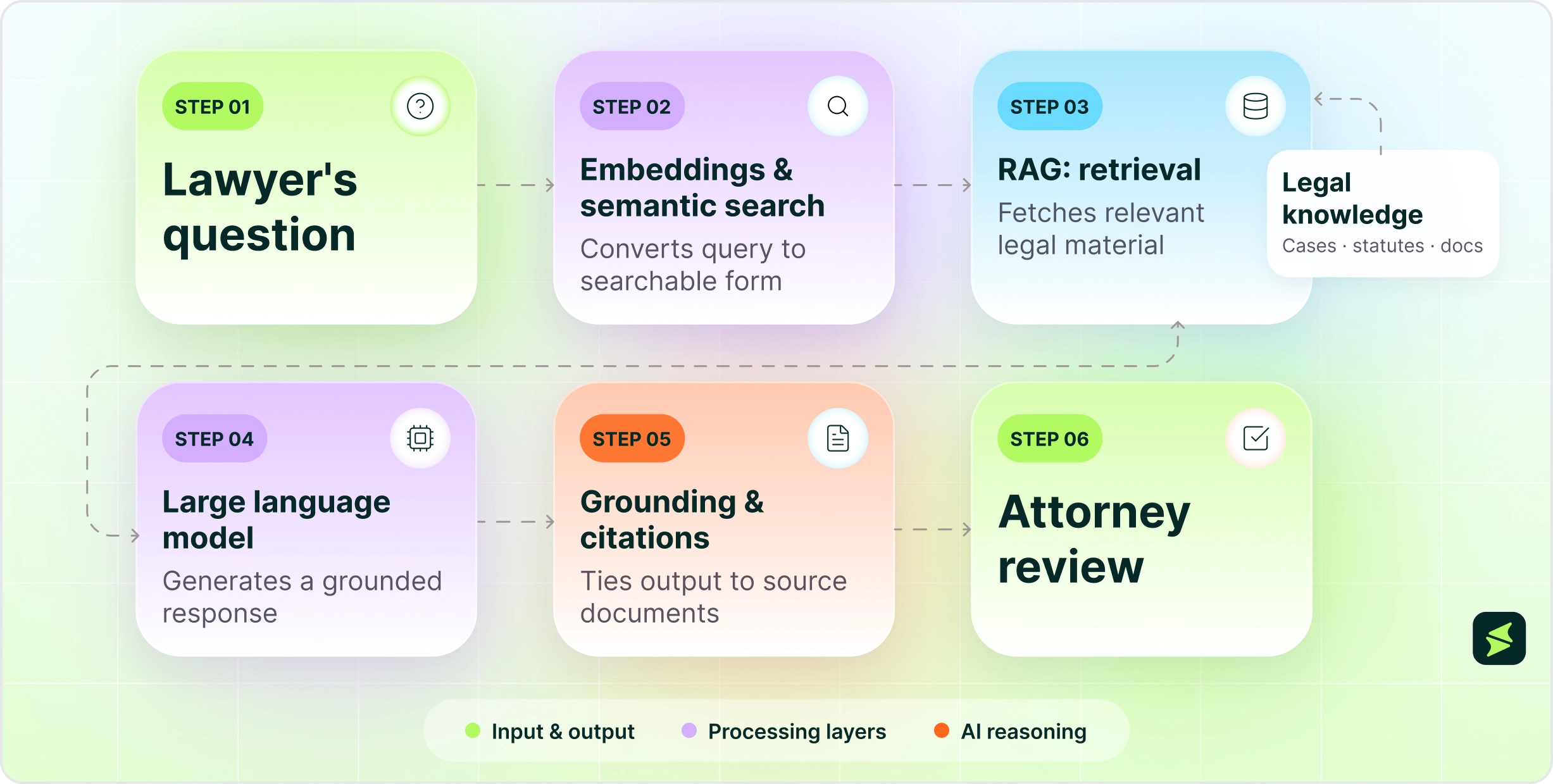
At the center is a large language model (LLM), which generates text by recognizing patterns learned from its training data. That lets it interpret a lawyer's request and produce things such as summaries, explanations, and draft language.
But the model does not automatically know which case, statute, firm policy, or client document should guide a particular answer. It needs access to those sources through the system around it.
This layer gives the AI access to the information it needs to work on a legal task. That can include case law, statutes, regulations, contracts, firm knowledge, and matter-specific documents. These sources may come from legal research databases, firm systems, document repositories, or files provided for a specific matter.
The system can then search or retrieve relevant information when a lawyer asks a question. What it can use depends on the sources connected to it and the permissions it has. A system cannot ground its answer in a case, contract, or internal policy it cannot access.
RAG gives the LLM access to information relevant to the question before it generates an answer. A lawyer might ask about a termination clause, for example. The system searches its connected legal sources, retrieves relevant clauses, cases, or statutes, and places that material in the model’s context. The LLM then uses that retrieved material to formulate its response.
For legal work, this is important because the answer can be tied to specific authorities or documents. RAG improves the information available to the model, but retrieval quality still matters. If the system retrieves the wrong material, misses a relevant authority, or provides incomplete context, the resulting answer can be flawed.
Embeddings turn text into numerical representations that capture relationships in meaning. Semantic search compares those representations to find content that is conceptually related to a lawyer’s question, even when the wording differs.
A query about an indemnification obligation, for example, could surface provisions about defense duties, liability allocation, or reimbursement. Many systems also combine semantic search with keyword matching to catch both meaning and exact terms.
After relevant material is retrieved, the system gives that material to the LLM as part of the context used to generate its answer. Grounding means tying the response to those external sources so it doesn't just rely on the model’s training. Citations, links, or supporting passages then let the lawyer trace claims back to the source. That gives the lawyer a clearer path for checking the response against the underlying authority.
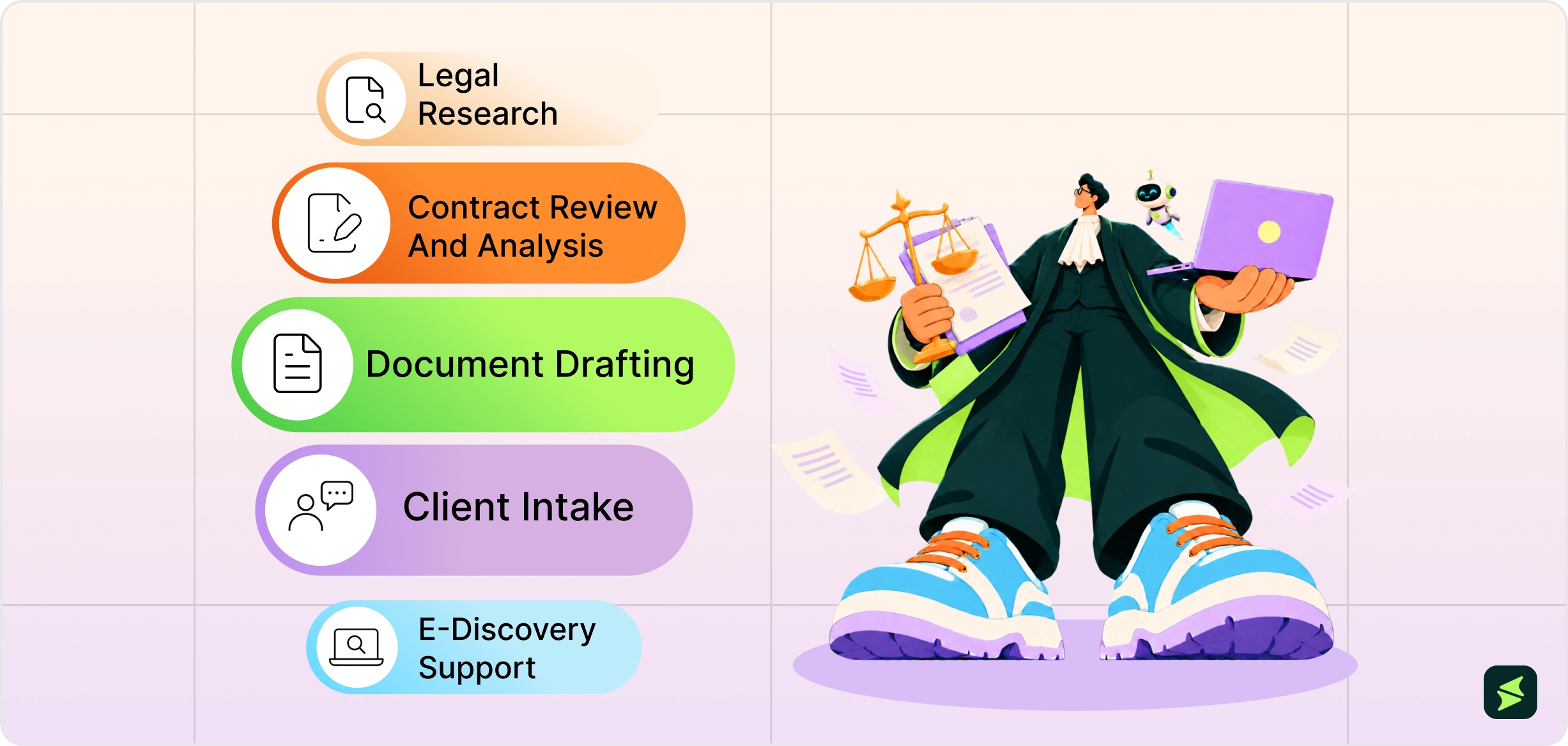
The practical value of an AI legal assistant depends on where it fits into a lawyer’s existing workflow. Some tasks involve large volumes of information, others involve repetitive drafting or sorting. Those are often the areas where these tools can provide the most useful support.
An AI legal assistant can help lawyers find and work through relevant legal authorities. Depending on the system, it can search connected legal databases, identify potentially relevant cases or statutes, summarize holdings, compare authorities, and organize findings around a particular issue. This can make the early stages of research easier, especially when a matter involves a large body of material. The lawyer still needs to check the underlying authorities and confirm that they actually support the conclusion.
For contract work, AI can examine documents for specific provisions, extract key terms, compare versions, and flag language that differs from a firm's preferred position or playbook. It can also summarize a long agreement or identify clauses related to issues such as indemnification, termination, liability, or renewal. That makes it useful for first-pass review, particularly when lawyers need to work through large numbers of similar agreements.
AI legal assistants can also help produce first drafts of contracts, correspondence, briefs, memoranda, clauses, and other legal documents from instructions and source material supplied by the lawyer. They can also revise existing text, change its structure or tone, and suggest alternative language. The value is in giving the lawyer a cleaner starting point before that assessment begins.
At intake, an AI assistant can turn unstructured information into a more usable case record. It may help summarize a client's account, organize facts, identify missing information, and surface follow-up questions for the legal team. In practice, this can help separate what the client has already provided from what the firm still needs to establish before deciding how to proceed.
In litigation, AI can help sort and analyze large document collections, identify potentially relevant material, and prioritize documents for human review. Technology-assisted review is already an established use of AI in e-discovery, where reviewing every document manually may be impractical. The role of AI is therefore more about helping legal teams narrow a very large dataset into something people can examine more effectively.
AI can take on parts of legal work, but there are still places where handing over the task stops making sense. The important question is knowing where that line is.
Legal strategy depends on context that goes beyond the information an AI system retrieves. Litigation analytics tools, for example, can provide data on a particular judge's rulings and motion history, but that information still needs to be interpreted in the context of the specific case, client, and litigation strategy. An AI system can surface relevant authorities and patterns, but the attorney must assess their significance and decide how to act on them.
When a statute has just been enacted or a cause of action has only recently been recognized, there may be little established material for an AI system to draw on. It can still produce a confident answer, but confidence does not mean there is enough authority behind it.
That matters most in the cases where the law is unsettled and the lawyer has to interpret where it is going, not simply find where it has been.
A tool may have extensive federal and state materials but less coverage of local court decisions, administrative rulings, or other sources a particular matter depends on. The system may not tell you that an important source is missing. It may simply answer from the material it found.
An AI legal assistant is not automatically a good fit for every practice. It tends to make more sense when the team has enough recurring legal work to justify it and enough need for faster access to information to make the tool part of the regular practice.
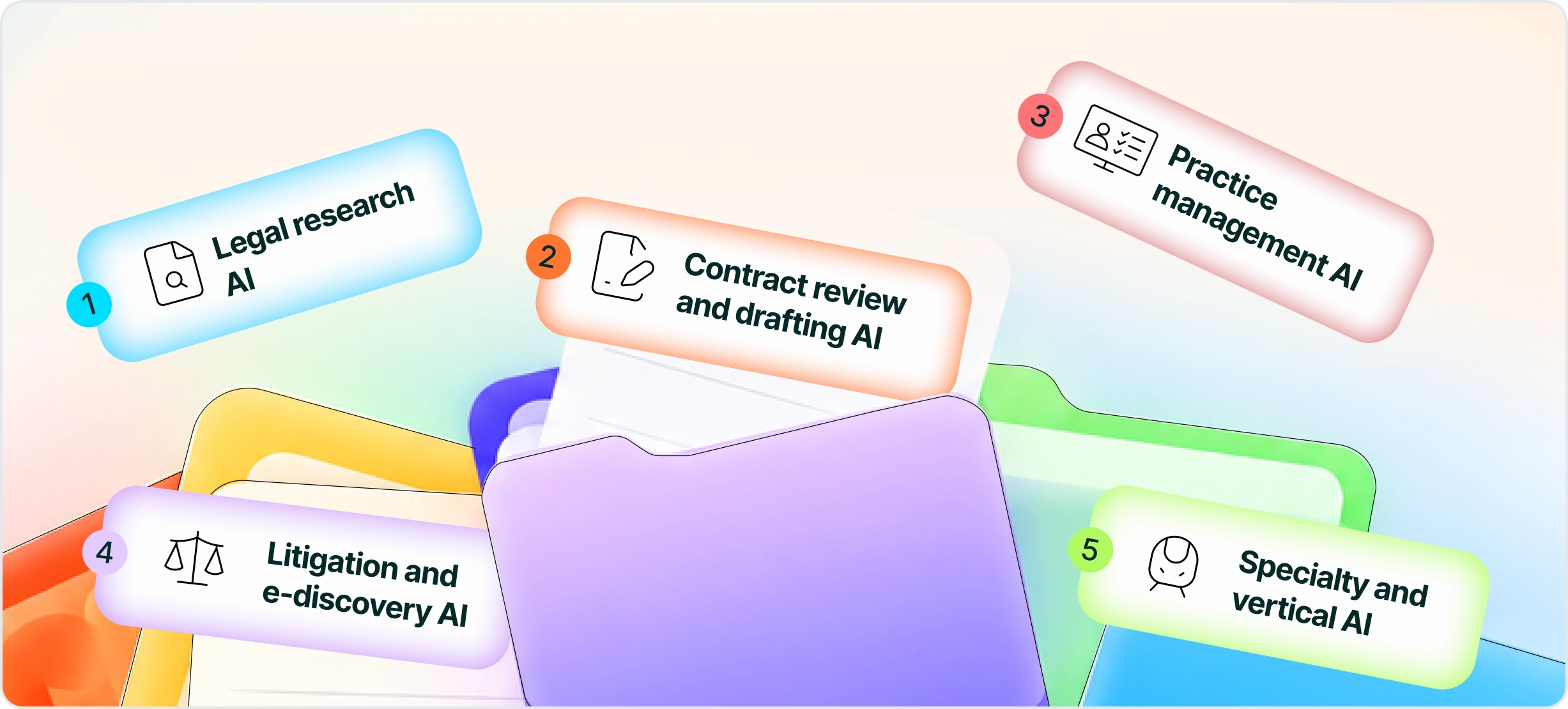
Once you know what you want AI to help with, the next step is to find where that capability actually exists. Some tools are built around one legal function, while others bring AI into software a firm already uses. The distinction is important because the right fit depends as much on your existing systems and workload as on the AI itself.
Type | Primary focus | Where it works | Best fit |
|---|---|---|---|
Legal research AI | Legal authorities and research | Legal research databases | Firms doing frequent case and statute research |
Contract review and drafting AI | Agreements and contract workflows | Contract repositories or drafting environments | Transactional and corporate practices |
Practice management AI | Firm and matter operations | Practice-management platform | Firms already using an integrated practice-management system |
Litigation and e-discovery AI | Case evidence and large document sets | Litigation/e-discovery workspace | Firms handling document-heavy litigation |
Specialty and vertical AI | One practice area or workflow | Specialist legal system | Firms with highly specific practice needs |
These tools are built around legal authority and usually sit on top of established research databases. Their strength is access to structured legal sources. They do not just generate an answer from a general language model. Westlaw and Lexis+ AI are good examples. They are the more natural fit for firms where finding, comparing, and validating legal authority is a major part of daily work.
These products are centered on agreements and transactional workflows. They are designed around a firm's existing contracts, preferred language, review criteria, and drafting process. Harvey and Spellbook are examples. These products use the contract as the primary working environment, unlike legal research databases.
Here, AI is part of a larger practice-management system rather than a standalone research or drafting tool. The advantage comes from working with information already held in the platform, such as client, matter, billing, and document data. Clio’s Manage AI (formerly Clio Duo), for example, is built into Clio Manage. This category makes the most sense when the firm's core workflows already run through the platform.
These tools are built for matters involving large collections of evidence. Their environment is typically a large collection of documents, emails, and other case materials that need to be searched, organized, reviewed, and analyzed. Examples include Relativity, Everlaw, and Logikcull. This is a different purchasing decision from legal research or drafting because the underlying problem is managing large volumes of case data.
Some products are built for a narrow area of legal work rather than the profession as a whole. Immigration, intellectual property, real estate transactions, and other specialist workflows can have their own tools. The narrower focus can be useful when a practice has highly specific processes or source requirements, but it also means the product may offer little value outside that area.

Knowing where AI fits into legal work does not make its output reliable by default. A system can retrieve the right material and still produce a flawed answer. The main risks come from what it retrieves, what it leaves out, and how confidently it presents the result.
This is the hallucination problem. The model generates plausible output containing false information. It can be a citation that looks real but does not exist, a statute cited with the wrong section, or a holding misrepresented as supporting a position it does not.
While RAG-based legal research tools can reduce hallucinations, they do not eliminate them. A 2025 Stanford University study published in the Journal of Empirical Legal Studies tested these tools on 202 legal queries in 2024. The LexisNexis and Thomson Reuters tools each hallucinated more than 17% of the time. The study concluded that vendor claims suggesting RAG eliminates hallucinations were overstated.
Most discussion of legal AI reliability focuses on the generation step, where hallucinations happen. The retrieval step comes first and can fail independently.
A 2025 study from the Natural Legal Language Processing Workshop identified a distinct failure mode called Document-Level Retrieval Mismatch. This is where the retriever selects material from entirely incorrect source documents before the model generates anything. The study found legal databases are especially vulnerable to this because large collections of structurally similar documents make it difficult for retrieval systems to distinguish between them.
When retrieval fails, the citations in the output may still be real. The problem is that they may come from the wrong cases or documents. That makes the error harder to spot because the citations look legitimate on the page, even though they do not actually support the answer.
RAG can connect an AI model to a current legal database, but that does not make the model itself current. Its learned knowledge still comes from training data with a particular cutoff, which can vary by model.
A system may retrieve a new case correctly but still interpret it through patterns learned before that case existed. This is different from the novel law problem covered earlier, where no training data exists. Here, training data exists but may lead the model to reason badly about recent developments.
Sometimes a system can work from real authorities and still be too agreeable with the lawyer’s premise. This is known as AI sycophancy. Instead of challenging a weak assumption, the system may accept it and help build a stronger-sounding argument around it. Researchers have documented this tendency in language models, and OpenAI has acknowledged it in its own models.
In legal work, that can be harder to catch than a hallucination. The cases may be real and the doctrine may be relevant, but the argument can still fail because the authority was distinguishable, the facts did not support the theory, or a stronger counterargument was ignored. An article in the ABA's Appellate Issues similarly advised appellate lawyers to question AI-generated reasoning rather than treating an agreeable response as evidence that an argument is sound.
Traditional legal software help organize what your firm already knows. AI legal assistants generate new output from what they are connected to. Follow along to see the difference before you evaluate either.
Aspect | AI Legal Assistant | Traditional Legal Software |
|---|---|---|
Primary role | Helps generate analysis, summaries, research, and draft content | Manages a defined legal or administrative process |
Interaction | Lawyers can use natural-language questions and instructions | Users generally work through fields, menus, templates, and set processes |
Information used | Can work from connected legal sources, documents, and firm data | Typically works from records and information stored in the system |
Adaptation | Can produce different outputs based on the request and context | Output usually follows configured rules, templates, and processes |
Typical output | Drafts, summaries, analysis, extracted information | Records, reports, schedules, invoices, deadlines, and stored documents |
Main concern | Accuracy, source grounding, confidentiality, and inappropriate reliance | Data quality, configuration, access, and process errors |
Best fit | Research, analysis, synthesis, and drafting | Matter management, billing, scheduling, recordkeeping, and other defined processes |
AI legal tool pricing typically falls into three common structures: per-seat subscriptions, bundled pricing, and custom enterprise agreements. These approaches can overlap, so a firm's actual cost may depend on the number of users, products included, usage terms, and contract size.
Per-seat subscription is the easiest model to understand. The firm pays a set amount for each user, usually per month or year. MyCase’s AI tools start on the Pro plan at $120 per user per month (billed monthly), which includes the 8am IQ Writing and Document Assistants. While Westlaw Edge with AI-Assisted Research starts at $155.35 per month for single-circuit coverage on a three-year term. Westlaw pricing rises with broader coverage.
Some legal AI products are sold alongside research content or other legal software, which can change the total cost. CoCounsel Legal, for example, is available in several configurations, with options that combine AI capabilities with Westlaw or Practical Law content. The package matters because the cost of the AI alone does not necessarily represent the cost of the legal research environment around it.
Custom enterprise pricing is common among purpose-built legal AI platforms. The vendor prices the deployment around factors such as team size, workflow, usage, and contract terms. Harvey AI, for example, does not publish public pricing; third-party estimates put it at roughly $1,200 to $2,800+ per seat per month, with reported minimum commitments of around 20 seats.
Disclaimer: Pricing references are based on publicly available third-party information and industry benchmarks. Actual costs may vary.
The following factors can help you find the AI legal assistant that fits the way your firm actually works.
Be specific about the task that is taking too much time or creating too much manual work. A research-heavy litigation practice may need something very different from a transactional team reviewing hundreds of contracts. Starting with the problem makes it easier to judge whether a tool is actually useful.
Under ABA Formal Opinion 512, lawyers have duties concerning client confidentiality when using generative AI, including understanding how a tool handles client information and taking reasonable steps to protect it. Depending on the circumstances, the lawyer may also need to obtain the client's informed consent before using a generative AI tool that involves disclosure of client information.
Ask whether the vendor trains on your inputs, who can access your data, and whether they will sign a Data Processing Agreement. If a vendor cannot clearly explain how client data is handled, that needs to be resolved before the tool is used with confidential information.
Two tools may both say they use AI and legal sources but retrieve information very differently. Find out whether the system uses keyword search, semantic search, RAG, or a combination, and whether it can show which sources informed the answer. Retrieval quality can materially affect the final result.
A standalone tool may require users to move between systems or connect the AI to existing document repositories. An embedded tool works within the platform attorneys already use, which can reduce the need to switch between applications. Actionstep’s 2025 report found that professionals at firms with 50–250 employees used an average of 6.6 tools per client matter. For firms already working across several systems, that may be worth considering before adding another separate AI workspace.
Before committing to an AI legal assistant, ask for a trial on real queries from your jurisdiction and primary practice area, not a curated demo. The retrieval problems covered earlier are most likely to show up with the local rules, courts, and document types your lawyers use every day, so test with those before the firm commits.
A tool that can see matter data should not automatically give every user access to all of it. Check whether permissions follow the firm's existing access rules, whether administrators can control users and data sources, and whether the system keeps records of important activity.

For firms with steady research, drafting, or document-review volume, an AI legal assistant can save real time, provided it is treated as a first pass, not a final answer.
The tools that deliver the most value fit into systems your lawyers already use, show their sources, and handle client data in a way you can defend. Start with one workflow, test it on your own matters, and expand from there.

