

Comparison
Copilot Vs ChatGPT: A Side-By-Side Comparison Of Leading AI Models
13 mins read
Last Updated


By Muhammad Haris Ijaz and


Artificial intelligence tools, especially large language models (LLMs), have become part of everyday work since tools like ChatGPT became widely available in 2022. Today, over 1.1 billion people use these AI tools, mainly because they help them work 25.1% faster and complete 12.2% more tasks than usual.
Two of the leading tools in this space are Microsoft Copilot and OpenAI's ChatGPT. Both are powered by OpenAI’s advanced language models, but each is designed and applied differently to handle specific tasks and user needs.
This comparison looks at how they differ and where they overlap to help businesses make an informed choice.
Copilot Starting Price: $9.99/month Best For: Nonprofit, Healthcare, Finance, Retail, Manufacturing Mobile App: Android, iOS Ratings: N/A Get Demo Disclaimer: The pricing is subject to change. | ChatGPT Starting Price: $8/month Best For: Engineering, Finance, Marketing, Data Science Mobile App: Android, iOS Ratings: 3.9 Get Demo Disclaimer: The pricing is subject to change. |
Microsoft Copilot is an AI assistant built around a simple premise: the best tool is the one that businesses never have to leave. Instead of existing as a separate application, it lives inside the Microsoft 365 software suite, to work alongside users as they write, analyze, communicate, and present.
Though it does support individual users, it is mainly designed for organizations. Copilot connects to a company's internal data and documents for its responses to reflect the actual context of the business rather than general online information. For teams already working within the Microsoft ecosystem, it provides a truly easy way to embed AI into operating task-cycles without any disturbance.
ChatGPT is OpenAI's flagship AI assistant that helped bring generative AI into wider use. It is built as a standalone platform and does not depend on any specific software ecosystem, making it accessible to anyone.
Its main strength is adaptability as ChatGPT can handle a wide range of tasks—from research and creative writing to code and data analysis—through conversational interaction. For individuals and teams who need a flexible AI assistant rather than just a productivity add-on, it provides a versatile solution.
By The Numbers
Metric | Microsoft Copilot | ChatGPT |
Monthly Visits (Feb 2026) | 1.63M | 5.19B |
AI Market Share | 12.9% | 60.4% |
Top Traffic Source | USA (32.88%) | USA (20.31%) |
Source: SEMrush, Demand Sage, March 2026
Features | Microsoft Copilot | ChatGPT |
Multi-Model Support (beyond GPT) | ✓ | ✗ |
App Embedding (M365) | ✓ | ✗ |
Voice Interaction | ✓ | ✓ |
Embedded In MS365 App | ✓ | ✗ |
Autonomous Agents | ✓ | ✓ |
Enterprise Security | ✓ | ✓ |
Image Generation | ✓ | ✓ |
AI Automation | ✓ | ✓ |
Data Analysis | ✓ | ✓ |
Group Chats | ✓ | ✓ |
Deep Research | ✓ | ✓ |
Coding | ✓ | ✓ |
AI Models And Technology
Copilot’s Copilot Studio now supports both OpenAI’s GPT models and Claude Anthropic models, giving businesses flexibility in choosing which AI model to use for specific agent scenarios. A proprietary orchestration layer called Prometheus combines Bing's real-time search index with OpenAI’s GPT models to provide answers grounded in current web data.
On the other hand, ChatGPT provides direct access to OpenAI's latest GPT models without an additional orchestration layer. For free and Go users, GPT‑5.2 Instant is now used by default, while reasoning tasks that previously switched automatically to the Thinking model can still be accessed manually by selecting Thinking from the ‘tool's’ menu. This ensures users get the latest capabilities and improvements while retaining the option to use reasoning when needed.
Key Takeaway: Copilot uses an orchestration approach that allows users to choose different AI models for different tasks, whereas ChatGPT provides direct use of OpenAI’s core models without that layer.
User Interface And Experience
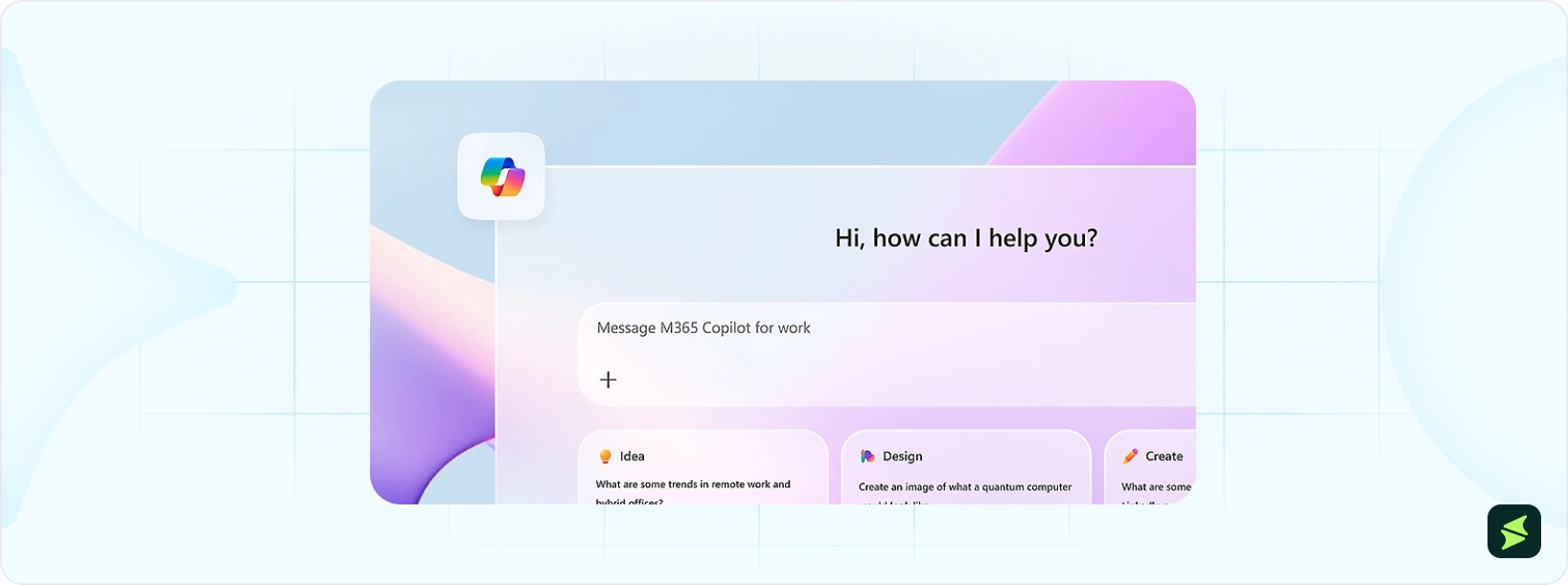
Copilot is embedded inside Microsoft 365 apps. It can access the user’s open documents, spreadsheets, or inbox to offer contextually relevant suggestions without requiring them to leave the application. This tight integration eliminates context-switching for users already in the Microsoft ecosystem, though getting full value requires understanding how Copilot behaves differently in each app.
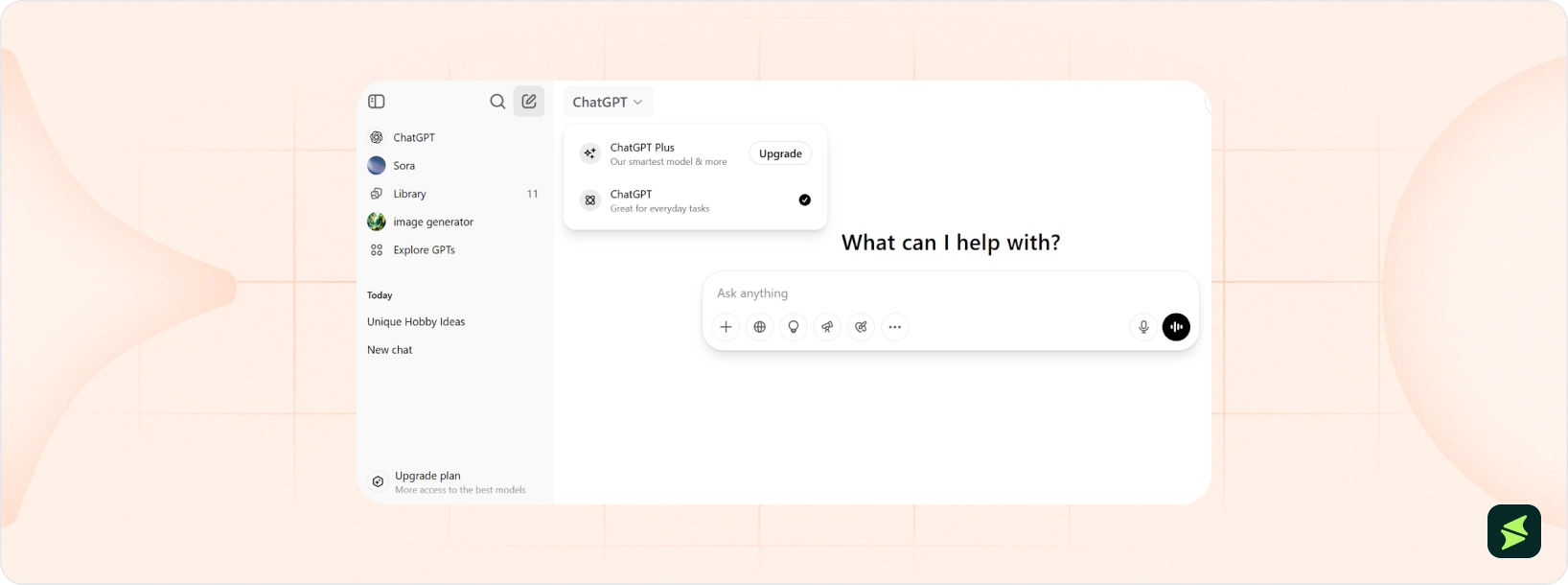
In contrast, ChatGPT is a standalone AI platform that is not tied to any software ecosystem. Its web and mobile interface provide access to features like file uploads, model switching, voice input, and custom GPTs, all from a single, unified screen. The Projects feature maintains persistent context and instructions across sessions. Its simplicity makes it fast to start using, with no dependency on any particular software ecosystem.
Key Takeaway: Copilot works inside Microsoft apps to assist ongoing work, whereas ChatGPT centers everything around a single, standalone chat workspace.
Multimodal Capabilities
Copilot Voice enables real-time spoken conversation with the assistant, while Copilot Vision in Edge lets it observe and discuss the webpage currently on screen. Think Deeper surfaces step-by-step reasoning inside Office applications and displays the model's thought process as it works through a complicated problem. These features function best within the Windows and Edge environment instead of across all platforms.
ChatGPT also processes text, images, audio, and code natively inside a single conversation for users to shift fluidly between input types without interruptions to the task-flow. Voice mode supports real-time dialogue, and live video input lets ChatGPT respond to what a camera sees at the moment. Crucially, all these capabilities work identically across web, mobile, and API regardless of the device or platform in use.
Key Takeaway: Copilot’s multimodal tools are optimized for the Windows and Edge environment, while ChatGPT delivers the same multimodal capabilities consistently across all platforms.
Code Generation And Developer Tools
Microsoft Copilot assists with code generation directly through its web and Microsoft 365 interfaces, helping users write, explain, and debug code inside their existing environment. Copilot Studio makes it accessible for non-specialist users to build custom AI agents and automate business logic through natural vernacular. It handles multiple programming languages and integrates code assistance within the broader context of documents and data already open in Microsoft apps.
ChatGPT takes a conversational approach to generating functions from natural language, explaining code, debugging logic, and planning architecture. GPT-5’s large context window can handle entire databases, while Codex extends this as an agent that executes tasks asynchronously by writing features, running tests, modifying files, and generating pull requests in sandboxed environments.
While it lacks native Integrated Development Environment (IDE) integration, its API enables highly flexible custom developer tooling, and its open-ended interface makes it equally useful for experienced engineers and beginners learning to code
Key Takeaway: Both tools support conversational coding, but ChatGPT focuses on deep coding assistance (Codex), architecture planning, and flexible API-based tooling, whereas Copilot’s strength lies in embedding these capabilities within Microsoft workflows.
Data Analysis Capabilities
Copilot's data analysis strength lives inside Excel and Microsoft Fabric. The Analyst agent, built on OpenAI's o3-mini reasoning model, runs Python code within Excel to perform advanced analysis including, forecasting, visualizations, and pattern detection across spreadsheets. Users can describe what they need in plain language and watch the code execute in real time. Power BI integration adds natural language querying and automatic chart generation across connected data sources.
While ChatGPT's Advanced Data Analysis feature runs Python in a secure and isolated environment for users to upload files in formats such as Excel, PDF, and CSV, then query, clean, and visualize the data through conversation.
It generates charts using Matplotlib and supports statistical techniques such as regression and correlation analysis. Unlike Copilot, its analysis is file-based and platform-independent, making it accessible outside any specific app ecosystem.
Key Takeaway: Copilot performs advanced analysis directly inside Excel and Power BI, while ChatGPT runs file-based Python analysis in a platform-independent environment.
Image Creation And Creative Tools
Copilot generates images through Microsoft Designer's Image Creator, which is powered by DALL-E and optimized for business-oriented visuals. Within PowerPoint, it suggests layouts, styles, and images to match slide content. The tool applies rigorous content moderation more than ChatGPT, which can limit creative flexibility, but makes it more appropriate for professional and workplace contexts where brand safety is important.
ChatGPT integrates DALL-E directly into the chat interface, giving users considerably more creative control over image generation including style, composition, and detail. It supports open-ended creative prompts, recursive refinement through follow-up messages, and image editing on uploaded photos. For writers and designers, ChatGPT's ability to combine long-form creative writing with in-conversation image generation in a single cycle gives it a meaningful advantage for creative projects.
Key Takeaway: Copilot prioritizes brand-safe business visuals through Designer, whereas ChatGPT emphasizes open-ended creative generation and iterative artistic control.
AI Agents And Automation
Copilot Studio is Microsoft's dedicated platform for creating and deploying AI agents across enterprise work processes. Agents range from simple question-answering bots to fully autonomous systems that monitor triggers, chain actions, and operate without human input.
They connect to over 1,400 systems through Model Context Protocol, Microsoft Power Automate, and Microsoft Graph. Computer use capabilities let agents operate apps and websites directly using a virtual mouse and keyboard.
In comparison, ChatGPT Agent gives the assistant its own virtual computer to complete multi-step tasks from start to finish. It combines web browsing, code execution, and deep research into a unified agentic system that can create slide decks, update spreadsheets, book travel, and interact with connected apps including Gmail and GitHub. Tasks can also be scheduled to recur automatically, and users can pause, redirect, or take over at any point.
Key Takeaway: Both Copilot and ChatGPT are capable of completing multi-step tasks across the web, but Copilot agents automate tasks across Microsoft systems as well.
Integration Ecosystem
Copilot's integrations are deep but deliberately narrow, designed to operate within the Microsoft ecosystem. It connects natively to SharePoint, OneDrive, Teams, Outlook, Dynamics 365, and Microsoft Power Automate, drawing on Microsoft Graph to base responses in real organizational data.
Copilot Studio extends this with connections to third-party tools including Salesforce, ServiceNow, Confluence and GitHub, making it highly capable for enterprises already standardized on Microsoft infrastructure.
Meanwhile, ChatGPT is built for extensive coverage across all kinds of tools. Its API connects to thousands of third-party tools to build, deploy, and optimize AI agents for education, analysis, customer support, etc. The ChatGPT Agent natively links to Google Drive, GitHub, and other platforms without requiring enterprise agreements. Custom GPTs help organizations build internal tools optimized for specific processes.
Because it is not tied to a single software ecosystem, ChatGPT integrates more easily into mixed environments where teams use a combination of Microsoft, Google Workspace, and other platforms.
Key Takeaway: Copilot integrates deeply within Microsoft’s enterprise ecosystem, whereas ChatGPT integrates broadly across diverse tools and platforms.
Security
Copilot is built on Microsoft 365’s existing security architecture, including Zero Trust identity controls, sensitivity labels, and data loss prevention policies. It operates within the Microsoft 365 service boundary and respects the same permissions and compliance policies already applied to organizational data.
Customer prompts and content are not used to train the underlying foundation models. Administrators manage governance, access controls, auditing, and compliance through Microsoft Purview to give security and compliance teams visibility into how Copilot is used across the organization.
ChatGPT Enterprise provides SOC 2 Type II compliance, end-to-end encryption, SAML SSO, and configurable data retention policies, with OpenAI committing not to train on enterprise customer data. The key consideration for organizations is that ChatGPT operates outside the corporate perimeter, which means that sensitive information shared in prompts travels beyond internal infrastructure.
Teams using ChatGPT at scale need clearly enforced data handling policies to warrant that employees are not inadvertently exposing confidential information through their prompts.
Key Takeaway: Copilot keeps AI interactions inside the Microsoft 365 security perimeter, while ChatGPT provides enterprise protections but typically operates outside internal infrastructure boundaries.
Use Case | Better Tool | Why? |
Coding And IDE Integration | Copilot | Deep integration with Microsoft Copilot Studio for building custom AI agents and IDEs for real-time code suggestions |
General-Purpose AI Tasks | ChatGPT | More versatile across writing, reasoning, research, and planning tasks |
Multimodal Capabilities | ChatGPT | Supports text, image, and voice interactions in a unified interface |
Microsoft Ecosystem Workflows | Copilot | Native integration with Microsoft 365 apps like Word, Excel, and Teams |
Conversational Depth | ChatGPT | Stronger long-form reasoning and contextual understanding |
Productivity In Office Apps | Copilot | Automates tasks directly Word, Excel, and PowerPoint |
Cost-Conscious Users | ChatGPT | Go plan, starting at $8/month |
AI-Assisted Writing | ChatGPT | More flexible tone control and content generation quality |
Copilot
The pricing for Microsoft Copilot starts at $9.99/month for Microsoft 365 Personal plan for individuals. It includes Copilot features across Microsoft apps along with cloud storage and productivity tools. Other plans include:
Individual Plans
- Microsoft 365 Family – $12.99/month
- Microsoft 365 Premium – $19.99/month
Business Plans
- Starting at $25.20/user/month (Existing users)
- Starting at $30.30/user/month (New users)
Enterprise Plans
- Starting at $30/user/month (Paid yearly)
- Copilot Studio Plans
- Starting at $30/user/month
Disclaimer: The pricing is subject to change.
ChatGPT
The pricing for ChatGPT starts at $8/month for the Go plan, which includes expanded access to the GPT-5.3 model, more messages and uploads, increased image creation, and longer memory compared to the free tier. Other individual plans include:
- Free – $0/month
- Plus – $20/month
- Pro – $200/month
For organizations and teams, ChatGPT also provides business-focused plans:
- Business – $30/user/month
- Enterprise – Custom pricing
Disclaimer: The pricing is subject to change.
Free Tier Comparison
Key Aspect | Microsoft Copilot | ChatGPT |
Model Access | GPT-powered, Microsoft apps integrated | GPT-5.3, limited access, mini fallback model |
Usage Limits | No strict cap, limited during high usage | ~10 messages/5 hours with GPT-5.3 |
Capabilities | Office, Teams, Edge tasks AI | Chat, browsing, multimodal limited |
Both tools discussed in this article are powerful, but they are designed for different types of work. Copilot works best for teams using Microsoft 365 who want AI integrated directly into their existing tools. By using AI within familiar applications, teams can save time, reduce errors, and improve productivity without disrupting existing processes.
ChatGPT, however, is better suited for tasks that span multiple platforms. It is valuable for individuals and teams who need a powerful AI assistant that can adapt to different work types without being tied to a single software ecosystem. This versatility allows users to tackle creative projects or research tasks more efficiently.
The most practical approach is to leverage each tool where it fits best—Copilot for Microsoft apps and ChatGPT for broader or cross-platform tasks. Doing so allows teams to maximize efficiency and get the most out of AI without forcing a single solution on every workflow.
If you want to explore further, check out our Resource Center for more comparisons and detailed breakdowns.