When schedules are scattered in ten different places, chat groups, paper printouts, and last-minute messages, employees lose track of when they’re supposed to work. That’s what happens when companies do not have the right employee scheduling software in place.
Poor employee scheduling does not just lead to missed shifts; it fuels inefficient workflows, staff disputes, and hurts employees’ performance. However, dedicated systems like HotSchedules and Schedulefly can eliminate scheduling chaos.
In this guide, we will review the unique functions, strengths and weaknesses, pricing, and features of HotSchedules vs Schedulefly.
Let’s dig in.
HotSchedules Vs Schedulefly: At A Glance
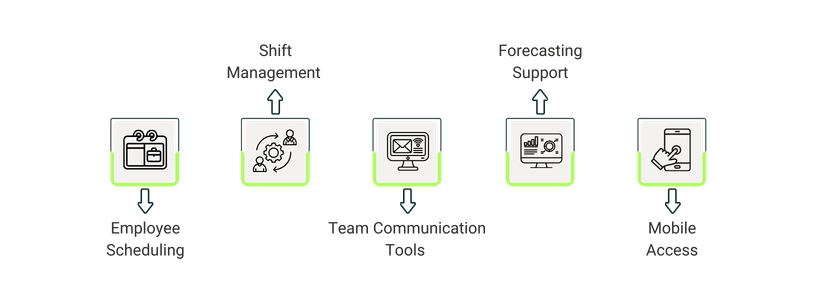
Feature
HotSchedules
Schedulefly
Employee Scheduling
Advanced scheduling with labor and sales forecasting
Simple online schedules with text/email alerts
Shift Management
Shift swaps, approvals, compliance and payroll integration
Basic swaps, time‑off requests, manual tracking
Team Communication
Real‑time updates tied to scheduling
Fly Notes for team updates
Forecasting Support
AI‑driven labor and inventory forecasting
Basic labor‑cost tracking with manual inputs
Mobile Access
Full iOS/Android apps with rich functionality
Simple mobile access for schedules & notes
What Is HotSchedules?
HotSchedules is a workforce and operations management platform that caters to the needs of restaurants, retail, and hospitality industries. It offers AI-based predictive labor forecasting, compliance, scheduling, and communication, all in one system.
Companies can use this platform to automate payroll and offload admin tasks to save time. Furthermore, it supports recruiting and onboarding, and provides advanced analytics dashboards for operational insights.
HotSchedules also offers mobile apps for iOS and Android, which make sure that managers and employees can access schedules, swap shifts, and communicate on the go.
Unique Features Of HotSchedules
AI‑Powered Labor Forecasting: To predict staffing needs, HotSchedules uses historical POS and payroll data. Due to this predictive forecasting, managers can create schedules that adapt to demand fluctuations and meet staffing needs.
Compliance Automation: With built‑in labor law compliance checks and built-in reporting, the platform keeps your business consistent with workforce regulations. This helps you avoid costly penalties when it comes to compliance violations.
POS Integration: HotSchedules can be connected directly to POS like PAR POS, Toast POS, Oracle Micros, NCR Aloha, and more to sync sales and labor data in real time. This feature is used for aligning labor performance with operational (labor) costs.
Users appreciate the shift swap and approval features
Alerts functionality can be improved
Some users mentioned that mobile functionality lacked ease and reliability
What Is Schedulefly?
Schedulefly is an employee scheduling platform run by a team of 6 members, built for the hospitality industry. The platform, created in 2007, helps restaurants schedule and communicate with their staff in an easy way. Since then, they have not raised their prices.
The platform allows organizations to post schedules online and send them to staff via text or email. This helps manage shift changes, organize time-off requests, track labor costs, broadcast important messages via text, and more.
With over 20,000 restaurants, bars, breweries, coffee shops, boutique hotels, and other hospitality businesses using the platform, Schedulefly is a trusted name in the scheduling solution in the hospitality sector.
Unique Features Of Schedulefly
Restaurant‑Specific Focus: Schedulefly is designed exclusively for restaurants. Its lightweight interface ensures easy adoption. Its crib reminders, fly notes (manager logbooks), and tailored workflows minimize training needs and keep the platform aligned with the unique demands of food service businesses.
Dedicated Employee Database: The platform allows managers to store employee details, notes, and operational information in one place. It's basically an employee directory with contact information all staff can view.
Job Postings: It helps create and post jobs, which can be shared with staff. When someone applies, Schedulefly stores applicant information and resumes for review and alerts managers via email.
Pros And Cons Of Schedulefly
Pros
Cons
Seamless employee scheduling improves efficiency
Shift change tracking enforces accountability
Easy to use for admin end and staff
Users mention that options to request off could be customized
Users complained that morning-off requests default to full-day off
Side-By-Side Feature Comparison
Employee Scheduling
Based on forecasted sales and labor needs, HotSchedules manages employee scheduling for companies. Using this platform, you can avoid overstaffing by aligning employee hours with anticipated business needs. Furthermore, you can integrate employees' time and attendance tracking with their schedules.
Schedulefly allows you to create and post staff schedules online. Your team automatically gets their schedule via text or email. Staff can check their schedule at anytime from anywhere by just logging into Schedulefly.
When measured against each other, HotSchedules offers more scheduling depth, while Schedulefly focuses on ease of use for smaller teams.
Winner:HotSchedules wins because of its advanced scheduling functionalities that outperform Schedulefly’s simpler approach.
Shift Management
HotSchedules enables employees to swap, release, and request shifts directly through the platform, with manager approval workflows and compliance checks built in. You can also integrate it with payroll to ensure accurate tracking of hours worked.
With Schedulefly, your staff can give up or pick up available shifts online. The software updates the approved shift changes automatically, and the relevant staff get prompt alerts. You can also review schedule changes to see who approved or declined them.
Viewed comparatively, the shift management feature offered by HotSchedules is structured and compliance-ready, while Schedulefly leans towards simplicity of use.
Winner:HotSchedules wins because its compliance automation and payroll integration gives it an edge over Schedulefly.
Team Communication Tools
HotSchedules connects managers and staff with real-time updates and mobile access. Since there is no communication lag, all shifts keep running smoothly. Alerts are integrated with scheduling, which makes sure that staff receive timely notifications about changes.
Communication tools offered by Schedulefly provide your team with a secure and private platform for collaboration. Using this software, teams can broadcast announcements or messages via text message and email. Managers also use Fly Notes to post and share notes, reservations, events, action items, etc. with their team.
While comparing both, we can conclude that HotSchedules has a much more structured communication tied to scheduling, while Schedulefly goes with a team‑friendly approach.
Winner:Schedulefly wins because its Fly Notes cultivates richer team engagement than HotSchedules’ structured alerts.
Forecasting Support
HotSchedules uses AI‑powered labor forecasting, which combines labor and inventory planning and helps companies forecast their staffing needs. This way, no guesswork is required, and your company can get ahead of demand and staff accordingly.
Schedulefly, on the other hand, offers basic forecasting support, which allows managers to track labor costs by schedule. They can also input daily or weekly sales forecasts to keep an eye on labor costs as a percentage of sales.
Looking side-by-side, HotSchedules’s forecasting support is advanced and automated while Schedulefly offers only basic labor-cost forecasting.
Winner:HotSchedules is a winner because its forecasting is AI-driven while Schedulefly is dependent on manual tools.
Mobile Access
HotSchedules offers full mobile functionality through iOS and Android apps. This accessibility is beneficial for managers and employees to access schedules, swap shifts, and communicate on the go.
Schedulefly also provides mobile access with apps, but its interface is more straightforward. It is focused on viewing schedules and posting them to workers. It lacks the advanced mobile integrations provided by HotSchedules.
From a comparative standpoint, both platforms support mobile access, but HotSchedules has richer functionality as compared to Schedulefly.
Winner:HotSchedules wins because its mobile apps provide better scheduling and management tools, and not just basic access.
HotSchedules Vs Schedulefly: Pricing Comparison
HotSchedules uses a custom, quote‑based pricing model. The platform is free for 12 months for customers who sign an order for the following:
(i) a 24-month HotSchedules WFM subscription contract and
(ii) Either a 24-month contract for Fourth Payroll ASO Plus OR a 12-month contract for Fourth Payroll PEO Professional.
Otherwise, its costs vary depending on business size, number of locations, and required modules.
Schedulefly offers the following pricing plans:
For 19 or fewer staff - $30/month
For 20-39 staff - $40/month
For 40-59 staff - $50/month
For 60-79 staff - $60/month
For more than 80 staff or seasonal businesses, the vendor offers custom pricing.
Schedulefly also offers a free trial for 30 days.
Disclaimer: The pricing is subject to change.
When viewed from a comparative lens, HotSchedules offers flexible, quote‑based pricing, while Schedulefly provides transparent, tiered plans. The former platform offers flexibility, while the latter is more focused on simplicity.
The Last Shift: Which Scheduler Stays On Your Roster?
Now that we have compared the ins and outs of both platforms, it’s time to make a final choice. Your company size, operational needs, required features, and the budget range you have established shall help you decide what software you want to get.
HotSchedules is best suited for larger hospitality businesses that need advanced labor forecasting, mobile scheduling, and compliance tools. On the other hand, small businesses with straightforward scheduling needs may prefer Schedulefly.
For more employee scheduling options, visit Software Finder’s Resource Center to explore practical comparison guides and alternatives.