


Last Updated
Overview
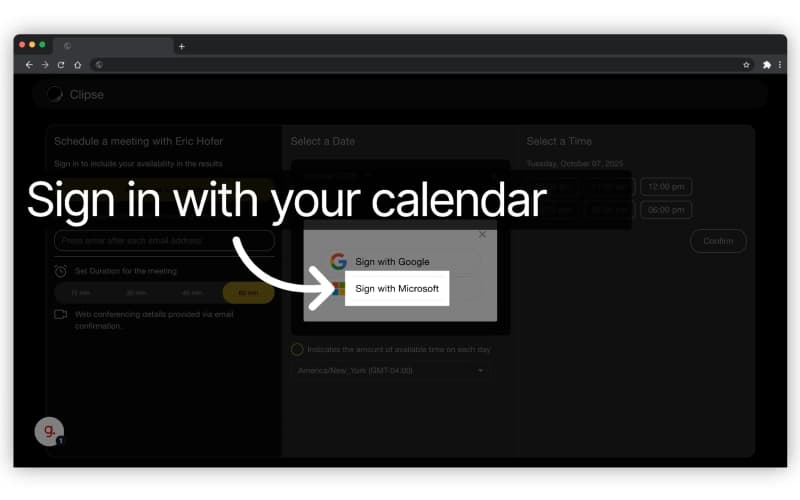
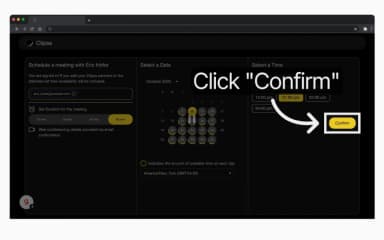
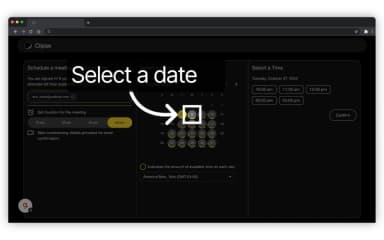
Clipse helps sales professionals and teams coordinate meetings by synchronizing availability across Google, Outlook, and iCloud calendars. While customer support response time can be improved, its ability to overlay disparate schedules while maintaining strict data privacy makes it a reliable choice.
Clipse Specifications
- Meeting Scheduling
- Collaboration Tools
- Activity Tracking
- Email Integration
Clipse Features
Managed Availability Windows
The system allows for the creation and management of specific availability windows for each day of the week to ensure total schedule control. Only unbooked time slots within these designated periods are displayed to external parties, which protects personal time while facilitating the organization of professional meetings.
Unified Calendar Connection
This tool connects every calendar across any organization to provide a singular and synchronized view of time management. By linking to various calendar platforms, the software ensures that availability remains consistent and accurate to prevent the risk of double bookings across different personal and professional accounts.
Internal-Style Partner Scheduling
The platform enables the invitation of external contacts to become partners, allowing for meeting coordination like internal team interactions. This network-based approach provides access to shared availability and transforms external relationship management into a simplified process that mirrors internal colleague coordination.
Cross-Company Network Building
The tool facilitates the construction of a professional network by connecting calendars with other trusted users. This functionality provides instant access to shared availability among partners, fostering stronger professional relationships by making the scheduling of recurring meetings transparent and effortless.
Group Page Synchronization
Dedicated scheduling pages for individuals and groups synchronize availability automatically for all participants involved. This ensures that complex group bookings respect the real-time status of every attendee calendar and provides a reliable platform for external stakeholders to identify a consensus meeting time.
Pros And Cons of Clipse
Pros
Includes automated group consensus identification tools
Provides sensitive data privacy protection
Offers personalized anonymous booking protection
Cons
Scheduling page layouts can be a bit modernized
Manual coordination may require some necessary steps
Clipse Reviews
Total 2 reviews
5
All reviews are from verified customers
Rating Distribution
5
Stars100%
4
Stars0%
3
Stars0%
2
Stars0%
1
Stars0%
Share your experience
Brennan B.
Banking, 51-100 employees
Less than a year
“Perfect for my private scheduling”
Pros
Setting up calls is much simpler because it removes the back-and-forth of multiple emails just to land on a time. It's also nice that I don't have to share all of my schedule details when someone is asking for available dates.
Cons
The only limitation is that it really depends on partners using it too which keeps it from being a universal option for matching schedules. Other than that, I haven't had any issues with the design or security.
Rating Distribution
Ease of use
10
Value for money
9
Customer Support
9
Functionality
10
Mark B.
Information Technology and Services, 1-10 employees
More than a year
“calendar scheduling made simple!”
Pros
Trying to set up meetings with people at other companies through regular email is usually frustrating and takes way too much time. Clipse fixes that with a smart add on that works with both Google Calendar and Outlook. The interface feels accessible, installation is quick and it also handles internal meeting scheduling really well :)
Cons
There is one extra step when you're scheduling with people who do not use the software yet. You can send them an invite but you cannot see their availability unless they sign up first. Even so, the value is obvious and getting started is easy.
Rating Distribution
Ease of use
9
Value for money
8
Customer Support
10
Functionality
9
Frequently Asked Questions
What language does Clipse support?
The platform currently supports the English language.
Does Clipse offer an API?
Information regarding the vendor’s API availability has not been provided.
What types of pricing plans does Clipse offer?
Clipse cost breakdown includes three plans: Individual ($0.00/month), Professional ($8.00/month), and Organization ($10.00/user/month). Request a customized Clipse price plan for your business today!
Does Clipse have a mobile app?
Information regarding a dedicated mobile app has not been specified by the vendor.
What other apps does Clipse integrate with?
The platform integrates with various software and services including Google Calendar, and Microsoft Outlook.
Who are the typical users of Clipse?
Clipse features are designed for businesses in industries and sectors like banking, consumer goods, financial services, professional services, and sales.
What level of support does Clipse offer?
The platform provides support through a contact form.