


Last Updated
Overview
Ctrl is a powerful workspace that streamlines CRM management and sales workflows. The platform reduces manual data entry and ensures consistent pipeline visibility across teams. While setting up complex automation rules may take time, it significantly improves efficiency and sales process accuracy.
Ctrl Specifications
- Sales Automation
- Sales Pipeline Management
- Customizable Dashboards
- Meeting Scheduling
Ctrl Features
CRM Automation
The platform enables users to update multiple CRM fields from a single interface, reducing the need to navigate multiple tabs. This improves data accuracy while saving time on routine CRM tasks.
Meeting Management
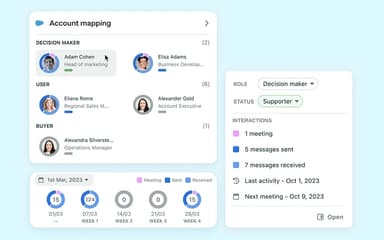
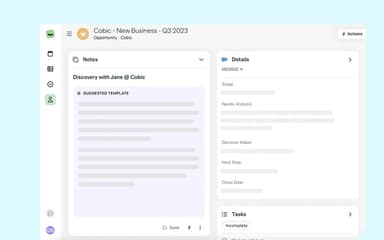
The platform syncs with calendars to create structured meeting notes linked to specific accounts. This ensures every sales interaction is captured and stored without manual follow-ups.
Workflow Flows
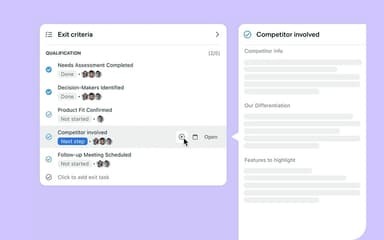
The software provides customizable Flows that trigger actions across connected tools based on defined events. This helps automate follow-ups and keeps deals moving through the pipeline efficiently.
Centralized Workspace
The platform brings notes, tasks, and CRM records into one centralized workspace. This delivers full visibility into the sales cycle and prevents information silos across teams.
Template Library
The software offers pre-built templates for discovery, handovers, and renewals to maintain consistency. This ensures all critical information is collected at every stage of the sales process.
Pros And Cons of Ctrl
Pros
Reduces manual CRM maintenance through intelligent AI automation workflows
Provides SOC 2 certified security, ensuring enterprise compliance standards
Context-aware interface minimizes app switching across daily sales activities
Helps formalize previously unstructured sales processes effectively
Cons
Primarily valuable only for teams heavily dependent on CRM systems
Requires existing sales process foundation for maximum measurable benefit
Ctrl Reviews
Total 1 reviews
5
All reviews are from verified customers
Rating Distribution
5
Stars100%
4
Stars0%
3
Stars0%
2
Stars0%
1
Stars0%
Share your experience
Asaf Fybish
Not Specified, N/A employees
“Sales workflow made simple”
Pros
As someone working in sales, this has been incredibly useful and it makes my whole workflow much simpler and more manageable.
Cons
I haven't run into any downsides so far.
Rating Distribution
Ease of use
10
Value for money
9
Customer Support
10
Functionality
10
Frequently Asked Questions
What types of pricing plans does Ctrl offer?
The pricing for Ctrl starts at $29/user/month with the Premium plan, designed for individuals and small teams. It also offers free, and larger teams can opt for the Business plan, which is available with custom pricing. Get a Ctrl price quote.
What level of support does Ctrl offer?
Ctrl provides comprehensive support through an online help center and blogs.
Does Ctrl have a mobile app?
Ctrl is primarily optimized for desktop use to support heavy-duty sales workflows, though users can access their workspace via mobile browsers for quick reference.
Who are the typical users of Ctrl software?
Typical users include account executives, sales development representatives, and customer success managers who need to maintain accurate records while managing high volumes of client interactions.
What other apps does Ctrl integrate with?
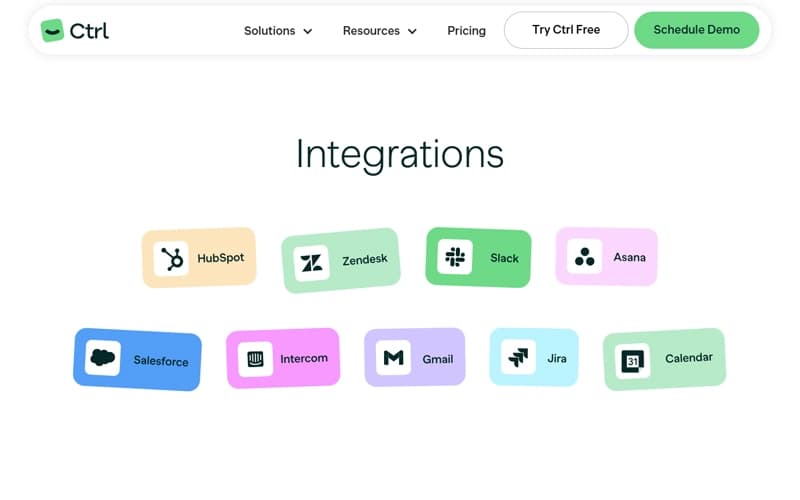
Ctrl integrates with major CRM platforms, including HubSpot and Salesforce.
What language does Ctrl software support?
Ctrl is primarily focused on the English language.
Does Ctrl software offer an API?
Yes, Ctrl provides API access for enterprise users to facilitate custom connections and deeper data integration across specialized business tools and internal databases.