


Last Updated
Overview
Sonnet is an AI-powered meeting assistant that transcribes, summarizes, and analyzes discussions to streamline workflows. While some users note occasional transcription errors, its automated Customer Relationship Management (CRM) updates and collaborative insights improve team efficiency and meeting follow-ups.
Sonnet Specifications
- Lead Management
- Sales Pipeline Management
- Contact Management
- Sales Automation
Sonnet Features
Real-Time Transcription
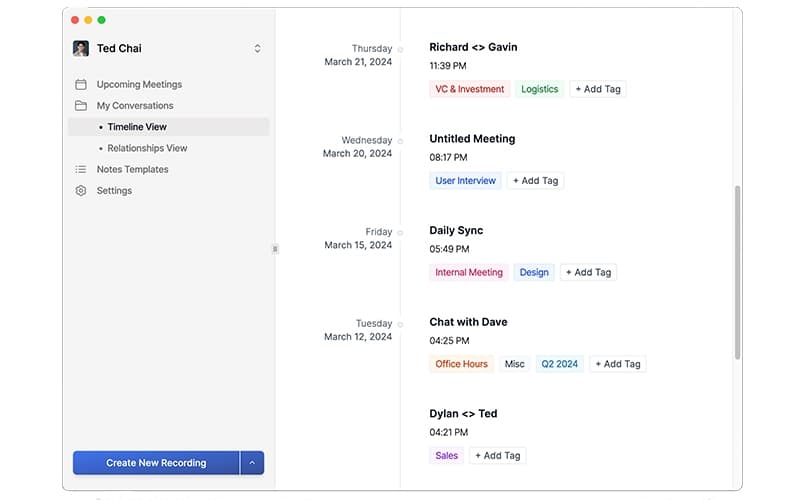
Sonnet captures spoken content from meetings and converts it into accurate, searchable text. This reduces manual note-taking, ensures no detail is missed, and allows team members to focus on discussion, improving meeting efficiency and reducing follow-up errors.
Automated Meeting Summaries
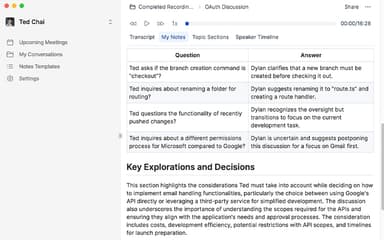
The platform generates concise, actionable summaries of discussions. These summaries highlight key points, decisions, and next steps, enabling teams to quickly understand outcomes, assign tasks effectively, and improve collaboration without spending extra time reviewing lengthy transcripts.
CRM Updates And Tracking
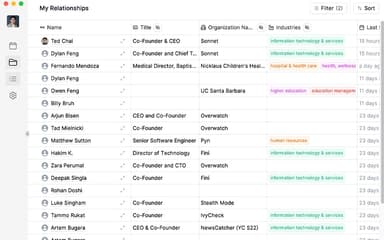
Sonnet automatically updates CRM records with meeting insights, including notes, follow-ups, and action items. This ensures accurate client data, reduces manual data entry, and allows sales teams to maintain up-to-date pipelines and strengthen customer relationships efficiently.
Collaboration And Sharing
Users can share transcriptions, summaries, and insights across teams in real time. This fosters transparency, allows for faster decision-making, and ensures all stakeholders remain aligned, even when team members miss a meeting or work remotely.
Analytics And Insights
Sonnet analyzes meeting patterns, engagement, and outcomes, providing actionable insights. Teams can identify trends, measure participation, and improve follow-ups, helping managers optimize communication strategies and enhance overall productivity.
Pros And Cons of Sonnet
Pros
Accurate meeting transcription
Automated CRM updates
Actionable meeting summaries
Cons
Occasional transcription errors
Limited offline functionality
Sonnet Reviews
Total 1 reviews
5
All reviews are from verified customers
Rating Distribution
5
Stars100%
4
Stars0%
3
Stars0%
2
Stars0%
1
Stars0%
Share your experience
Adi
Information Services, 1-10 employees
Less than 6 months
“Packed with useful templates”
Pros
Everything about the product is simple in the best way. The interface is user friendly and having all of my meeting notes gathered in one place works really well. I also really like the automatic recording and the fact that it works across platforms. The templates tailored to my specific use cases have been especially useful too.
Cons
It's limited to the Mac ecosystem right now and adding features like search would make it even better.
Rating Distribution
Ease of use
9
Value for money
10
Customer Support
10
Functionality
8
Frequently Asked Questions
Who are the typical users of Sonnet?
Sonnet features are well-suited for industries including technology, professional services, marketing agencies, financial services, education, consulting, and healthcare.
What language does Sonnet support?
Sonnet is available in English.
What level of support does Sonnet offer?
The software provides support via email, chat, and ticket submission.
Does Sonnet offer an API?
No, Sonnet does not publicly offer an API.
What types of pricing plans does Sonnet offer?
The software offers multiple plans, including Free ($0), Plus ($25/month), Pro ($35/month) Enterprise (custom pricing). Request a personalized Sonnet cost quote.
What other apps does Sonnet integrate with?
The platform integrates with Zoom, Microsoft Teams, Google Meet, Slack, and Discord.
Does Sonnet have a mobile app?
No, the platform doesn’t offer a mobile app.