


Last Updated
Overview
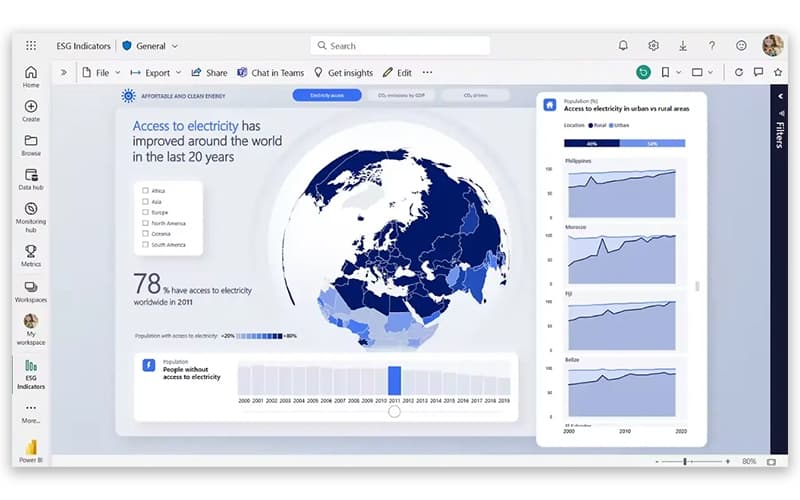
Microsoft Power BI is a powerhouse business intelligence and data visualization solution designed to bridge the gap between complex raw data and actionable strategic insights. While the platform may require training and guidance for new users, it features AI-Driven Data Modeling and Real-Time Interactive Dashboards, ensuring that customers' satisfaction.
Microsoft Power BI Specifications
- Data Visualization
- Customizable Dashboards
- Data Analysis and Reporting
- Scheduled Reporting
Microsoft Power BI Features
AI-Powered Data Insights
This feature enables users to discover hidden trends and patterns automatically using built-in machine learning models. Microsoft Power BI allows you to ask questions of your data using natural language (Q&A), making sophisticated data science accessible to non-technical business users across the entire organization.
Real-Time Streaming Analytics
Power BI allows for the visualization of data in real-time, from social media sentiment to factory sensor data. This ensures that decision-makers are viewing up-to-the-minute information, allowing for proactive interventions and immediate responses to shifting market conditions or operational anomalies.
End-To-End Data Encryption
Microsoft Power BI provides robust security features, including sensitivity labels and data loss prevention (DLP). This ensures that sensitive corporate data remains protected even when shared externally, meeting the strictest global compliance standards while allowing for secure collaboration across departments.
Hybrid Data Connectivity
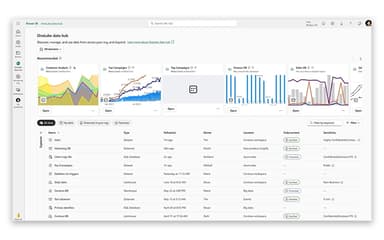
The software allows users to connect to data sources regardless of whether they are on-premises or in the cloud. This hybrid approach ensures that legacy systems and modern SaaS applications can be analyzed together in a single, unified view without moving data.
Pros And Cons of Microsoft Power BI
Pros
Deep, native integration with Excel, Teams, and the Azure ecosystem
Massive library of custom visualizations and community-built templates
Rapid monthly update cycle ensures the platform stays at the cutting edge
Cons
Excessive capabilities may overwhelm new users, thereby necessitating guidance
Platform interface can be improved to ease users
Microsoft Power BI Reviews
Total 1249 reviews
4.5
All reviews are from verified customers
Rating Distribution
5
Stars60%
4
Stars36%
3
Stars4%
2
Stars0%
1
Stars0%
Share your experience
Gabriel Ifekoya
Financial Services, 500+ employees
Less than a year
“a solid choice for building dashboards”
Pros
Right from the start, it feels like a strong value compared with many other business intelligence platforms especially considering it delivers enterprise-grade analytics capabilities. As a Business Analyst, I really appreciate the user friendly drag and drop experience, the wide range of visualization choices and how naturally it connects with Microsoft tools like Excel, SQL Server, Azure and Teams. Creating interactive dashboards, automating reports and building data models with Power Query and DAX has made reporting much more efficient and helps drive better business decisions.
Cons
Getting started can be a bit challenging for newer users especially when advanced DAX formulas, complex data modeling or performance tuning come into play. Working with very large datasets may also require Premium capacity or careful optimization of the model. On top of that external report sharing and license management can be somewhat confusing, particularly in organizations that have mixed licensing needs.
Rating Distribution
Ease of use
6
Value for money
7
Customer Support
7
Functionality
8
Piyusha Patil
Hospital & Health Care, 101-500 employees
More than a year
“amazing insights”
Pros
It does an excellent job of turning complex data into clear, interactive insights. The interface is pretty user friendly so building dashboards is fairly easy yet it still includes advanced analytics for deeper reporting needs. One thing I really appreciate is its strong data management capability and how many different sources it can connect to, from cloud services and databases to spreadsheets and enterprise apps. The analysis tools are efficient and make it much easier to spot trends and support data-driven decisions. Its search and query options especially through DAX, filters and drill down features, add a lot of flexibility. On top of that the collaboration and sharing tools help teams access insights and act on them quickly. Given everything it offers, it provides excellent value for the cost.
Cons
The more advanced features can take time to learn especially DAX formulas, data modeling and building more complex reports. Support quality can also depend on the subscription tier and support plan so the experience is not always consistent. Performance may slow down at times when handling very large datasets or highly detailed reports. Some of the more advanced capabilities are locked behind premium licensing which can raise costs for bigger organizations. Although the interface is generally well designed, newer users may still find the advanced settings and configuration options a bit difficult to navigate.
Rating Distribution
Ease of use
9
Value for money
10
Customer Support
9
Functionality
8
Charumathi Anbalagan
Information Technology and Services, 500+ employees
More than a year
“Great integration withing Mircosoft stack”
Pros
Working within the Microsoft stack is where this really shines. Hooking it up to sources such as SQL Server, ADF and Databricks is fairly direct and usually takes very little setup. DAX gives you a lot of flexibility for building time based metrics like YOY and YTD and the visual layer makes interactive dashboards approachable enough for business users to explore on their own without needing SQL. RLS is thoughtfully handled too since it lets you manage user level data access without creating duplicate reports.
Cons
Coming from a SQL background, the DAX learning curve can feel pretty steep. Calculations that would be simple in SQL often turn into more involved measure logic in DAX especially when CALCULATE, FILTER and context transition come into play. Performance is another area that can become challenging with larger datasets, as the model grows, refresh timeouts and slower visuals start to show up unless you spend time optimizing with things like aggregations or composite models. The licensing can also be hard to sort out since the differences between Pro, Premium Per User and Premium Capacity are not always obvious and external sharing adds extra licensing considerations. Collaboration is still a weaker point as well because version control for .pbix files does not feel as mature as code-based tools and while Git integration is getting better, it still falls short of a true CI/CD style workflow.
Rating Distribution
Ease of use
7
Value for money
8
Customer Support
9
Functionality
7
Frequently Asked Questions
What level of support does Microsoft Power BI offer?
Microsoft Power BI offers support via an online help center, guided learning paths, and a massive community forum.
What types of pricing plans does Microsoft Power BI offer?
Microsoft Power BI price starts with a free plan, and Power BI Pro at $14/user/month, Power BI Premium User at $24/user/month and Power BI in Microsoft Fabric at custom pricing. Get a detailed Microsoft Power BI cost breakdown tailored to your specific requirements.
Does Microsoft Power BI offer an API?
Yes, Microsoft Power BI offers an API.
What other apps does Microsoft Power BI integrate with?
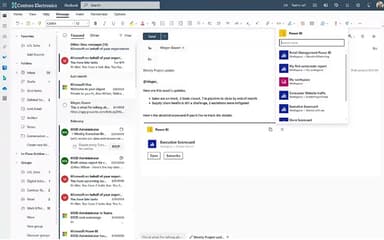
Microsoft Power BI supports integration with a wide range of platforms, including Microsoft 365 suite (Excel, Teams, SharePoint) and Azure.
Does Microsoft Power BI have a mobile app?
Yes, Microsoft Power BI does offer a dedicated mobile app.
What language does Microsoft Power BI support?
Microsoft Power BI software primarily supports English alongside multiple other languages.
Who are the typical users of Microsoft Power BI?
Microsoft Power BI features are used by data analysts, financial controllers, sales managers, and C-suite executives.