


Last Updated
Overview
Qbo redefines business intelligence by allowing users to interact with data using natural language for instant insights. Its no-code analytics and machine learning capabilities move beyond static reports. While initial data model setup may be complex, Qbo empowers teams to make faster, smarter, and more confident decisions.
Qbo Specifications
- Natural Language Dialogue
- Smart Data Discovery
- Self-Service Dashboards
- Predictive Capabilities
Qbo Features
Automated Insights
Qbo identifies trends, anomalies, and key drivers within your data, delivering proactive, actionable insights to help teams make timely, data-driven decisions without manual intervention. This ensures your organization is always aware of emerging patterns and potential issues.
Semantic Modeling
The platform employs semantic modeling to interpret complex data relationships, enabling intuitive queries and accurate insights. By understanding how different data points relate, Qbo ensures that users get precise answers and relevant context for informed decision-making.
Data Stories
Qbo allows users to create and share interactive data storyboards that visually narrate business insights. These storyboards enable teams to communicate findings effectively, align strategies, and collaborate on decision-making without relying solely on static dashboards.
Security And Architecture
The platform offers enterprise-grade security and flexible deployment options, including SaaS, on-premise, or private cloud. Robust access controls and encryption ensure that sensitive business data remains secure while maintaining performance and compliance standards.
Collaborate
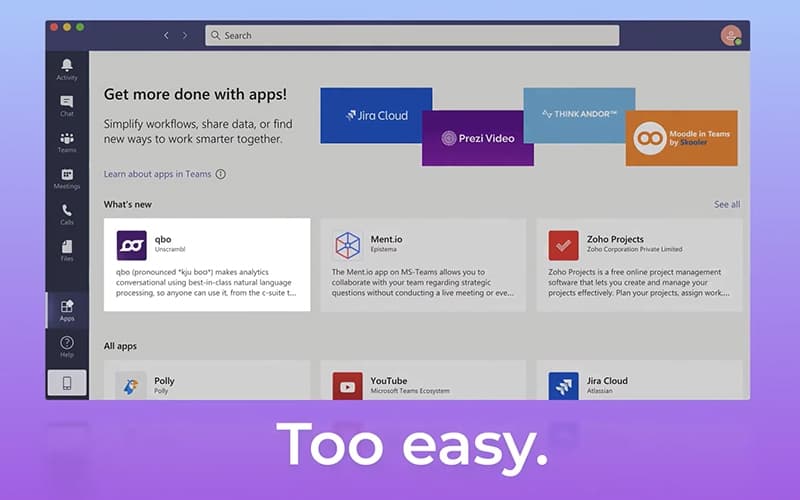
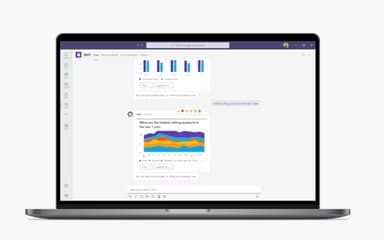
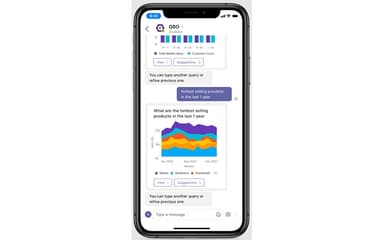
Qbo integrates with collaboration tools like Microsoft Teams, allowing teams to discuss, annotate, and act on insights directly within their workflow. This promotes seamless collaboration, faster decision-making, and alignment across departments.
Pros And Cons of Qbo
Pros
Perfect for gaining deep data-driven insights from conservations
Easily scalable in a containerized environment to boost business efficiency
Integrates advanced AI with familiar business workflows, providing real-time visibility
Cons
Configuration process of the platform is reportedly complex
Requires specific expertise for complex reporting requirements
Qbo Reviews
Total 30 reviews
4.5
All reviews are from verified customers
Rating Distribution
5
Stars53%
4
Stars43%
3
Stars3%
2
Stars0%
1
Stars0%
Share your experience
Charmi
Mid-Market, 500+ employees
“all-in-one features but frustrating layout”
Pros
Having everything gathered in one place is definitely useful and the feature set it offers is something I appreciate.
Cons
It seems to be pushing forward with AI but the layout just is not working well. On top of that, the updates and new features keep affecting the original functions which has left a lot of people pretty frustrated.
Rating Distribution
Ease of use
6
Value for money
6
Customer Support
6
Functionality
6
Pranav
Mid-Market, 500+ employees
“proconnect integration and fast reports”
Pros
ProConnect integration works really well and the reporting is quick to generate.
Cons
The user interface could use some improvement and would be better if it looked more appealing.
Rating Distribution
Ease of use
10
Value for money
10
Customer Support
10
Functionality
10
Piyush
Mid-Market, 500+ employees
“bank sync saves time!!”
Pros
Direct syncing with bank accounts and credit cards cuts down a lot on manual data entry.
Cons
The pricing runs higher than some competing options especially once add-ons are included.
Rating Distribution
Ease of use
10
Value for money
10
Customer Support
10
Functionality
10
Frequently Asked Questions
Does Qbo have a mobile app?
No, it does not offer a mobile application.
Does Qbo offer an API?
The vendor has not shared information regarding its API.
What types of pricing plans does Qbo offer?
The Qbo price is customized. It is based on factors such as the choice of your data model and the number of users. Request a personalized Qbo pricing quote for your business.
What language does Qbo support?
Qbo is primarily available in English.
Who are the typical users of Qbo?
Its typical users include retail and e-commerce, financial services, telecommunications, and data analytics teams.
What other apps does Qbo integrate with?
Qbo software integrates with Google Analytics, AWS Redshift, and Snowflake.
What level of support does Qbo offer?
It provides support is provided through FAQs and knowledge base.