


Last Updated
Overview
Shadow AI uses advanced meeting intelligence to summarize, organize, and make discussions searchable for future use. This empowers teams to act faster with automatic note-taking and contextual insights. While it can lag under heavy load, its real-time transcription and post-meeting analysis improve collaboration and productivity, especially for remote teams.
Shadow AI Specifications
- Text to Speech & Speech to Text
- Bot Design & Deployment
- Predictive Capabilities
- Entity Extraction with Text Analytics
Shadow AI Features
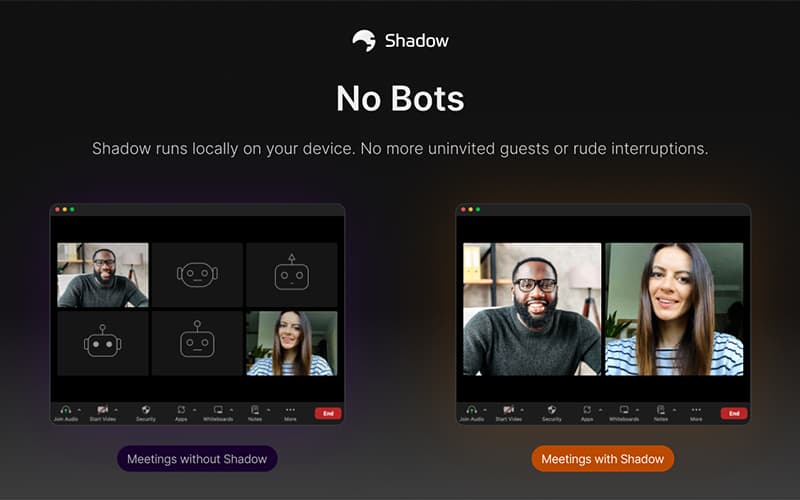
Bot-free
Shadow AI operates without intrusive bots, ensuring seamless meeting participation and data privacy. It listens intelligently without joining calls visibly, maintaining natural conversation flow while capturing accurate content.
Speaker Identification
The AI automatically distinguishes and labels who spoke during meetings, improving clarity in transcripts and summaries. This ensures accountability and makes follow-up on assigned tasks easier.
Custom Chat
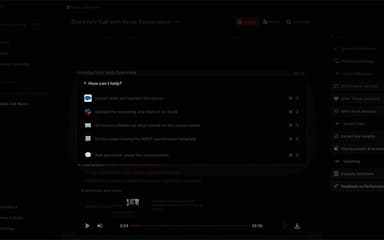
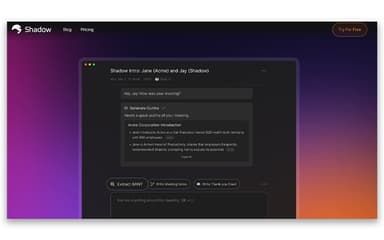
Shadow AI features a custom chat service that lets users explore meeting data through a contextual chat interface. It allows asking questions about past discussions and provides insights into data without having to explore previous transcripts.
Post-Meeting Skills
Shadow AI software goes beyond summaries by generating sales debriefs, investor updates, and contextual insights. These post-meeting skills turn discussions into executable outcomes, customized to meet client requirements.
Auto-Pilot Mode
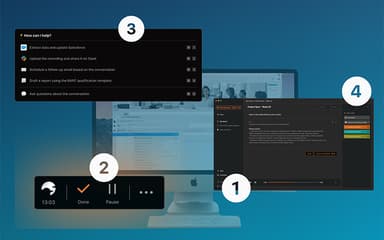
The Auto-Pilot mode automatically captures, analyzes, and organizes meeting content without user intervention. It helps ensure no insights or decisions go uncaptured across recurring sessions.
Pros And Cons of Shadow AI
Pros
AI-driven transcription and meeting summaries across platforms
Recognizes audio for speaker identification, which increases transparency
Ensures bot-free participation
Cons
Relies on strong audio quality for accurate transcription
Slows down at times, distorting meetings
Shadow AI Reviews
Total 1 reviews
4
All reviews are from verified customers
Rating Distribution
5
Stars0%
4
Stars100%
3
Stars0%
2
Stars0%
1
Stars0%
Share your experience
Amrit A.
Mid-Market, 500+ employees
“accurate transcripts and collaboration boost”
Pros
Coordinating team meetings across different time zones and companies feels much more organized with this tool because it works easily without being intrusive. The transcripts are very accurate and features such as live interpretation and templates make meetings far more efficient while improving collaboration at the same time.
Cons
Honestly there isn't anything specific that I dislike. The tool is easy to use and the support team has been consistently strong.
Rating Distribution
Ease of use
7
Value for money
8
Customer Support
7
Functionality
8
Frequently Asked Questions
Who are the typical users of Shadow AI?
Typical users include clients dealing in logistics, financial services, cloud storage, etc., for better project management and better collaboration.
Does Shadow AI offer an API?
Yes, Shadow AI provides API access for developers to integrate meeting insights into custom workflows.
Does Shadow AI have a mobile app?
The vendor has not shared information regarding a dedicated mobile app.
What language does Shadow AI support?
Shadow AI is primarily available in English.
What other apps does Shadow AI integrate with?
It integrates with Zoom, Slack, Teams, Google Meet, Notion, and other workplace tools.
What types of pricing plans does Shadow AI offer?
The Shadow AI offers a free plan and a plus plan costing $12/month. Request a personalized Shadow AI prie quote for your business.
What level of support does Shadow AI offer?
Shadow AI provides support via FAQs.