


Last Updated
Overview
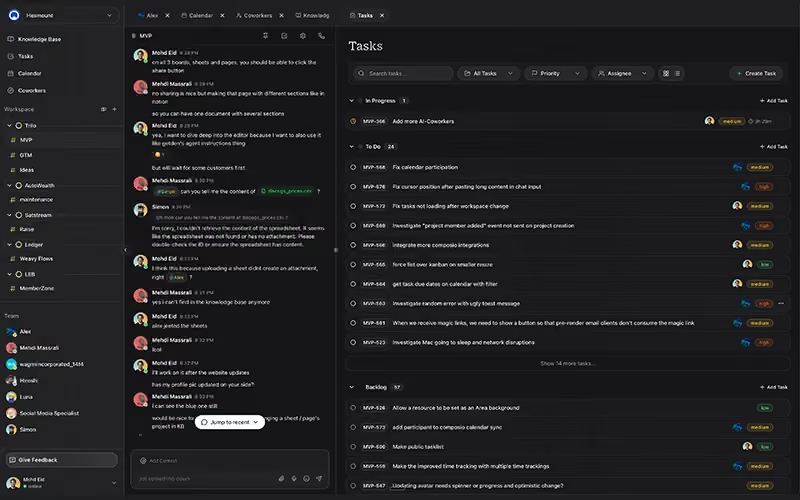
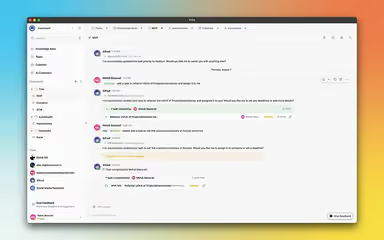
Trilo provides a central hub for team coordination by combining chat, tasks, and documents into one workspace, and helps organizations improve focus and reduce tool fatigue for better efficiency. While the advanced AI features require an initial setup, its ease of use and automated workflows make it a reliable choice.
Be the first one to leave a review!
No review found

Starting Price
Custom
Trilo Specifications
- Real-time Communication
- Document Management
- Task & Project Management
- Calendar & Scheduling
Trilo Features
Contextual Page Editor
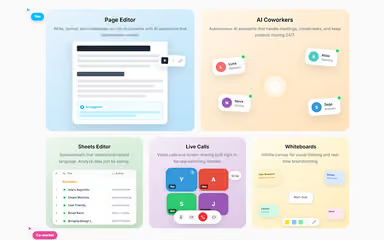
The platform provides a shared space where team members write and format documents together. Built in artificial intelligence reads the project details to suggest helpful content and improvements. This tool keeps all notes in one place, so the team produces professional work without leaving the app.
Natural Language Sheets Editor
Trilo includes a spreadsheet tool that lets workers study data by asking questions in plain English. The software understands simple requests so people can find answers without learning difficult math formulas. This makes it easy for everyone on the team to manage and understand project information.
Live Calls
Native video calling and screen sharing tools allow for instant meetings within the workspace. Placing these features directly in the interface stops the need for extra meeting apps or switching between windows. All discussions stay connected to the correct project channels, so no important details get lost.
Collaborative Whiteboards
An infinite digital canvas allows teams to draw ideas and plan projects together in real time. Members use this space to create visual maps and organize research during brainstorming sessions. This tool turns new ideas into clear plans that every person in the workspace can see and edit.
Specialized AI Agent Roles
The workspace uses different digital assistants like Nova for writing and Sage for data study to handle specific jobs. These assistants work at all hours to manage meeting notes and keep projects moving forward. Each assistant focuses on one area to give the team expert support for many different business tasks.
Pros And Cons of Trilo
Pros
Centralized AI assistant approach that improves daily productivity
Unified workspace that eliminates the need to jump between multiple tools
Provides a polished and well-organized digital environment
Cons
Some features are still in early evolution
Temporary gaps in functionality can be expected
Trilo Reviews

No reviews yet!
Be the first to review this product
Frequently Asked Questions
What level of support does Trilo offer?
The platform provides support through email.
Who are the typical users of Trilo?
Trilo features are designed for businesses in industries and sectors like consulting, digital marketing, e-commerce, creative agencies, and software development.
What languages does Trilo support?
The platform currently supports the English language.
Does Trilo have a mobile app?
Information regarding a dedicated mobile app has not been specified by the vendor.
What other apps does Trilo integrate with?
The platform integrates various software and services including Google Calendar, Shopify, Slack, Gmail, and GitHub.
Does Trilo offer an API?
Information regarding the vendor’s API availability has not been provided.
What types of pricing plans does Trilo offer?
Trilo cost breakdown includes a 14-day free trial three monthly plans: Solo ($25/month), Teams ($120/month), and Ultra ($250/month). Request a customized Trilo price plan for your business today!