


Avaya Cloud Software
Last Updated
Overview
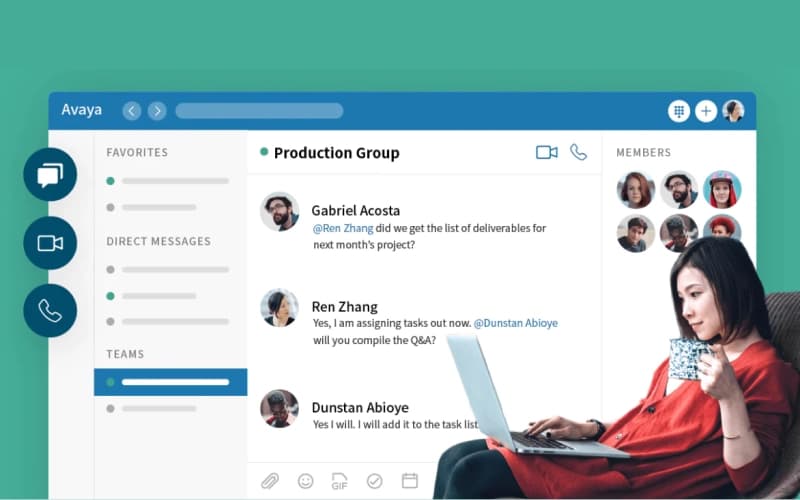
Avaya Cloud Office consolidates voice, video, and messaging into a reliable unified communications platform for growing enterprises. Although the interface can feel outdated compared to modern competitors, its exceptional stability and flexible hybrid deployment options ensure secure, uninterrupted connectivity for mission-critical business operations.

Avaya Cloud Software Specifications
- Interactive Voice Response (IVR)
- Call Recording
- Call Monitoring
- Call Reporting and Analytics
Avaya Cloud Software Features
Unified Communications Collaboration
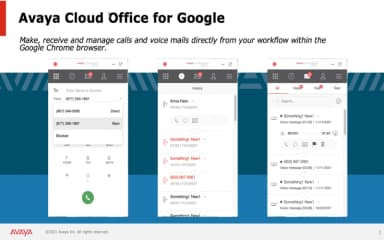
This feature consolidates voice, video, messaging, and conferencing into a single application interface. By streamlining these channels, it allows employees to switch seamlessly between communication modes, significantly reducing app fatigue and ensuring consistent collaboration whether users are in the office or working remotely.
Advanced Call Routing
The platform offers sophisticated routing logic that directs incoming calls based on specific criteria like time, location, or caller ID. This ensures that customers are immediately connected to the most appropriate agent or department, reducing wait times and improving overall first-contact resolution rates.
Seamless Mobility Support
Avaya IP Office extends full desktop functionality to mobile devices through its dedicated app. This capability enables staff to use their business number for calls and messages on personal devices, ensuring they remain professional, accessible, and productive regardless of their physical location.
Integrated Contact Center
This built-in solution provides multichannel support, allowing businesses to handle voice, email, and web chat interactions from one interface. It empowers customer service teams with real-time tracking and reporting tools, helping supervisors optimize agent performance and enhance the overall customer support experience.
Secure Hybrid Deployment
The software supports flexible deployment models, including on-premise, cloud, or hybrid configurations. This architectural flexibility allows businesses to maintain local survivability during internet outages while leveraging cloud benefits, providing a layer of operational resilience that pure-cloud competitors often cannot match.
Pros And Cons of Avaya Cloud Software
Pros
High system reliability and uptime
Flexible hybrid deployment options available
Deep customization of call flows
Cons
Interface looks and feels outdated
Phone program might be difficult to navigate due to a variety of features
Avaya Cloud Software Reviews
Total 17 reviews
4.3
All reviews are from verified customers
Rating Distribution
5
Stars47%
4
Stars35%
3
Stars18%
2
Stars0%
1
Stars0%
Share your experience
Financial Services, 51-100 employees
Less than a year
“cloud flexibility with Teams”
Pros
It works really well with MS Teams and the softphone has been a strong feature for us. Having everything hosted in the cloud is also a big plus because it makes switching between devices fairly convenient.
Cons
Getting this set up to record audio during video calls feels a little awkward in the beginning. Once the process is understood, it becomes manageable but training new employees to handle two separate applications can still be a hassle.
Rating Distribution
Ease of use
9
Value for money
8
Customer Support
9
Functionality
8
Telecommunications, 101-500 employees
Less than a year
“user friendly routing”
Pros
This app has a user friendly interface and the call routing support is a definite plus.
Cons
The part I like least is that it offers limited customer context and doesn't pull in customer interaction history.
Rating Distribution
Ease of use
7
Value for money
5
Customer Support
5
Functionality
3
Financial Services, 500+ employees
More than a year
“reliable integrations”
Pros
For the most part, it's been very reliable, offers solid record tracking and connects well with Salesforce and other apps.
Cons
Every now and then, the application times out and shows error messages that don't really match the actual issue. Thankfully, logging out and back in usually clears it up.
Rating Distribution
Ease of use
8
Value for money
8
Customer Support
9
Functionality
9
Frequently Asked Questions
Does Avaya Cloud Software have a mobile app?
Yes, the Avaya Workplace client is available for both iOS and Android devices, enabling users to make calls, manage contacts, and access voicemail remotely using their business identity.
Who are the typical users of Avaya Cloud Software?
Typical users include organizations in healthcare providers, education institutions, hospitality sector, financial services, government agencies, retail businesses, and manufacturing companies.
What level of support does Avaya Cloud Software offer?
Avaya offers customer support via phone, email, and a knowledge base.
Does Avaya Cloud Software offer an API?
No, API access is not available.
What language does Avaya Cloud Software support?
Avaya Cloud Software is available in English, French, Italian, Spanish, Dutch, and Chinese.
What types of pricing plans does Avaya Cloud Software offer?
The software offers custom pricing plans to cater to businesses of varying sizes and communication needs. Request a personalized Avaya Cloud Office pricing quote for your business today!
What other apps does Avaya Cloud Software integrate with?
The software supports integration with multiple EHR systems and platforms. However, the vendor has not specified the names of any third-party apps.