


Discord Software
Last Updated
Overview
Discord is a communication platform that offers voice, video, and text chat for communities. While its extensive features require some time for users to get used to, they enhance collaboration. Overall, Discord offers an all-in-one solution for group interactions.
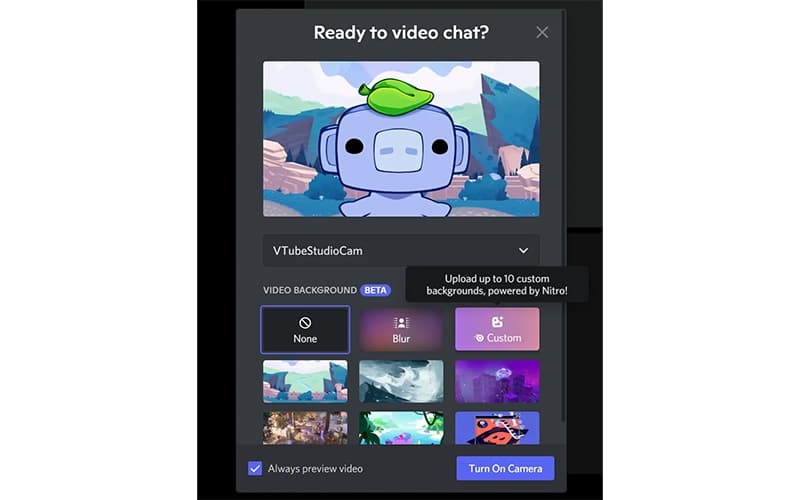
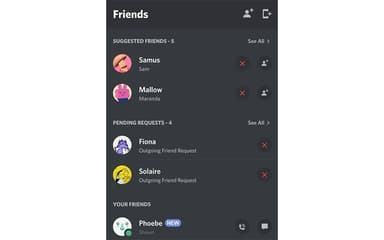
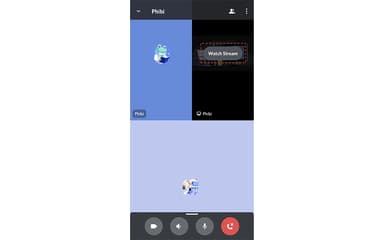
Discord Software Specifications
- Real-Time Communication
- File Sharing & Management
- Integration with Other Tools
- Mobile Accessibility
Discord Software Features
Customizable Group Chats
Discord makes it easy to create and personalize group chats as needed. Whether for friends, gaming communities, or professional purposes, users can set up text and voice channels, assign roles, and control permissions. It even offers various themes, emojis, and integrations, ensuring that every server reflects its unique style and purpose.
Personalized Communication
The software makes it fun for users to express themselves freely with the help of custom emojis, animated stickers, and soundboard effects in voice, video, or text chats. They can create custom avatars, profile banners, and statuses to reflect their personality in the way they communicate.
High-Quality Streaming
High-quality, low-latency streaming makes communication and content sharing easier. From gaming and watching videos to working together, users can stream in high resolution with minimal lag. With Go Live, they can broadcast gameplay or projects to friends in real time, enhancing shared entertainment experiences.
Drop-In Voice Channels
With voice channels, users can join and leave conversations without any formal call or invite. This utility creates room for spontaneous discussions about everything from gaming to brainstorming sessions or even just for catching up. The always-open nature of voice channels makes casual interactions easier, helping users build real-time connections.
Pros And Cons of Discord Software
Pros
Offers text, voice, and video communication in one place
Enables users to join public servers or create private ones
Allows extensive customization that enhances the user experience
Cons
May be difficult to use for first-time users
Lacks certain functionalities essential for professional use
Discord Software Reviews
Total 17 reviews
4.5
All reviews are from verified customers
Rating Distribution
5
Stars76%
4
Stars12%
3
Stars0%
2
Stars12%
1
Stars0%
Share your experience
Information Technology and Services, 51-100 employees
More than a year
“Ideal for gamers”
Pros
I love how simple and portable this app is. Whether I'm using it on my phone or laptop, it's just so easy to get started and stay connected. No complicated setup or confusing features just a simple experience that works every time.
Cons
I wish I could use it through CarPlay in the car, it would make things so much easier.
Rating Distribution
Ease of use
9
Value for money
10
Customer Support
8
Functionality
10
Information Technology and Services, 1-10 employees
More than a year
“Not my favorite but I have to use it”
Pros
It definitely gets easier to use over time. One of the things I really love is being able to switch between all the different groups I'm part of. I'm in a Discord channel for a volunteer group, my alumni association, a networking group, a political organization and even just a casual group chat with my friends. It's really convenient to have everything in one place!
Cons
I think the layout is a bit confusing and the color contrast could be better. The way replies either start a new thread or just appear on the same page for everyone to see doesn't sit well with me. The moving emoji options to respond feel kind of cheesy. Also the voice chat feature has never been used in any group I've been in and it just takes up unnecessary space. I still don't get what the whole Nitro thing is about.
Rating Distribution
Ease of use
6
Value for money
6
Customer Support
6
Functionality
4
Arts and Crafts, N/A employees
More than a year
“Chat & play anonymously”
Pros
With so many people using Discord, it's super easy to start groups for college, personal interests or just about anything else. I've started a few and it's always so easy to find people to join. It's a great way to connect with others who share the same passions.
Cons
It feels like there are a lot of paywalls and you can't really explore different groups outside of your personal social circle without restrictions.
Rating Distribution
Ease of use
4
Value for money
4
Customer Support
8
Functionality
6
Frequently Asked Questions
Who are the typical users of Discord software?
Typical users include gaming communities, educational institutions, and creative professionals.
What language does Discord software support?
In addition to English, Discord supports multiple languages, allowing users to select their preferred language through the application's settings.
What other apps does Discord software integrate with?
Discord integrates with multiple applications, including TikTok LIVE, Twitch, YouTube, and Spotify.
Does Discord software have a mobile app?
Yes, Discord offers mobile applications for both iOS and Android devices.
What level of support does Discord software offer?
Discord provides support through its help center, developer support, apps center, and Twitter.
Does Discord software offer an API?
Yes, Discord provides an API.
What types of pricing plans does Discord software offer?
Basic Discord functionalities are available for free. Meanwhile, the Nitro Basic and Nitro plans cost $2.99/user/month and $9.99/user/month, respectively.