


Doodle
Last Updated
Overview
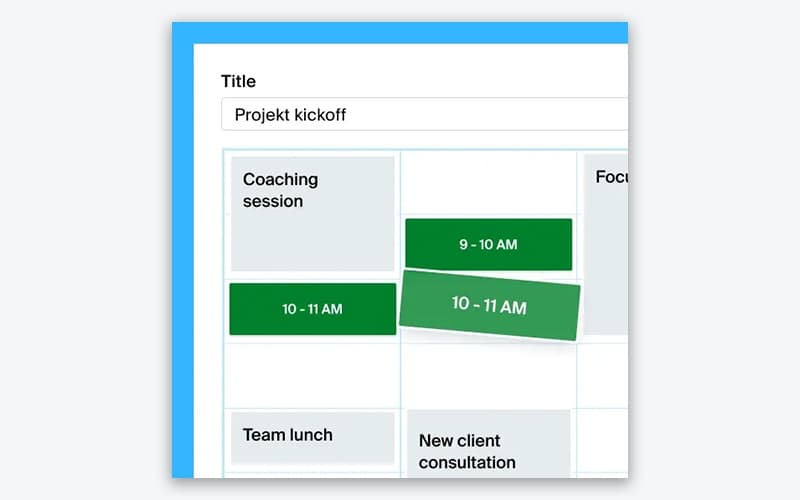
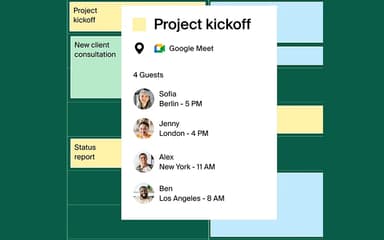
Doodle saves administrative time by offering comprehensive tools for both group and individual scheduling. Users benefit from automated handling of invites and reminders for planned sessions. While occasional syncing issues with calendars are reported, its secure payment collection and customizable branding strongly support client-facing service organizations.


Doodle Specifications
- Calendar & Scheduling
- Integration With Other Tools
- Automation & Workflow
- Mobile Accessibility
What Is Doodle?
Doodle is a cloud-based scheduling application designed to maximize productivity for individuals and large teams. It eliminates time-consuming email threads, allowing users to focus on core work. With features like Group Polls, teams can quickly identify and confirm a mutually convenient meeting time. Personalized Booking Pages enable businesses to accept direct appointments and, when needed, collect secure payments, creating a professional and efficient client experience. The platform is highly scalable and suitable for organizations of all sizes.
Doodle Pricing
Businesses can choose from the following Doodle price plans:
- Free: $0/user/free forever
- Pro: $14.95/user/month
- Team: $19.95/user/month
- Enterprise: Custom
Disclaimer: The pricing is subject to change.
Doodle Integrations
The software supports integration with multiple systems and platforms, such as:
- Microsoft Teams
- Zapier software
- Stripe
- Google Meet
- Google Calendar
- Webex
- Zoom
Who Is Doodle For?
Doodle software is ideal for a wide range of industries and sectors, including:
- Tech
- Professional services
- Healthcare and wellness
- Education
- Non-profit
Is Doodle Right For You?
If you’re a professional seeking hassle-free scheduling, Doodle is the best fit, resolving common productivity challenges like endless email chains and time zone confusion. Its standout feature, Group Polls, consolidates team availability quickly, ensuring high scalability.
Trusted by top organizations including Alphabet, Amazon, and Microsoft, Doodle provides enterprise-grade security and is certified as GDPR and CCPA-compliant. Its robust design and intuitive interface make Doodle an efficient, reliable solution for teams of all sizes.
Still doubtful if Doodle is the right fit for you? Connect with our customer support staff at (661) 384-7070 for further guidance.
Doodle Features
Sign-up Sheets
This feature empowers event organizers to create structured sign-ups for webinars, workshops, or training sessions. Attendees can choose their preferred time slot from the list, allowing organizations to efficiently manage capacity and effectively streamline event logistics.
Automated Calendar Management
This feature allows users to clear their minds by fully automating the management of their calendar. Doodle handles all availability checks, sends out necessary invites, and issues timely reminders, ensuring professionals can fully focus on their productive work.
Secure Payment Collection
The software is equipped to securely collect payments automatically when a client books a session through the scheduling page. Integration with Stripe ensures swift and secure transactions, helping service providers get paid immediately and eliminating follow-up invoices.
Group Polls
This feature is the most efficient solution for quickly coordinating any type of team or client meeting. Organizers propose several time options, and participants vote for their preferred slots, which instantly resolves complex scheduling conflicts without back-and-forth communication.
Branded Booking Pages
This feature allows businesses to show up professionally with custom-branded scheduling interfaces. Utilizing simple scheduling and personalized pages helps professionals make a strong, lasting first impression on clients and partners before a consultation or meeting begins.
Pros And Cons of Doodle
Pros
Simplifies scheduling and eliminates back-and-forth emails
Polls help efficiently find common meeting times
Easily accessible on the web and mobile devices
Cons
Reminders and notifications lack full customization
Limited visibility of poll results without participation
Doodle Reviews
Total 50 reviews
4.1
All reviews are from verified customers
Rating Distribution
5
Stars40%
4
Stars32%
3
Stars28%
2
Stars0%
1
Stars0%
Share your experience
Design, 51-100 employees
More than a year
“Simple polls but distracting ads”
Pros
I really like how simple it is to create a poll and share the link with my friends or team members so they can vote. The whole process is very easy and fuss-free which makes people more willing to respond instead of ignoring the request.
Cons
i have noticed that the website shows quite a few ads which can be a little distracting while using it. In my experience it works best for simple polls and basic scheduling but it's not really built for anything too advanced or fancy.
Rating Distribution
Ease of use
9
Value for money
9
Customer Support
10
Functionality
8
Marketing and Advertising, 1-10 employees
More than a year
“Quick setup but too many ads!!”
Pros
It is very quick and easy to set up and honestly it saves me so much time. We currently use the free version and it works perfectly for what we need but i have noticed the paid version offers a lot of additional features that look really useful if someone needs more advanced functionality.
Cons
The ads� oh my God.. the ads. Since i am using the free version, they pop up everywhere and sometimes completely cover the page. Honestly it can get really distracting when i am just trying to schedule something quickly.
Rating Distribution
Ease of use
10
Value for money
10
Customer Support
10
Functionality
9
Construction, 1-10 employees
More than a year
“free plan limits”
Pros
i enjoy how easy it makes scheduling appointments with coworkers and clients. the process is smooth and organized and it saves a lot of time compared to the usual email exchanges.
Cons
After switching to the free version, I started noticing the ads a lot more and the limited features can be frustrating. Since we were not using the platform as often as we expected, the free version feels restricted compared to what we had before.
Rating Distribution
Ease of use
10
Value for money
10
Customer Support
10
Functionality
10
Frequently Asked Questions
What other apps does Doodle integrate with?
Doodle features integrations with Microsoft Teams, Zoom, Google Meet, Google Calendar, Zapier, Stripe, and Webex.
Does Doodle offer an API?
No, Doodle does not offer an API.
What language does Doodle support?
The software is available in English, German, French, Italian, and Spanish.
What types of pricing plans does Doodle offer?
Doodle offers Free, Pro ($14.95/user/month), Team ($19.95/user/month), and Enterprise (custom) plans. Request a personalized Doodle pricing quote for your business today!
Who are the typical users of Doodle?
Doodle software benefits users in tech, professional services, healthcare and wellness, education, and non-profit sectors.
Does Doodle have a mobile app?
No, Doodle does not offer a dedicated mobile app.
What level of support does Doodle offer?
Doodle offers support via a dedicated help center and contact form.