

Google Sheets Software
Last Updated
Overview
Google Sheets software is a dynamic, cloud-based spreadsheet tool that boosts productivity with real-time collaboration. While it lacks direct customer support, it ensures secure data handling with customizable access controls. It is packed with automation, formulas, and smooth integrations, making it perfect to manage data effortlessly.
Google Sheets Software Specifications
- Real-Time Communication
- File Sharing & Management
- Document Management
- Task & Project Management
What Is Google Sheets Software?
Google Sheets software is a user-friendly cloud spreadsheet solution designed for businesses, educators, and individuals. It enables seamless teamwork with live editing, smart automation, and easy integration with other Google tools. The software offers accessibility across devices, powerful formulas, and data visualization, while its customizable access controls ensure security, making it ideal for professionals handling sensitive data. Google Sheets simplifies organization and enhances efficiency with its user-friendly and collaborative design, whether needed for financial tracking, project planning, or data analysis.
Google Sheets Software Pricing
Google Sheets Software Integrations
It integrates with a wide range of apps through Google Workplace. Some of the renowned apps are mentioned below:
- Atlassian
- Tableau Software
- SAP
- Figma
- AO Docs
- PagerDuty
- Miro
Who Is Google Sheets Software For?
Google Sheets is designed to cater to a wide range of users, including:
- Individuals and students
- Small businesses
- Large enterprises
- Marketing professionals
- Executives and leadership
Is Google Sheets Software Right For You?
Google Sheets is perfect for anyone who needs an easy, collaborative, and AI-powered way to manage data. Whether you're a student tracking assignment, a business analyzing reports, or a team working remotely, its smart features and seamless integrations make work efficient. If you need real-time collaboration, automation, and secure data handling, then Google Sheets is a great choice.
Are you still thinking about whether Google Sheet Software will meet your requirements? Connect with us at (661) 384-7070, and our support team will help you to make the best decision.
Google Sheets Software Features
Gemini In Sheets
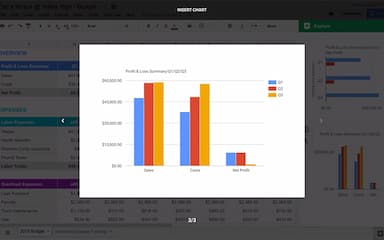
Google Sheets features AI-powered assistance with Gemini that helps users create trackers, tables, and data visualizations. It also suggests formulas and analyzes data to uncover insights, making complex tasks faster and easier.
Quickly Build Spreadsheets
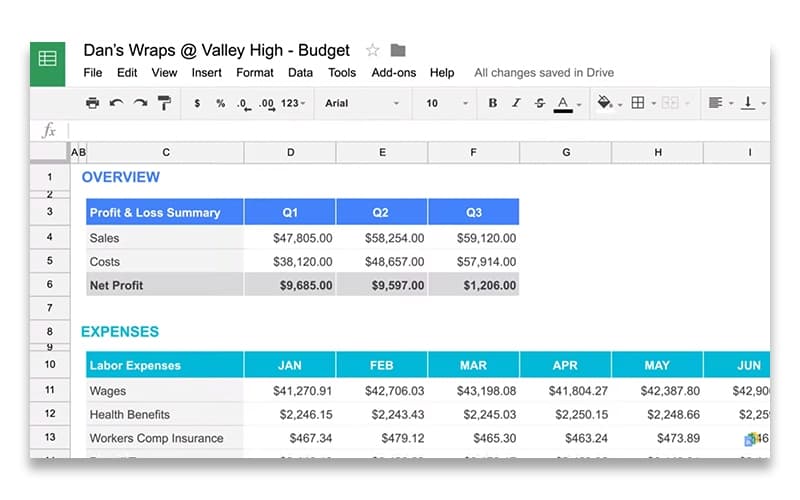
The software enables users to quickly build spreadsheets with structured data. Smart chips allow seamless input of names, dates, files, and dropdowns, ensuring organized, high-quality data entry with minimal effort.
Collaborate On Your Spreadsheets, From Anywhere
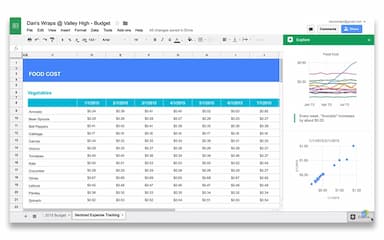
Google Sheets allows users to collaborate in real time with teams from any device. Co-editing, commenting, and integrated Meet calls ensure smooth teamwork, keeping everyone aligned on shared spreadsheets.
Security
Security feature safeguards user data with built-in encryption and privacy controls. It ensures secure collaboration while allowing users to report spam or add extra encryption for enhanced protection.
Excel Compatibility And Enhanced Functionality
This feature empowers users to edit Excel files within Google Sheets. It unlocks collaboration tools like comments, action items, and AI-powered assistance, making spreadsheets more interactive and efficient.
Pros And Cons of Google Sheets Software
Pros
Allows real-time collaboration and live editing
Work from anywhere with secure cloud access
Enhances teamwork and data sharing across Google platforms
Offers customizable access controls for secure data handling
Cons
No built-in spell check for data entry, according to some software users
Chart designs appear outdated compared to other software in the market
Lacks some advanced formula functionality,
Google Sheets Software Reviews
Total 15 reviews
4.5
All reviews are from verified customers
Rating Distribution
5
Stars67%
4
Stars20%
3
Stars13%
2
Stars0%
1
Stars0%
Share your experience
Retail, 51-100 employees
Less than a year
“All the best features of the competition”
Pros
It's like a free version of Excel that I can use from anywhere without having to install anything. Super convenient!
Cons
Sometimes it doesn't have all the features that Excel does especially when it comes to advanced statistics. It's a letdown in that area.
Rating Distribution
Ease of use
10
Value for money
6
Customer Support
10
Functionality
9
Biotechnology, 500+ employees
Less than 6 months
“Totally worth the price”
Pros
I love that Google Sheets is totally free once I've got a Google account and everything is stored in the cloud which is a big plus.
Cons
It can be really slow and laggy when I'm working with large datasets and honestly I don't like that at all.
Rating Distribution
Ease of use
9
Value for money
4
Customer Support
8
Functionality
9
Legal Services, 51-100 employees
More than a year
“My go to now”
Pros
Google Sheets is like a more user-friendly version of Excel. It takes all the best parts of Excel and makes it easy to collaborate and share with others.
Cons
It's missing some of the advanced features that Excel has but that's only a big deal if you're an Excel expert.
Rating Distribution
Ease of use
9
Value for money
10
Customer Support
8
Functionality
9
Frequently Asked Questions
Does Google Sheets Software have a mobile app?
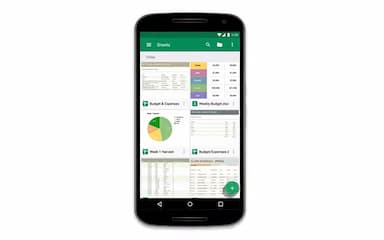
Yes, Google Sheets has a mobile app for Android and iOS users.
Does Google Sheets Software offer an API?
Yes, Google Sheets Software offers an API.
Who are the typical users of Google Sheets Software?
Typical users of Google Sheets software are large enterprises, small businesses, marketing professionals, executives, and leadership, as well as individuals and students.
What level of support does Google Sheets Software offer?
Google Sheets software offers support through the Google Help Center, FAQs/forums, and a knowledge base for free users. It also offers phone, live chat, and email/helpdesk support through its paid version via Google Workspace subscription.
What language does Google Sheets Software support?
Google Sheet software supports a wide range of languages, including English, Spanish, French, Portuguese, German, Italian, Russian, Arabic, Chinese, and Japanese.
What other apps does Google Sheets Software integrate with?
Google Sheets integrates with various apps, including SAP, Figma, Miro, Tableau software, PagerDuty, AO Docs, and Atlassian.
What types of pricing plans does Google Sheets Software offer?
Google Sheets price depends on the Google Workspace plan you choose. While the software is free for anyone with a Google Account, premium features are available through Google Workspace. If you want to know how much is Google Sheets, contact us.