




Last Updated
Overview
Nulab helps cross-functional teams conquer complex projects. Featuring various specialized tools for project management and collaborative diagramming, it streamlines workflows, centralizes data, and empowers teams to create, launch, and manage initiatives with ease and enhances productivity.
Nulab Specifications
- Real-Time Communication
- File Sharing & Management
- Document Management
- Task & Project Management
Nulab Features
Burndown Charts
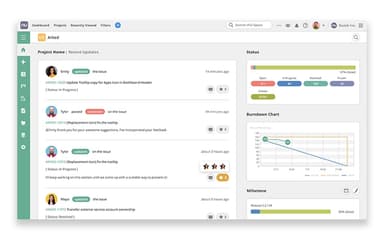
Burndown charts help managers keep track of unfinished tasks along with their respective deadlines. This quick overview of pending tasks allows them to prioritize projects, allocate more resources, and ensure timely delivery.
Boards
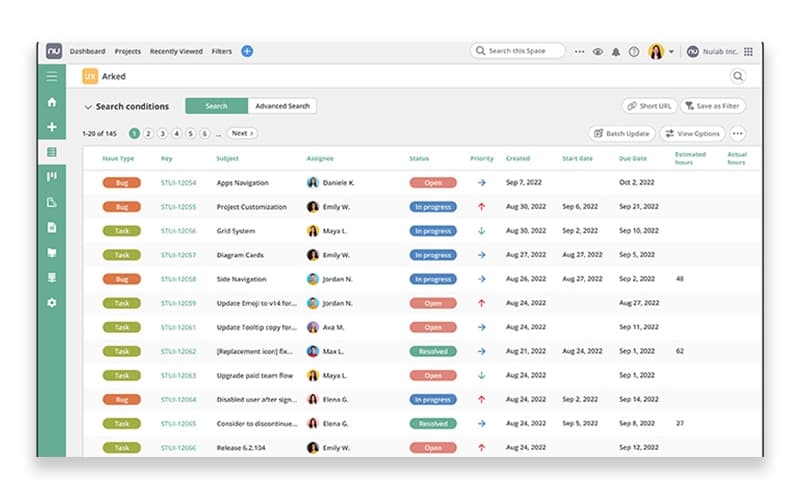
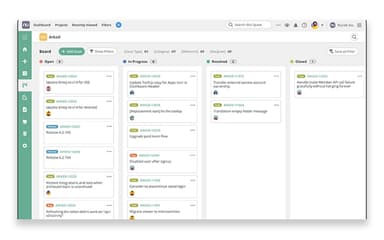
Boards are visual tools that present data in an easy-to-digest manner. Administrators can access all important information like tasks assigned, assignee name, status, date, and more, all in one place. This helps manage projects easily and provides a bird’s eye view of initiatives across an organization.
In-App Video And Chat
Integrated video and chat capabilities allow managers to seamlessly communicate and manage remote teams. Using the video tool, managers can provide in-depth feedback and discuss product designs, without needing to open an external app.
Multi-User Editing
Allows multiple team members to work on the same diagram at the same time, enabling real-time collaboration. Teams can benefit from this feature especially for brainstorming new ideas and speeding up the product creation process.
Nulab Reviews
Total 57 reviews
4.5
All reviews are from verified customers
Rating Distribution
5
Stars60%
4
Stars39%
3
Stars0%
2
Stars0%
1
Stars2%
Share your experience
Computer & Network Security, 11-50 employees
Free Trial
“impressed by simple layout and git/wiki”
Pros
I am quite impressed by the simple, easy to use layout. Also the issue tracking feature is dependable and the Git/Wiki integration is really useful. I hope everyone who tries it finds it as user friendly as I did.
Cons
That said I notice reporting and customization options are pretty limited and the UX/UI feels a bit outdated when I compare it to newer tools.
Rating Distribution
Ease of use
8
Value for money
8
Customer Support
9
Functionality
7
Computer Software, 1-10 employees
Free Trial
“Good value”
Pros
Being able to organize my team's backlog so well was something I really liked and the service gave me good value for the money. Yes it took a little time to get comfortable with the features but overall the learning curve felt minor.
Cons
I haven't used their customer service so I can't say how well it performs. I never needed to contact support during my project which means there have not been any real tests of their responsiveness or help yet.
Rating Distribution
Ease of use
10
Value for money
9
Customer Support
8
Functionality
10
Education Management, 11-50 employees
Less than 6 months
“simple and useful with tidy interface”
Pros
I find this a simple and useful tool for managing everyday tasks and projects. I also like how tidy and uncluttered the interface is as it is approachable even for users just starting out. Creating tasks, assigning them to teammates, setting deadlines and monitoring progress all works well together and are organized. Plus the collaboration tools like comments, file sharing and version control keep everything centralized. It also saves me time and significantly improves how our team coordinates especially for small to mid-sized teams.
Cons
There are a few drawbacks I have noticed such as some of the more advanced capabilities feel restricted unless you upgrade from the basic plans. Also I feel like the reporting tools could offer deeper, more customizable insights. Newcomers who aren't used to project-management apps can sometimes hit a learning curve before they get comfortable. Plus the mobile app could be faster and smoother as improving its performance would make navigating and working on the go a lot easier.
Rating Distribution
Ease of use
8
Value for money
8
Customer Support
6
Functionality
8
Frequently Asked Questions
Does Nulab offer an API?
Yes, it offers an API.
What language does Nulab support?
It supports the English language.
What other apps does Nulab integrate with?
The software integrates with several third-party applications, including Google Docs, Webhook, and Slack.
Does Nulab have a mobile app?
Yes, it offers mobile apps for both iOS and Android.
What types of pricing plans does Nulab offer?
Nulab offers three core plans, namely Backlog, Cacoo, and Nulab Pass, each with multiple sub-plans. Backlog includes Free ($0/month), Starter ($35/month), Standard ($100/month), Premium ($175/month), and Enterprise (custom pricing). Cacoo offers Free ($0/month), Pro ($6/month/user), and Team ($6/month/user). Nulab Pass is priced from $3/month/user (minimum 3 users). You can contact us for a custom Nulab pricing plan.
Who are the typical users of Nulab?
Typical users of Nulab include teams from sales, product management, marketing, and development.
What level of support does Nulab offer?
Users can contact Nulab through email.