


Last Updated
Overview
Pibox provides a collaborative platform for audio and video review and approvals that enables teams to share precise, timestamped feedback on media files. While some users report difficulty locating files and identifying authors, PiBox helps streamline review cycles by making feedback clearer and easier to act on across teams.
Overall Rating
Based on 13 users reviews
4.5
Rating Distribution
Positive
85%
Neutral
15%
Negative
0%
Starting Price
$10
per user per month
Pibox Specifications
- Real-Time Communication
- File Sharing & Management
- Document Management
- Task & Project Management
What Is Pibox?
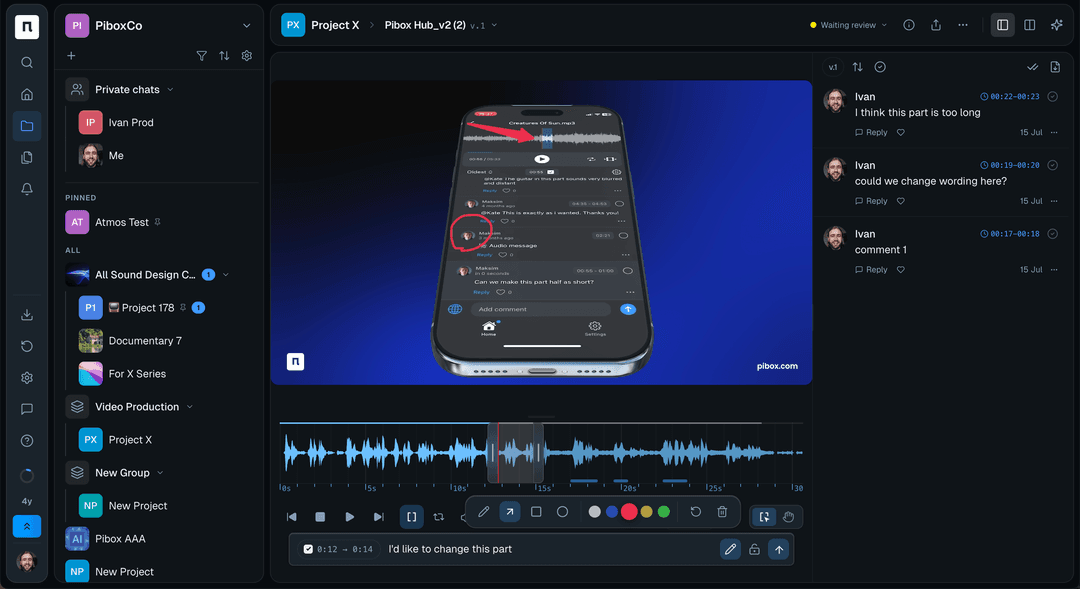
Pibox is a cloud-based audio and video collaboration platform designed to streamline review, feedback, and approval workflows for creative production teams. It enables users to upload and share lossless media files, organize projects, and collaborate directly on audio and video timelines. Teams can leave timestamped comments on waveforms or visual content, compare multiple file versions, and manage feedback through threaded discussions, ensuring that all creative input is tied to precise moments in the media. The platform also includes built-in team chat and private chat, file management with status update and version tracking, and structured review tools that replace fragmented communication across email and messaging apps.
What Is Pibox Best For?
Pibox is best known for its ‘Review and Approvals’ feature, which centralizes all feedback on audio and video in one place to eliminate back-and-forth across email and messaging apps. It allows teams to leave timestamped comments directly on waveform or visual content, discuss edits in threaded conversations, and share public or private feedback. By enabling smooth version comparison and working on lossless, original-quality files, it helps teams shorten review cycles and finalize creative projects more efficiently.
How Much Does Pibox Cost?
Pibox pricing starts at $10/user/month under the Pro plan for small teams and companies. It offers two other pricing plans with advanced features and for larger teams. These are:
- Team: $20/user/month (For advanced team workflow management)
- Enterprise: Custom Pricing (For enterprise workflow, priority support, and customizations)
In addition, businesses should keep the following potential costs in mind based on the industry benchmarks:
- Storage Overages: $50–$500+/month depending on audio volume, resolution, and archival requirements
- AI Feature Add-ons: $5–$20/user/month for advanced AI feedback extraction, summarization, and workflow optimization tools
- Implementation And Setup: Included in plan
- Training and Onboarding: Free of charge
- Integration: Included in plan
- Migration Of Existing Projects And Audio Assets: Included in plan
- Enterprise Security And Compliance: Included in plan
Users generally view Pibox pricing as fair and value-driven, although some users note that pricing can become less transparent or increase as teams scale and require more advanced collaboration features. Despite this, many reviewers highlight that it delivers strong value for creative teams by consolidating audio review, version control, and communication tools into a single platform, reducing the need for multiple separate tools.
Disclaimer: The pricing is subject to change.
Pibox Integrations
The vendor offers integration with Slack software.
How Does Pibox Work?
Log in to Pibox to manage audio and video review workflows in one centralized space. Follow the steps below to use its core review and approval features:
- Connect and upload your audio or video files in lossless quality to ensure all feedback is based on the original media
- Create projects and organize files so teams can collaborate on specific tracks, edits, or production tasks in a structured workspace
- Invite team members to collaborate and give them access to review content, leave feedback, and participate in discussions
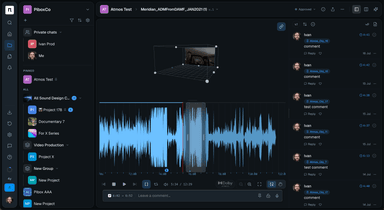
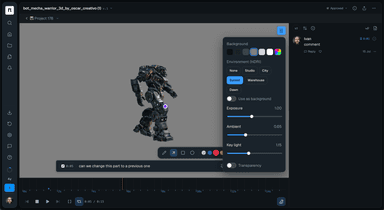
- Leave timestamped comments directly on waveform or visual content to pinpoint exact moments that need changes or review
- Choose between public or private comments to control who sees specific feedback and keep communication relevant
- Discuss edits through threaded conversations that keep feedback organized and tied to specific points in the media
- Compare different versions of a track using linked version chains to quickly review changes and improvements
- Finalize feedback and approvals in one place, reducing back-and-forth across email and messaging platforms and speeding up review cycles
Who Is Pibox For?
Pibox software serves a wide range of industries, sectors, and teams including:
- Music production
- Film production
- Advertising
- Media and entertainment
- Podcast production
- Post-production and editing houses
- Remote creative collaboration teams
Pibox Use Cases
Based on Pibox positioning as a review and approvals platform for audio and video collaboration, the use cases focus on teams that need structured feedback, version control, and faster creative sign-off workflows.
1. Creative Audio Teams Managing Collaborative Review and Feedback Workflows
Pibox is used by creative audio teams working on professional music projects that require structured feedback and multiple review cycles. Instead of relying on scattered communication channels, teams centralize feedback directly on audio tracks using timestamped comments, allowing collaborators to pinpoint exact sections that need changes. With lossless file sharing, version comparison, and threaded discussions, teams can efficiently manage revisions and streamline the review process from initial edits through to final approval.
2. Audio Production Programs Scaling Student Feedback and Peer Learning in Higher Education
Higher education programs teaching audio production and sound design often struggle to provide detailed feedback as enrollment grows, with instructors relying on shared drives, separate timestamp notes, and one-on-one review sessions that become difficult to scale. At the same time, students miss opportunities to learn from their peers’ work when assignments and feedback remain isolated. Pibox helps solve these difficulties by centralizing student submissions, instructor feedback, and peer reviews within a single collaborative project. Using timestamped comments, file versioning, and team discussions, educators can deliver more detailed critiques while enabling students to learn from classmates' mixes, collaborate remotely with external contributors, and participate in a more interactive creative learning environment.
3. Film and Television Music Teams Managing Multi-Round Review Processes
Teams producing custom music for film trailers, television promotions, and streaming content often require multiple rounds of creative review before a track is approved, with feedback exchanged between producers, composers, and other stakeholders. When comments are shared through email, phone calls, and separate file-sharing platforms, important details can be lost, revisions become harder to track, and approval cycles take longer than necessary. Pibox addresses these challenges by centralizing audio files, feedback, and project communication in a single workspace. Through waveform-based timestamped comments, version tracking, and real-time collaboration, creative teams can provide precise direction on edits, review tracks more efficiently, and maintain the level of detail required for music intended for film, television, and streaming productions.
4. Music Licensing Teams Managing High-Volume Track Reviews Across Multiple Creators
Music licensing and production teams that review large volumes of tracks from numerous creators often struggle with fragmented workflows spread across file-sharing platforms, messaging tools, and email. As the number of creators grows, reviewers can find it difficult to track incoming submissions, monitor review status, manage handoffs between team members, and maintain visibility into their workload. Pibox tackles these problems by consolidating file management, communication, and review workflows into a single workspace. Through automated file statuses, centralized track organization, and creator-specific sorting, reviewers can instantly identify pending work, seamlessly transfer responsibilities during staff absences, and reduce the stress and confusion associated with managing large volumes of music submissions while accelerating review turnaround times.
Is Pibox Right For You?
Pibox is an ideal choice for music, audio, video, and creative production teams that need a centralized environment for reviewing media, managing feedback, and coordinating approvals. It is particularly well suited for organizations that struggle with fragmented communication across email, messaging apps, file-sharing platforms, and review tools, making it difficult to track revisions and maintain clear collaboration.
By bringing media files, comments, version management, and team communication into a single workspace, Pibox helps creators, producers, educators, and reviewers keep projects organized and move through review cycles with greater clarity. The platform also places a strong emphasis on security, offering ISO 27001-compliant enterprise-grade security, SAML single sign-on (SSO), encrypted data storage and transmission, role-based access controls, and regular backups to help protect customer content and collaboration data.
Still not sure if Pibox is right for you? Contact our customer support team at (661) 384-7070, who will help you make the best decision.
Pibox Features
Review And Approvals
Pibox centralizes audio and video feedback within a single workspace, enabling users to leave timestamped comments directly on waveforms and visual content. Teams can share public or private comments, discuss edits in threaded conversations, compare versions, and review lossless media files to accelerate approval cycles and reduce reliance on email or messaging apps.
Project Management
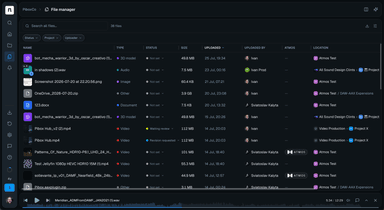
The feature provides project oversight tools that automatically track file progress and review status across productions. Users can filter priorities, access feedback mode with a single click, and customize project views by adjusting columns and data fields to match their workflow requirements.
File Management
Pibox offers a centralized file management system that supports all file formats, unlimited sharing, and flexible folder structures. Teams can organize creative assets, maintain a structured content library, and manage files across multiple projects from a single location.
Data Management
The platform includes metadata management capabilities that allow teams to create custom forms, collect file-related information, configure field visibility and editing permissions, and export merged data through Excel files or APIs. This helps organizations build content management workflows without relying on separate metadata tools.
AI Workflows
PiBox features ‘AI Workflows’ that support customizable AI-powered workflows that can be configured around an organization’s preferred AI models. Teams can integrate AI into their content management and review processes to support workflow automation and data handling requirements.
Communication And Content Sharing
Pibox combines team chats, private messaging, mentions, notifications, collaborative playlists, and external sharing tools in one platform. This allows contributors to discuss projects, coordinate reviews, organize content together, and share metadata-enriched file collections without switching between multiple applications.
Pros And Cons of Pibox
Pros
Provides precise timestamped feedback on audio and video files, making reviews easier to understand
Reduces reliance on email and messaging tools by centralizing communication, file sharing, and approvals in one platform
Supports collaborative workflows with version tracking and organized discussions
Cons
Comment notification marks stay visible until manually cleared, which some users find repetitive
Offers limited options for assigning detailed user roles and permissions
Pibox Pricing
Free | Pro | Team | Enterprise |
|---|---|---|---|
$0 per month | $10 per user per month | $20 per user per month | Custom Pricing |
|
|
|
|
Disclaimer: The pricing details were last updated on Sep 25, 2026 from the vendor's website. Please contact us for a tailored pricing list.
Pibox Reviews
Total 13 reviews
4.5
All reviews are from verified customers
Rating Distribution
5
Stars69%
4
Stars15%
3
Stars15%
2
Stars0%
1
Stars0%
Share your experience
Music, N/A employees
“User-friendly layout”
Pros
From the first day, it felt very simple to navigate. The layout is user-friendly, everything stays well organized and it has definitely helped improve our workflow and overall efficiency. One feature I really appreciate is being able to place revision notes directly on the waveform of an audio file which makes feedback much more precise. It also works really well on mobile and that matters a lot when I need to quickly check messages or updates from my team.
Cons
At this point, I honestly don't have any complaints about Pibox. It's been working really well for me.
Rating Distribution
Ease of use
9
Value for money
10
Customer Support
10
Functionality
9
Music, N/A employees
“Exceptional mobile app”
Pros
Having the track waveform right in front of me and being able to leave comments on an exact part of the audio makes a huge difference. My producer can leave super-specific notes like, "please move this drum from here to here," and I immediately know what they mean. With other tools, that level of clarity just isn't possible. The new mobile app is also fantastic, seriously, phenomenal work. I can listen to my tracks in the car and reply to comments while I'm out and I end up doing that all the time. I've also consistently appreciated the separation between the main chat and file-specific comments. Having both spaces to talk through a project or ask questions works really well.
Cons
A few years back, there were occasional little issues when the company was still smaller but they were always fixed very quickly. As for features, the only thing I'd change right now is the blue/green comment circle staying visible until I manually click it. I'd prefer if it disappeared automatically. I do understand the reason it works that way but when you get 20 comments across different projects, having to open each one just to clear those circles is a bit tedious. Still, it's not a major problem at all.
Rating Distribution
Ease of use
10
Value for money
10
Customer Support
10
Functionality
7
Non-Profit Organization Management, N/A employees
“lets me share files”
Pros
Lets me share files, keep them organized and leave precise comments at specific moments like at an exact point in a song, really helps throughout the creative process. The version history is also very useful for tracking changes and following each step of a project.
Cons
The platform clearly has a lot of potential but it still doesn't match the level of polish and reliability offered by less specialized competitors for creative work. If Pibox were better optimized and completely dependable, it would be ideal.
Rating Distribution
Ease of use
6
Value for money
7
Customer Support
6
Functionality
5
Frequently Asked Questions
What types of pricing plans does Pibox offer?
Pibox pricing starts at $10/user/month for the Pro plan which is designed for small teams and companies. Two other plans for larger organizations include; Team plan at $20/user/month and Enterprise plan at custom pricing. Request a personalized Pibox cost now!
What other apps does Pibox integrate with?
Pibox integrates with Slack software.
Does Pibox offer an API?
Yes, it does offer an API.
What language does Pibox support?
The software offers support in the English language only.
Who are the typical users of Pibox?
Pibox is used across several industries and teams involved in audio and video work. These include music production, film production, advertising, media and entertainment, and podcast production. It is also used by post-production, editing, and remote creative collaboration teams.
Does Pibox have a mobile app?
Yes, Pibox does offer a mobile app for iOS only.
What level of support does Pibox offer?
The vendor offers support via live chat.