


Last Updated
Overview
Postbox helps users manage multiple email accounts efficiently with powerful composition tools, a customizable interface, and advanced message organization. While it is limited to desktop platforms, it provides macOS and Windows users with a streamlined solution. It is reliable for professionals, teams, and businesses handling high volumes of email.
Be the first one to leave a review!
No review found

Starting Price
Custom
Postbox Specifications
- Real-Time Communication
- File Sharing & Management
- Automation & Workflow
- Security & Compliance
What Is Postbox?
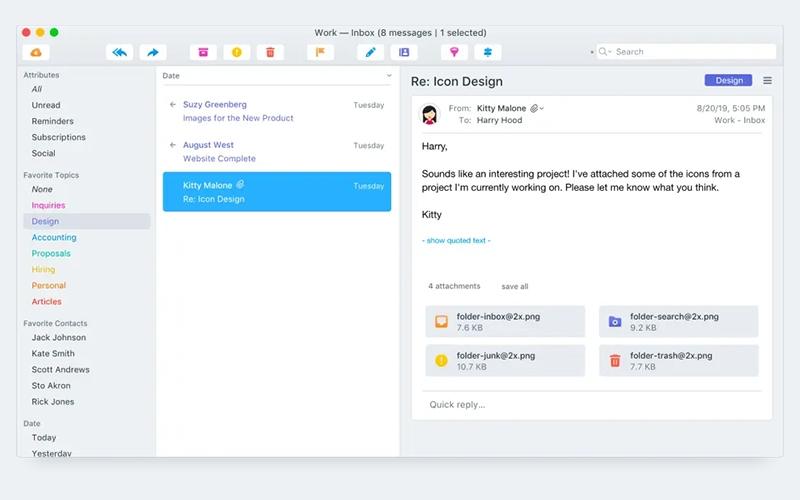
Postbox is a desktop email software for macOS and Windows that consolidates multiple email accounts in one interface. It offers professional-class composition tools, customizable layouts, and advanced organization features such as filters, rules, keyboard shortcuts, and Quick Bar actions. Users can efficiently manage, sort, and navigate messages while personalizing the interface to fit their workflow. Postbox helps users streamline email management, maintain an organized inbox, and improve overall productivity through its configurable and feature-rich platform.
Postbox Pricing
The vendor offers flexible Postbox price plans, starting at $49/user (one-time).
Organizations considering this software may also incur additional costs. According to estimates, additional costs for Postbox beyond the base license may range from approximately $600 to $5,000 in the first year, with ongoing annual costs around $150 to $2,000. These costs can include staff training (typically $150–$1,200), ongoing support (roughly $100–$800), integration with other systems (around $200–$1,500+), customization (ranging between $100–$900+), and maintenance or upgrades (usually $50–$600+).
Disclaimer: Pricing references are based on publicly available third-party information and industry benchmarks. Actual costs may vary.
Postbox Integrations
Postbox software integrates with a wide range of platforms, including:
- Zapier software
- IFTTT
Who Is Postbox For?
Postbox is ideal for organizations across a wide range of industries and sectors, including:
- Information technology
- Marketing
- Graphic design
- Financial services
- Education
- Healthcare
Is Postbox Right For You?
Postbox is a desktop email client offering robust message organization, fast search, customizable workflows, and anti‑tracking privacy features for macOS and Windows. Its advanced tools support efficient inbox management, message filtering, and streamlined email handling. Designed for professional and team use, Postbox provides a scalable solution for individuals and organizations seeking a desktop-focused platform to enhance email productivity and maintain organized communication.
Still doubtful if Postbox is the right fit for you? Connect with our customer support staff at (661) 384-7070 for further guidance.
Postbox Features
Message Triage
The platform offers Quick Bar functionality, enabling users to move, copy, or tag messages efficiently with just a few keystrokes. Swipe gestures on macOS allow multiple messages to be archived, deleted, or marked for reminders simultaneously. Mailing lists unsubscribe, and one-click archive further streamline inbox management and simplify daily email handling.
Email Organization
This feature includes Account Groups, Focus Pane, and Smart Folders to centralize and prioritize messages. Tagging and Gmail labels help maintain structured workflows across personal and work accounts. Subscription and Social views allow users to monitor updates or newsletters efficiently in one consolidated interface.
Email Management
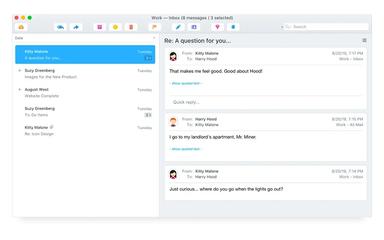
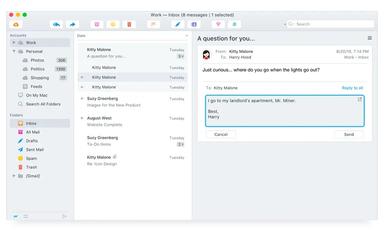
Postbox software provides Quick Post to forward messages to other applications seamlessly in the background. Quick Reply enables inline responses without opening a compose window, and Send & Archive automatically files replied-to messages. Filters can be configured to trigger these actions, creating a highly automated email workflow.
Efficient Composition
The system includes Responses, Clips, and pre-designed email signatures for professional messaging. HTML Editor and Image Scaling allow full control over formatting and visual content. Domain Fencing and Composition Goals ensure messages are accurate, appropriately formatted, and aligned with workflow priorities.
Advanced Search
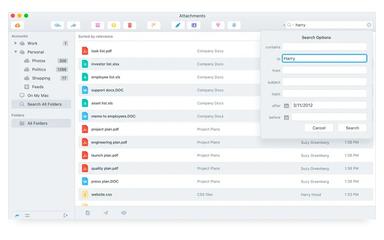
This feature enables rapid discovery of messages, documents, and images across all accounts. Quick Search, Document & Image Search, and Search by Contact provide precise results based on sender, date, or folder. Compose Sidebar allows drag-and-drop access to contacts or attachments directly while drafting messages.
Pros And Cons of Postbox
Pros
Supports efficient multi-account management
Offers advanced filtering and tagging
Provides a highly customizable interface
Cons
Performance can be slow during peak hours
Feature compatibility can vary across categories
Postbox Reviews

No reviews yet!
Be the first to review this product
Frequently Asked Questions
What language does Postbox support?
Postbox primarily supports English.
What other apps does Postbox integrate with?
Postbox supports integration with IFTTT and Zapier software.
Does Postbox offer an API?
No, Postbox does not offer an API.
What level of support does Postbox offer?
Postbox offers support through a knowledge base.
Who are the typical users of Postbox?
Postbox features are used by organizations across industries and sectors, including marketing, graphic design, financial services, information technology, education, and healthcare.
What types of pricing plans does Postbox offer?
Postbox offers flexible pricing plans starting at $49/user. Additional costs may also be incurred, which may include customization and support fees. Get a detailed Postbox cost breakdown tailored to your specific requirements.
Does Postbox have a mobile app?
No, Postbox does not offer a dedicated mobile app.