


Last Updated
Overview
Scribble Maps offers comprehensive geospatial visualization to help in effective territory management and operational planning. While there can be potential browser lag when handling massive datasets, its intuitive interface and advanced analytics make it a compelling choice for spatial data analysis.
Be the first one to leave a review!
No review found

Starting Price
Custom
Scribble Maps Specifications
- File Sharing & Management
- Security & Compliance
- User Management
- Analytics & Reporting
What Is Scribble Maps?
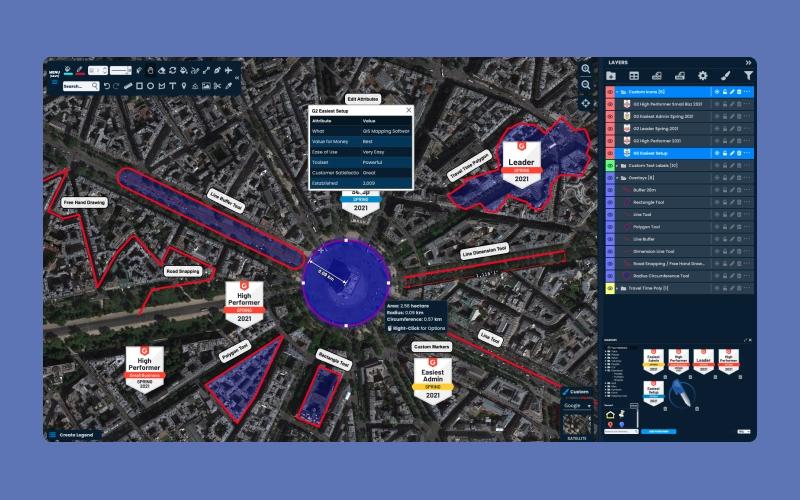
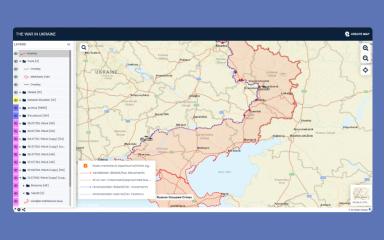
Scribble Maps is a versatile web-based mapping platform that empowers organizations to visualize complex geospatial data and streamline operations. The software offers advanced tools for route optimization, which allows fleets to reduce travel time, while its efficient drawing capabilities enable precise territory management.
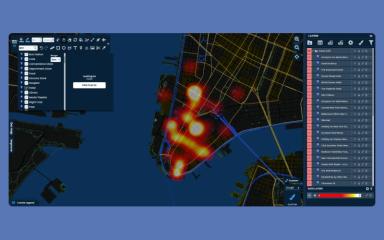
By transforming raw spreadsheet data into interactive heatmaps, Scribble Maps features help businesses uncover hidden trends and actionable insights. This accessible solution democratizes GIS, which enables non-technical users to perform sophisticated spatial analysis efficiently.
Scribble Maps Pricing
Information about third-party integrations has not been specified by the vendor. Book a TrackCRM demo to explore the software in detail.
- Free: $0
- Pro Basic: $19/month
- Pro Business: $100/month
- Enterprise: Custom pricing
Disclaimer: The pricing is subject to change.
Scribble Maps Integrations
Who Is Scribble Maps For?
Scribble Maps is ideal for a wide range of industries and sectors, including:
- Real estate
- Government
- Logistics
- Education
- Healthcare
Is Scribble Maps Right For You?
Scribble Maps is the right choice for businesses looking for an affordable yet powerful alternative to complex GIS systems. The software’s ability to export high-resolution maps and integrate with existing workflows provides a competitive edge. Scribble Maps maintains GDPR compliance for all data transmissions to ensure platform security.
Still unsure whether Scribble Maps software is the right fit for you? Connect with our customer support staff at (661) 384-7070 for further guidance.
Scribble Maps Features
Property And Territory Valuation
Scribble Maps helps people see the value of a property or area by showing everything nearby like schools and shops. This tool lets real estate and sales teams see roads and airports clearly so they can pick the best spots for their business.
Advanced Geospatial Drawing
The platform has easy tools to draw the exact shape of buildings and property lines for homes or businesses. Users can create complex shapes like circles or drive-time areas to plan big events or construction projects with very high accuracy.
Data Analysis And Filtering
Users can find new business deals by using filters to look at only the data they need. The software also measures the size of land to help calculate its worth or to plan things like solar panels and new building projects.
High-Resolution Sharing And Printing
Teams can save their maps as clear images without any watermarks, so they are ready to print for meetings. It is also simple to put these maps onto a company website or blog so other people can see and use the information.
Strategic Business Mapping
The software turns sales numbers and customer lists into maps that show where a business is doing well. By adding extra information like population data or regional boundaries, sales teams can find new places to sell their products and grow their money.
Pros And Cons of Scribble Maps
Pros
Drawing and labeling maps for job sites is easy
Uploading spreadsheets or GPX files quickly outlines territories
Using circles and line tools to dissect degrees clarifies property layouts
Marker styles and colored overlays transform maps into visual stories
Saves maps as PDFs so that they are ready for future printing and storage
Cons
Mastering functions sometimes requires watching tutorials
Selecting and changing multiple overlays at once could be effortless
A larger selection of fun templates would help enhance creative designs
Controls for hiding or showing layers would help simplify the interface
Scribble Maps Reviews

No reviews yet!
Be the first to review this product
Frequently Asked Questions
Does Scribble Maps have a mobile app?
Yes, the platform offers a mobile app.
Who are the typical users of Scribble Maps?
Scribble Maps features are designed for businesses in industries and sectors like education, logistics, government, healthcare, and real estate.
What level of support does Scribble Maps offer?
The platform provides support through email and a contact form.
What language does Scribble Maps support?
The platform currently supports the English.
Does Scribble Maps offer an API?
Yes, the vendor provides an API.
What types of pricing plans does Scribble Maps offer?
Scribble Maps cost breakdown includes four plans: Free ($0), Pro Basic ($19/month), Pro Business ($100/month), and Enterprise (Custom pricing). Request a customized Scribble Maps price plan for your business today!
What other apps does Scribble Maps integrate with?
Information about third-party software integrations has not been specified by the vendor.