


Zoho Meeting
Last Updated
Overview
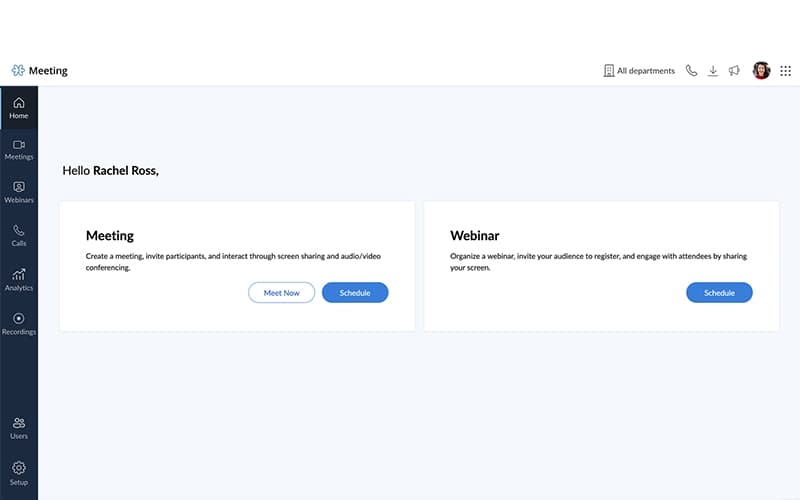
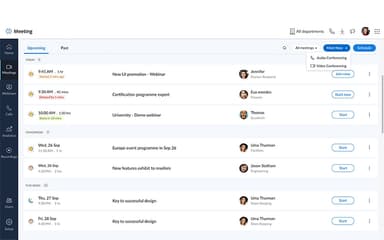
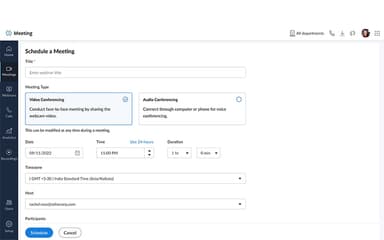
Zoho Meeting provides video conferencing that connects remote teams for effective collaboration. It supports screen sharing and recordings to boost productivity. Although it doesn't offer a variety of advanced polls, its dependable HD quality and analytics add substantial value. Zoho Meeting is notable for its secure and flexible virtual sessions.
Zoho Meeting Specifications
- Real-Time Communication
- File Sharing & Management
- Calendar & Scheduling
- Integration with Other Tools
Zoho Meeting Features
Screen Sharing
Zoho Meeting features allow users to broadcast their entire screen or specific windows during sessions. Participants view content in real time, aiding presentations and troubleshooting. This function promotes clear demonstrations without the need for external tools. Teams collaborate closely on visuals, leading to faster resolutions and more informed project decisions.
Session Recording
The platform captures full meetings, including audio, video, and shared content, for later review. Recordings are stored in the cloud for simple sharing via links. Users access them anytime to catch up or analyze talks. This preserves vital information, supporting consistent knowledge across groups and better follow-through.
AI Transcriptions
Zoho Meeting software converts live speech to text instantly, supporting multiple languages for broader reach. Transcripts appear in real time and save for reference post-session. It aids note-taking by automatically highlighting key phrases. Groups benefit from accurate records that improve understanding and quick retrieval of discussion points.
Session Analytics
Zoho Meeting tracks metrics such as attendance, duration, and interaction levels via a dedicated dashboard. Hosts review reports to gauge effectiveness. Data identifies active contributors and drop-off patterns. This informs adjustments to engagement sessions, enhances team alignment, and tracks performance over time.
Pros And Cons of Zoho Meeting
Pros
Facilitates easy screen broadcasts
Delivers real-time speech text
Tracks engagement data deeply
Cons
Annotation tools are limited
Custom backgrounds are restricted
Zoho Meeting Reviews
Total 46 reviews
4.8
All reviews are from verified customers
Rating Distribution
5
Stars78%
4
Stars20%
3
Stars2%
2
Stars0%
1
Stars0%
Share your experience
Information Technology and Services, 11-50 employees
Less than 6 months
“recordings are simple to share”
Pros
The recordings come out clear and are simple to share which really helps with my work. I am very happy with what you've built so please keep it up.
Cons
One thing that bothers me is that the basic work tools aren't included in a single subscription so I have to pay separately for email,�it and other features like that.
Rating Distribution
Ease of use
10
Value for money
8
Customer Support
10
Functionality
8
E-Learning, 1-10 employees
Free Trial
“highly customizable”
Pros
This software�was pretty easy and it offers really good value for the price. It also comes with plenty of customization options that you usually don't get with other platforms which makes it stand out even more.
Cons
No complaints about�it. I'd genuinely recommend�it�to anyone who's looking for a meeting platform.
Rating Distribution
Ease of use
10
Value for money
10
Customer Support
10
Functionality
10
Marketing and Advertising, 1-10 employees
Free Trial
“Consistently reliable!”
Pros
Across our organization,�it�has been consistently reliable for team members and just works when we need it. We still haven't rolled it out for clients yet so I am hoping the client side doesn't involve a long signup or login process. If that part turns out to be simple, I'd be more than happy to add the SDK to our client portal and move up to the pro plan.
Cons
When I had a few questions about the SDK, customer support wasn't especially helpful.�It�may have been because the SDK is less commonly used and I wasn't connected with the right person. Aside from that, they handled my other questions really well.
Rating Distribution
Ease of use
10
Value for money
10
Customer Support
9
Functionality
10
Frequently Asked Questions
What other apps does Zoho Meeting integrate with?
Zoho Meeting connects with Google Workspace and Microsoft 365.
What level of support does Zoho Meeting offer?
Zoho Meeting offers email and chat support options.
What language does Zoho Meeting support?
Zoho Meeting supports multiple languages, including English, Chinese, and others.
Does Zoho Meeting offer an API?
Yes, Zoho Meeting provides API access for custom integrations.
Does Zoho Meeting have a mobile app?
Yes, Zoho Meeting offers dedicated mobile apps for iOS and Android.
What types of pricing plans does Zoho Meeting offer?
Zoho Meeting price is flexible for Standard and Professional plans, starting from $2/host/month. Get a personalized Zoho Meeting cost estimate for your business.
Who are the typical users of Zoho Meeting?
Zoho Meeting serves education, healthcare, retail, banking, and government sectors.