


FlippingBook Publisher
Last Updated
Overview
FlippingBook Publisher transforms PDFs into professional, mobile-friendly flipbooks with realistic page-turn effects. Users can enrich content with videos and images, brand documents, and host files on the cloud or servers. While quick to start and integrate, embedding media directly from internal servers remains desired.
FlippingBook Publisher Specifications
- Content Creation and Editing Tools (WYSIWYG)
- Media Library Management
- Content Versioning
- Role-Based Permission
FlippingBook Publisher Features
Easy Sharing
FlippingBook Publisher makes sharing digital publications easy through direct links, email, social media, and website embedding. Users can share documents of any size via email with engaging previews, link directly to specific pages, and use custom QR codes for hands-free delivery. A branded bookshelf can be shared for easy access to collections.
Content Security
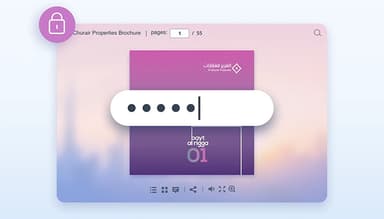
Content security allows you to protect your digital documents with password encryption, domain restrictions, and control over sharing options like print and download. Additionally, it offers document indexing control to prevent private content from being discovered by search engines, ensuring privacy and security for your audience.
Branding And Design
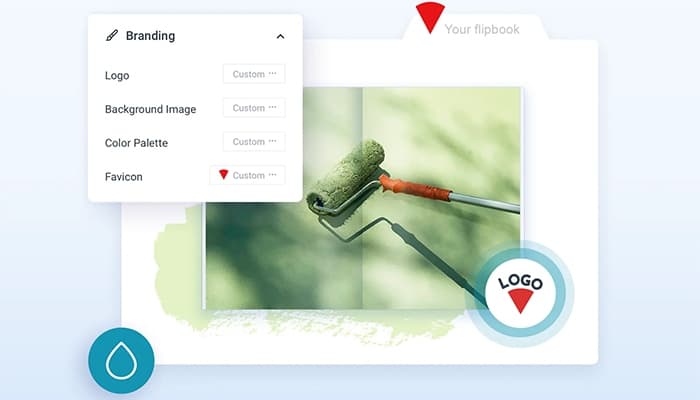
The software enables you to personalize your publications with custom branding elements such as logos, colors, and backgrounds. It offers 24 design templates and allows the creation of white-label content, providing a professional, branded look. Additionally, the software offers settings templates and features that replicate the feel of a physical book.
Easy Navigation
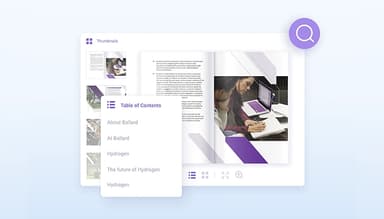
FlippingBook Publisher enhances document navigation with interactive features like a customizable table of contents, text selection, and notes for easy reference. It offers accessible, mobile-friendly HTML5 formats and enables fast text search, ensuring a seamless reading experience across devices.
Search Engine Optimization
FlippingBook optimizes digital publications for search engines by converting PDFs into HTML5 documents with clear metadata. It improves discoverability and SEO, allowing search engines to index content quickly. You can also control privacy settings to prevent indexing when needed.
Pros And Cons of FlippingBook Publisher
Pros
Allows embedding of videos and pop-up images
Provides flexibility for unique publication designs
Quick to start and integrates easily with existing systems
Users can host publications on their servers
Cons
Restrictions on features such as print/save options and complex page numbering can be difficult to navigate
Offers fewer updates
FlippingBook Publisher Reviews
Total 10 reviews
4.8
All reviews are from verified customers
Rating Distribution
5
Stars80%
4
Stars20%
3
Stars0%
2
Stars0%
1
Stars0%
Share your experience
Casuality, 1-10 employees
Free Trial
“A flexible and customizable tool for creating interactive and visually appealing catalogs”
Pros
What stands out the most about FlippingBook Publisher is its wide range of design and layout options, allowing me to create professional and visually appealing digital catalogs. I can fully personalize the appearance and functionality of the catalogs, such as adjusting colors, fonts, background images, animations and links, which helps me align the catalogs with my brand and specific requirements.
Cons
One of the drawbacks of Flippingbook Publisher is that it relies on an internet connection since it is a cloud based tool. This means you need an active internet connection to access and use its features, which can be inconvenient for those who need to work offline or in areas with limited connectivity.
Rating Distribution
Ease of use
10
Value for money
8
Customer Support
8
Functionality
9
Retail, 11-50 employees
More than a year
“Very helpful product with excellent support team”
Pros
FlippingBook does an excellent job of presenting our wholesale catalog and is simple to use. I've been using it for several years and it's perfect for our needs. Although I'm on an older version, there have been no issues with updates or new releases. On the rare occasions I've reached out to Support, they've responded quickly with clear and friendly assistance.
Cons
I really do wish FlippingBook ran on Mac OS, that would be a fantastic improvement.
Rating Distribution
Ease of use
10
Value for money
10
Customer Support
10
Functionality
10
Product, 51-100 employees
Less than 6 months
“Excellent tool for content creation”
Pros
The platform is easy to use, with tools that enhance the overall experience. However, creating more interactive content does require some advanced techniques.
Cons
It would be great if the software included a quick text-to-GIF feature. While you can import GIFs that animate on pages, you have to create them in Adobe software. It would be much easier and more attractive for less advanced users if there was an option to quickly generate animated GIFs from text within the software itself.
Rating Distribution
Ease of use
10
Value for money
8
Customer Support
8
Functionality
8
Frequently Asked Questions
Does FlippingBook Publisher offer an API?
Yes, FlippingBook Publisher provides API access.
What language does FlippingBook Publisher support?
FlippingBook Publisher supports English, German, Spanish, and French.
Does FlippingBook Publisher offer a mobile app?
FlippingBook Publisher itself does not have a standalone mobile app for general users. However, its digital publications are optimized for mobile devices, allowing users to access them directly through web browsers.
What other apps does FlippingBook Publisher integrate with?
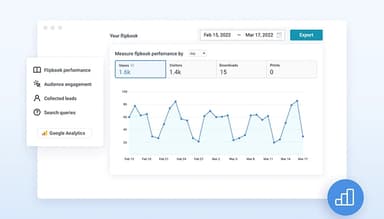
The software integrates well with third-party applications, such as Google Analytics, WordPress and Canva.
What types of pricing plans does FlippingBook Publisher offer?
The FlippingBook Publisher cost structure offers a subscription-based pricing model with three plans: Professional at $699, Business at $1199, and Automation available through a custom quote. Users can request a detailed analysis of the FlippingBook Publisher price.
Who are the typical users of FlippingBook Publisher?
FlippingBook Publisher serves professionals from various fields, including manufacturers, marketers, real estate agents, sales representatives, teachers, insurance brokers, and librarians. It offers tailored solutions to create engaging digital publications.
What level of support does FlippingBook Publisher offer?
FlippingBook Publisher offers support through email/help desk, phone support, chat, a knowledge base, FAQs/forums, and 24/7 live representative assistance.