

Radmin
Last Updated
Overview
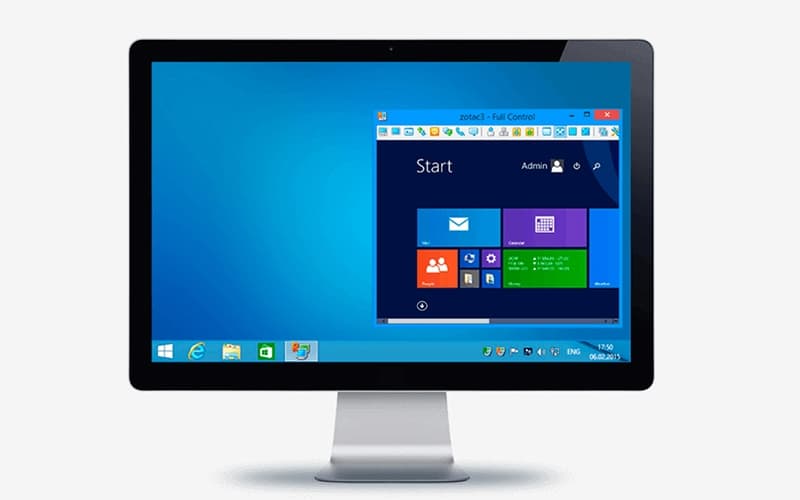
Radmin is an extensive customer service platform that delivers high-speed remote desktop access with low-bandwidth optimization and ‘AES-256’ encryption for secure sessions. While the platform may offer limited automatic updates, it provides unattended server maintenance and mass deployment tools.
Radmin Specifications
- Analytics And Reporting
- Ticket Management
- Live Chat
- Omnichannel Support
What Is Radmin?
Radmin is a cloud-based customer service platform that provides secure remote desktop and remote-support capabilities that allow technicians to control office or server PCs over LAN or the Internet as if local. It delivers features for remote support, unattended system administration, and working from anywhere, including file transfer, session recording, and multi-user control. The platform also protects all transferred data with ‘AES-256’ encryption and applies low-bandwidth optimization, so remote control remains responsive even on limited connections.
Radmin Pricing
Radmin pricing varies according to the following plan:
- Radmin 3 Standard license: $49
- Radmin 3 50 license: $1490
- Radmin 3 100 license: $2490
- Radmin 3 150 license: custom pricing
- Radmin 3 Volume license: custom pricing
Disclaimer: The pricing is subject to change.
Radmin Integrations
Who Is Radmin For?
Radmin is suitable for the following sectors:
- Governments
- Military
- Technology
- Finance
Is Radmin Right For You?
Radmin software is suitable for businesses aiming to provide fast, secure remote IT support and to administer unattended systems across networks. It enables near-local performance via bandwidth optimization, secures sessions, and supplies deployment utilities for large networks. The platform’s session recording, file transfer, and remote ‘BIOS’ access supports troubleshooting and compliance needs.
Still not sure if Radmin is right for you? Contact our customer helpline at (661) 384-7070 for further guidance.
Radmin Features
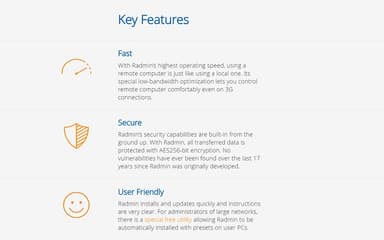
Fast
Radmin provides the highest operating speed, so a remote computer behaves like a local one. It uses special low-bandwidth optimization to control remote machines comfortably even on 3G connections. The platform also delivers near-real-time interaction for UI, file transfer, and administrative tasks.
Secure
The software protects all transferred data with ‘AES-256’-bit encryption to secure remote sessions. The platform implements security measures intended to prevent session interception and unauthorized access.
User Friendly
The system installs and updates quickly with clear instructions and a small footprint for ‘Viewer’ and ‘Server’ components. It provides a free deployment utility for automatic installation with presets across many user PCs.
Remote Support
The system enables live remote support and troubleshooting as if physically present at the remote PC. It allows unattended access for server maintenance and scheduled administrative tasks. The platform also supports features such as multi-user remote control and session recording.
Pros And Cons of Radmin
Pros
Offers high operating speed with low-bandwidth optimization
Provides fast, small downloads, and quick installation
Delivers deployment tools for mass installation and presets
Supports Unattended access and remote BIOS control for admins
Cons
It may provide limited two factor capability
The platform’s setup may require technical knowledge
Radmin Reviews
Total 5 reviews
4.8
All reviews are from verified customers
Rating Distribution
5
Stars80%
4
Stars20%
3
Stars0%
2
Stars0%
1
Stars0%
Share your experience
Information Technology and Services, N/A employees
Less than 6 months
“Clear and simple interface”
Pros
The interface is really good, very easy to understand and users have no trouble working with it.
Cons
I have nothing to complain about especially since I only use the basic parts of the tool for what I actually need.
Rating Distribution
Ease of use
10
Value for money
10
Customer Support
10
Functionality
10
Financial Services, N/A employees
More than a year
“Reliable filtering and ad security”
Pros
Using it has been easy and dependable. The filtering works really well and the Active Directory security is excellent.
Cons
It would be even better if it included two-factor authentication and supported automatic updates.
Rating Distribution
Ease of use
10
Value for money
10
Customer Support
8
Functionality
8
Utilities, N/A employees
More than a year
“Fast transfers”
Pros
One thing I really appreciate is that the licensing cost stays low because it is not tied to a subscription model. The connections are quick and file transfers happen at an impressively fast speed.
Cons
A noticeable limitation is that there is no support for MacOS, iOS or Android devices. I also ran into problems on later versions of Windows Server, where sending CTRL-ALT-DEL to remote servers stopped working because of security changes that the application never addressed.
Rating Distribution
Ease of use
8
Value for money
8
Customer Support
7
Functionality
7
Frequently Asked Questions
Does Radmin offer an API?
No, Radmin does not offer an API.
What level of support does Radmin offer?
Radmin offers support through phone number and form submission.
What language does Radmin support?
Radmin software supports English, Chinese, Arabic, Japanese, Korean, Spanish, French and more.
What types of pricing plans does Radmin offer?
The vendor offers customized pricing plans according to different business needs. It offers a Radmin 3 Standard license at $49, a Radmin 3 50 license at $1490, a Radmin 3 100 license at $2490, a Radmin 3 150 license and a Radmin 3 Volume license. Both these plans offer customized pricing. Get a customized Radmin cost breakdown for your business today.
Who are the typical users of Radmin?
The typical users of Radmin include sectors like governments, military, technology, and finance.
Does Radmin have a mobile app?
No, Radmin does not offer a mobile app.
What other apps does Radmin integrate with?
The vendor has not provided details about third-party integrations for this software.