


TidyCal
Last Updated
Overview
TidyCal simplifies scheduling with its intuitive interface, helping professionals manage appointments and payments efficiently. While it lacks advanced team reporting tools, the platform’s lifetime pricing, user-friendly design, and strategic benefits make it a compelling choice for streamlined meeting management.
TidyCal Specifications
- Analytics and Reporting
- Self-Service Portal
- Ticket Management
- Live Chat
TidyCal Features
Custom Booking Pages
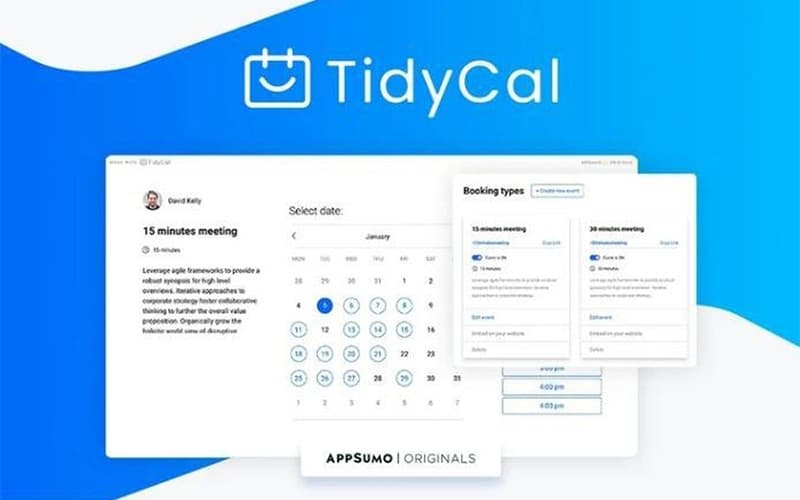
The software allows users to create highly customizable booking pages that reflect their brand identity. Users can set specific availability windows, add buffer times between meetings, and collect necessary information through intake questions. This ensures that every appointment is qualified and scheduled at a convenient time for the host.
Automated Time Zone Detection
TidyCal simplifies global business by automatically detecting and adjusting for time zones. When a client views your booking page, they see availability in their local time, preventing confusion and missed appointments. This feature is essential for remote workers and businesses serving an international client base.
Date Polls
Users can eliminate the chaos of coordinating group meetings with the ‘Date Polls’ feature. Hosts can propose multiple time slots to a group of attendees, who then vote on the options that work best for them. TidyCal automatically identifies the consensus time, streamlining the scheduling process for teams and external stakeholders alike.
Payment Management
The platform enables users to monetize time effortlessly by accepting payments directly through the system. TidyCal integrates seamlessly with Stripe and PayPal, allowing consultants and coaches to require payment upfront when a client books a slot. This reduces administrative hassle and ensures you are compensated for your expertise without chasing invoices.
Pros And Cons of TidyCal
Pros
Seamless calendar and video integrations
Offers paid booking capabilities
Includes automated booking reminders
Cons
Restricted branding customization features
Lacks advanced team reporting tools
TidyCal Reviews
Total 32 reviews
4.7
All reviews are from verified customers
Rating Distribution
5
Stars84%
4
Stars9%
3
Stars3%
2
Stars0%
1
Stars3%
Share your experience
Non-Profit Organization Management, N/A employees
Less than 6 months
“Misleading marketing”
Pros
There's a decent amount of UI customization here especially with fonts, colors and the overall look and feel. In some ways, it offers some of the most flexible visual customization I've come across, even if that experience is a bit inconsistent. For someone working solo, the pricing is also fairly reasonable.
Cons
The biggest problem is the misleading marketing. The so-called agency plan which is promoted as being recommended for teams, really is not built for team use at all. We spent hours trying to make it handle very basic team workflows and it just wouldn't. On top of that, the marketing is misleading in another way too: the agency plan does not actually apply agency features across team member licenses. The forced branding is also terrible. Even on the highest paid plan, they still place their large blue logo on your page no matter what your own branding looks like. On my team members page, it's so bad that the logo actually blocks some features. Another major issue is that if you create a booking type from the agency account, it assigns the same meeting location to every member. That makes no sense for an agency setup, how are two different team members supposed to book external meetings at the same time?
Rating Distribution
Ease of use
2
Value for money
1
Customer Support
1
Functionality
1
Health, Wellness and Fitness, N/A employees
More than a year
“Best scheduling tool by far”
Pros
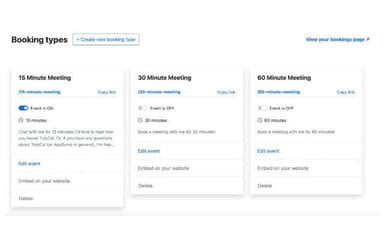
Getting started with it took almost no effort and using it feels very simple. One of my favorite parts is being able to set up multiple booking types without any hassle.
Cons
Honestly, I don't really have any complaints. I've tried a lot of different scheduling tools over the years and in my opinion it stands out as the best one by far.
Rating Distribution
Ease of use
9
Value for money
10
Customer Support
9
Functionality
10
Internet, N/A employees
Less than 6 months
“Easy to configure”
Pros
Configuring everything was quick and I really appreciate the different ways you can customize booking links, including setting daily, monthly and other booking limits.
Cons
There's no app and when creating the confirmation email and booking event, changes apply to both together instead of letting you edit each one separately.
Rating Distribution
Ease of use
9
Value for money
10
Customer Support
10
Functionality
10
Frequently Asked Questions
Does TidyCal have a mobile application?
No, it does not have a mobile app.
What other apps does TidyCal integrate with?
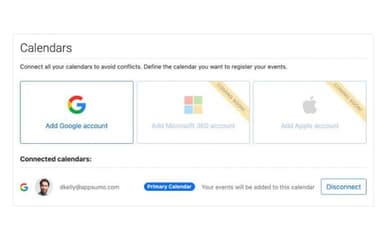
The software seamlessly supports integration with a variety of platforms, including Zoom, Google Calendar, PayPal software, Office 365, and Zapier software.
Does TidyCal offer an API?
Yes, TidyCal software provides an API.
What language does TidyCal support?
The platform is primarily available in English.
Who are the typical users of TidyCal?
Businesses across various industries, including marketing agencies, education, consultancy, sales, and recruiting agencies, benefit from TidyCal features.
What types of pricing plans does TidyCal offer?
The platform offers a Free plan, an Individual plan priced at a one-time payment of $144, and an Agency plan for $240. You can also request a personalized TidyCal price quote now.
What level of support does TidyCal offer?
The software offers an FAQs forum, chatbot, and email support.