


Visibook
Last Updated
Overview
Visibook helps small to mid-sized businesses manage appointments with online booking, automated client reminders, and integrated payments. While merging duplicate profiles is challenging, the platform's intuitive design ensures quick adoption. Overall, it is a reliable solution for professionals seeking efficiency in booking and client communications.
Visibook Specifications
- Queue Management
- Customer Profiles
- Email Management
- Knowledge Base
Visibook Features
Appointment Scheduling
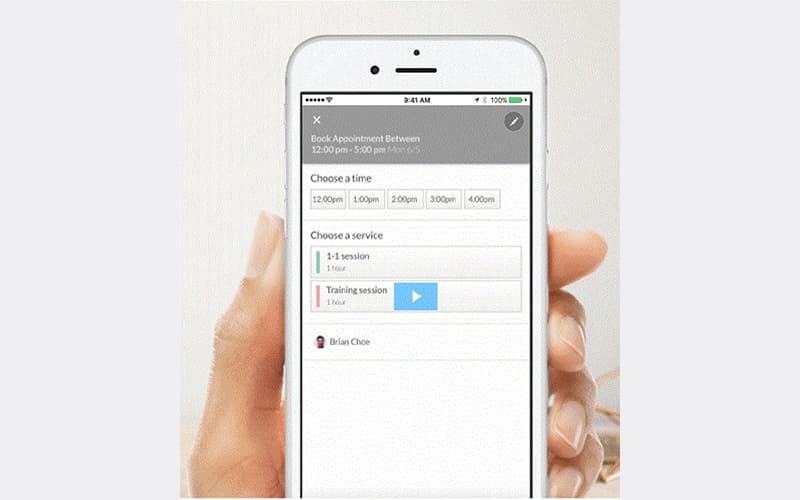
The system offers a public booking page that can be shared via a link, added to a website, or posted on social media. This feature allows customers to view real-time availability and book, cancel, or reschedule appointments themselves, providing all time access.
Automated Reminders
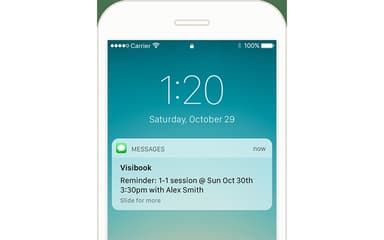
Visibook reduces no-shows by automating text messages and email reminders sent to clients before their scheduled appointment time. The platform also sends confirmations and follow-up messages, which help to maintain consistent and professional client communication.
Payment Processing
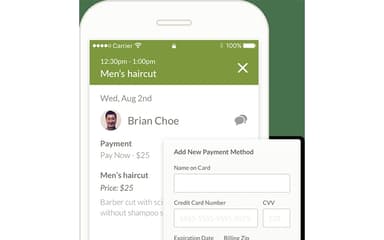
The system securely collects payments and deposits from customers during the booking process to minimize administrative tasks and ensure revenue capture. This functionality supports both online payments and recording cash transactions, offering flexible options for diverse payment models.
Calendar Sharing
Visibook generates a unique, shareable link for the business's booking calendar, making it easy to distribute across all online channels. Users can embed this simple URL on social media bios, email signatures, or websites, offering immediate access to the online scheduling system for existing and prospective customers.
Customer Management
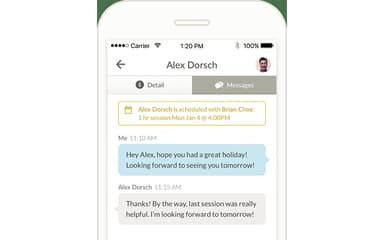
The tool centralizes and organizes all client contact details, appointment histories, and relevant notes within a dedicated area. This feature enables businesses to maintain comprehensive profiles for every customer, which aids in personalizing services, tracking preferences, and streamlining follow-up communications.
Pros And Cons of Visibook
Pros
Provides an easy-to-use interface
Simplifies communication with clients
Robust scheduling capabilities
Cons
Chat box options are limited
There can be customer duplication errors
Visibook Reviews
Total 40 reviews
4.3
All reviews are from verified customers
Rating Distribution
5
Stars45%
4
Stars43%
3
Stars13%
2
Stars0%
1
Stars0%
Share your experience
Health, Wellness and Fitness, N/A employees
Free Trial
“super helpful for appointments but client organization is glitchy”
Pros
I have been using this to book my appointments and honestly... it's been super helpful. It keeps everything simple and makes scheduling so much easier for me.
Cons
Although it was useful for booking clients I found the client organization to be full of glitches.
Rating Distribution
Ease of use
10
Value for money
10
Customer Support
10
Functionality
10
Education Management, 1-10 employees
Free Trial
“Helpful reminder feature”
Pros
I find it really easy to use and it works perfectly for everything I need. The reminder feature is amazing..it keeps me from forgetting important appointments and helps me stay on top of my schedule without any stress.
Cons
I think the integration with Google could be better and the price could definitely be more attractive.
Rating Distribution
Ease of use
9
Value for money
9
Customer Support
8
Functionality
8
Primary/ Secondary Education, 11-50 employees
Less than a year
“Functional and easy-to-use scheduling”
Pros
What I love most is how functional it is and the variety of options it offers. It makes scheduling appointments easy and thanks to it I stay organized and always know what's coming up next.
Cons
No cons so far!it works best for me.
Rating Distribution
Ease of use
7
Value for money
6
Customer Support
7
Functionality
7
Frequently Asked Questions
Who are the typical users of Visibook?
Visibook features support organizations in the automotive, education, real estate, beauty and lifestyle, and medical industries.
What other apps does Visibook integrate with?
Visibook integrates with Google Calendar.
What language does Visibook support?
Visibook supports the English language.
What types of Visibook pricing plans are available?
Visibook offers four pricing plans: Free ($0/month), Basic ($6.99/month), Standard ($13.99/month), and Unlimited ($19.99/month). Receive a personalized Visibook cost estimate specific to your organization.
Does Visibook have a mobile app?
Yes, Visibook offers a dedicated mobile app for both Android and iOS.
What level of support does Visibook offer?
Visibook offers support via email. Users can also check out the dedicated support portal to learn more about the platform.
Does Visibook offer an API?
Information regarding an API is currently unspecified by the vendor.