


Last Updated
Overview
Keeper helps teams improve productivity by simplifying password sharing, automating credential updates, and providing secure access controls. While one-time password changes sometimes do not save, it remains highly efficient for businesses of all sizes, from small teams to enterprise organizations seeking organized and reliable access management.
Be the first one to leave a review!
No review found

Starting Price
Custom
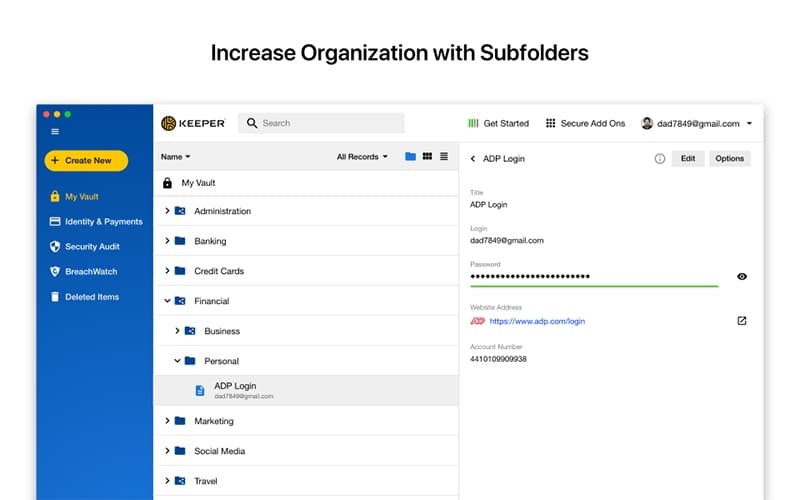
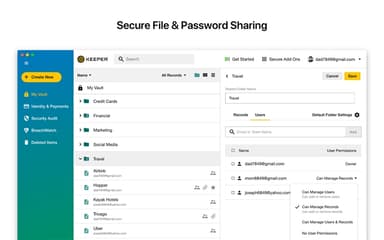
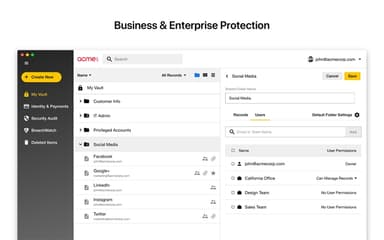
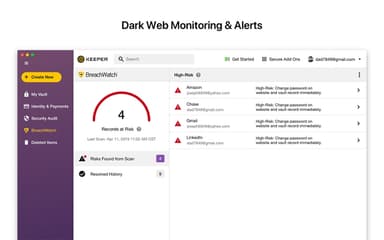
Keeper Specifications
- Data Encryption
- Multi-Factor Authentication
- Security Audits And Reporting
- Cloud Security
Keeper Features
Zero-Trust Architecture
Keeper’s privileged access management solution is built on a zero-trust model, ensuring that all user access is continuously verified. By enforcing strict access controls and monitoring activities, it minimizes the risk of unauthorized access and strengthens organizational security posture.
Credential Vaulting
The software securely stores and manages privileged credentials using zero-knowledge encryption. By centralizing credential management and preventing direct exposure, Keeper ensures sensitive information remains protected, reduces operational risk, and provides a secure foundation for privileged access across the organization.
Session Monitoring And Recording
This feature enables live monitoring and recording of privileged sessions to detect suspicious behavior. By tracking activities and maintaining detailed logs, organizations can quickly respond to anomalies, investigate incidents, and ensure compliance with security policies and regulatory requirements.
Multi-Factor Authentication (MFA)
Keeper supports advanced multi-factor authentication, requiring additional verification steps beyond passwords. By combining knowledge, possession, or biometric factors, MFA enhances account security, reduces the likelihood of unauthorized access, and strengthens protection against phishing or credential compromise.
Real-Time Threat Prevention
The software offers real-time, AI-powered monitoring and threat detection for privileged sessions. It automatically analyzes user activity, detects risks, and terminates sessions when suspicious behavior is identified. This proactive approach enhances security by providing instant visibility into potential insider threats and reducing manual log reviews.
Pros And Cons of Keeper
Pros
Secure sharing with easy revocation of access
Strong encryption ensures sensitive data protection
Reduces reliance on unsecured password storage
Cons
Admin features not immediately intuitive
Touch ID functionality can be inconsistent
Keeper Reviews

No reviews yet!
Be the first to review this product
Frequently Asked Questions
What other apps does Keeper integrate with?
Keeper integrates with multiple platforms, such as Okta, Microsoft Azure, Splunk, Linux, and Snowflake.
What types of pricing plans does Keeper offer?
Keeper pricing varies based on plan type and included features. Business and Enterprise plans range from $2.00/user/month for the Business Starter Password Manager to $85/user/month for the Privileged Access Manager. Personal and Family plans start at $3.33/month, while Student plans match these rates. Military and Medical plans are priced at $39.99/month for individuals and $84.99/month for families. Get in touch for a personalized Keeper cost estimate.
Who are the typical users of Keeper?
Keeper features are used by businesses across industries such as manufacturing, healthcare, universities, federal government, retail, and financial services.
Does Keeper offer an API?
Yes, Keeper offers an API.
What level of support does Keeper offer?
Keeper provides support via live chat, phone, and knowledge base resources.
Does Keeper have a mobile app?
Yes, Keeper offers mobile apps for both iOS and Android devices.
What language does Keeper support?
The software is available in English, German, Portuguese, Polish, Korean, Chinese (traditional), Russian, Spanish, French, Italian, Chinese (simplified), and Japanese.