


Last Updated
Overview
Smokescreen delivers advanced deception technology, aiding in early threat detection and response. It deploys realistic decoys to expose hidden attackers. Although deployment requires initial setup time, its precise alerts justify the effort. Overall, Smokescreen's proactive defenses make it a strong choice for network protection.
Be the first one to leave a review!
No review found

Starting Price
Custom
Smokescreen Specifications
- Threat Intelligence
- Cloud Security
- Intrusion Detection
- Security Information And Event Management (SIEM)
Smokescreen Features
GenAI Decoys
Smokescreen features deploy fake chatbots and APIs to spot attacks on AI systems. Teams receive alerts on prompt injections or data poisons. This protects learning datasets from tampering. Businesses avoid costly disruptions and maintain trust in AI tools. Detection happens without impacting real operations.
Endpoint Deception
The platform plants decoy files and credentials on devices to catch intruders. Security teams track interactions for early warnings. This blocks ransomware at endpoints. Organizations reduce data exposure and speed up containment. Visibility improves without added workload on staff.
Cloud Deception
Smokescreen software sets up fake servers and databases in cloud setups. It detects movements across hybrid environments. Alerts guide quick isolation of threats. Companies safeguard workloads from exploits. This ensures consistent protection in distributed infrastructures.
Active Directory Deception
Fake users in directories reveal enumeration attempts by attackers. The system logs access tries for analysis. This prevents privilege escalations. Firms strengthen identity defenses and comply with access rules. Insights aid in refining policies.
Application Deception
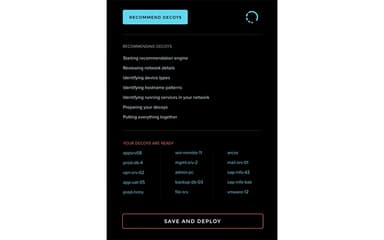
Decoy services like Secure Shell (SSH) mimic real apps to lure probes. Interactions trigger detailed forensics. This intercept targeted scans. Businesses divert risks from vital systems. Response times drop with automated notifications.
ThreatParse Analytics
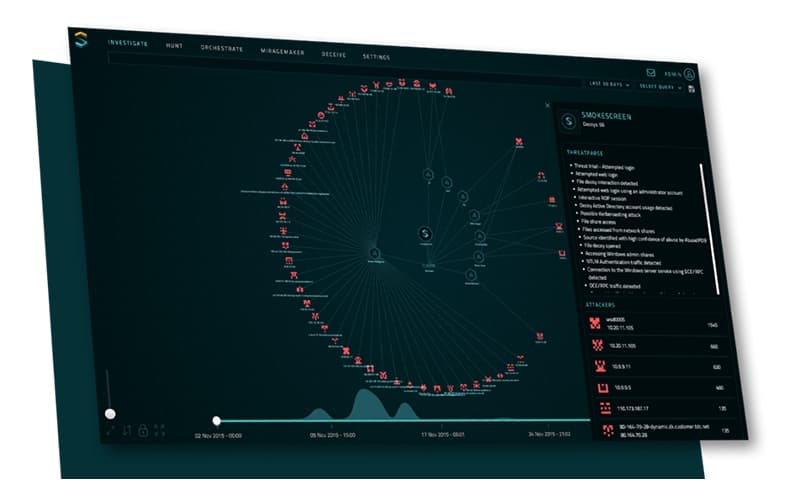
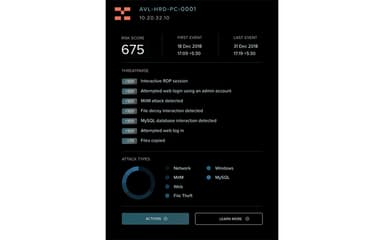
Smokescreen extracts logs for root cause reviews in seconds. Teams access automated reports on incidents. This simplifies investigations and forensics. Organizations cut dwell times and enhance preparedness. Decisions rely on clear, actionable data.
Pros And Cons of Smokescreen
Pros
Provides automated forensics quickly
Detects lateral movements precisely
Delivers high-confidence threat alerts
Cons
Cloud setup demands verification
Support response may vary at times
Smokescreen Reviews

No reviews yet!
Be the first to review this product
Frequently Asked Questions
Does Smokescreen have a mobile app?
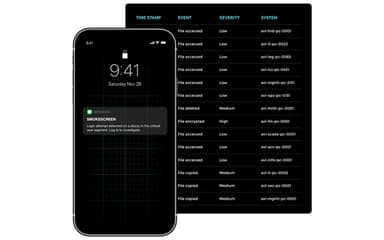
Yes, Smokescreen offers a mobile app for iOS and Android.
What language does Smokescreen support?
Smokescreen supports multiple languages, including English, Italian, and Dutch.
Does Smokescreen offer an API?
Yes, Smokescreen provides APIs.
Who are the typical users of Smokescreen?
Smokescreen is commonly used by manufacturing, financial services, healthcare, government, and various other sectors.
What other apps does Smokescreen integrate with?
Smokescreen integrates with multiple software, including Okta, CrowdStrike, and Pulumi.
What types of pricing plans does Smokescreen offer?
Smokescreen price is customized for Essentials Platform and Zscaler Platform, based on company size and needs. Get a tailored Smokescreen cost estimate.
What level of support does Smokescreen offer?
Smokescreen provides support through phone and ticketing system.