


Last Updated
Overview
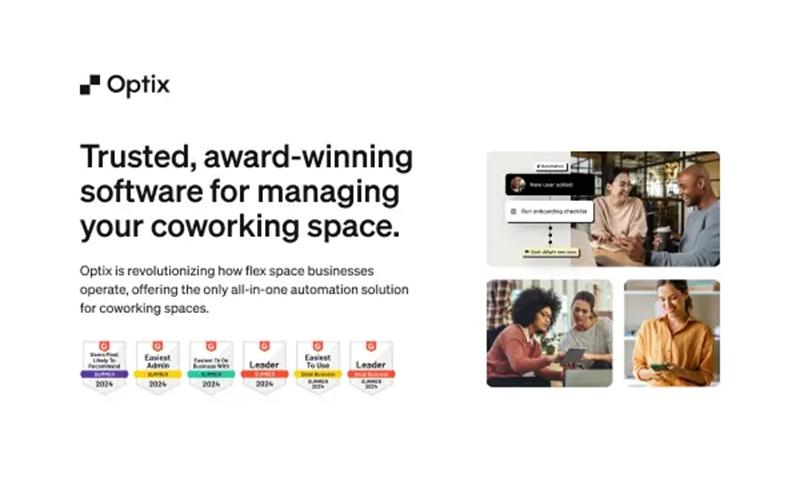
Optix software provides comprehensive coworking management, aiding in operational automation and member engagement. While frequent updates may cause temporary hiccups, its robust automation engine and white-labeled mobile experience justify the investment. Overall, its strategic benefits make it a compelling choice for modern workspace operators.
Be the first one to leave a review!
No review found

Starting Price
$229
per month
Optix Specifications
- Space Management And Planning
- Asset Lifecycle Management
- Maintenance Management
- Vendor Contract Management
What Is Optix?
Optix is an automation-first platform designed for coworking and flexible office operators looking to streamline daily administrative tasks. By providing integrated tools for desk booking and automated invoicing, the platform enables businesses to reduce manual workloads by nearly half. These key Optix features prioritize the member experience through branded digital applications that foster community engagement. The solution addresses administrative friction by offering a unified hub that scales from boutique locations to global multi-site networks.
What Is Optix Best For?
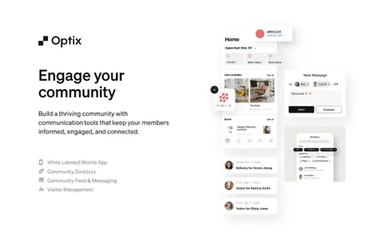
Optix is an automation-first platform for coworking operators and multi-location flexible office brands. It is best for managers who need to scale operations without increasing headcount or manual administrative fatigue. Behavior-based triggers automate invoicing to maintain consistent cash flow. A native, white-labeled mobile app provides an enterprise-level member experience without requiring app development knowledge.
How Much Does Optix Cost?
Optix pricing starts at $229/month for its essentials plan. Other plans it offers are:
- Pro Plan: $349/month
- Grow Plan: $579/month
- Scale Plan: custom pricing
Disclaimer: The pricing is subject to change.
Optix Integrations
The Optix software supports integration with multiple systems and platforms, such as:
- Kisi
- Quickbooks
- Stripe
- Xero accounting solutions
- Google Calendar
How Does Optix Work?
Here's how you can get started with the software:
- Log in to the administrator dashboard to access the central management hub and start the configuration process
- Update organization and location details within the settings menu to establish the workspace identity and branding
- Connect a payment gateway under the integrations tab to begin processing automated recurring dues and one-off bookings
- Define resource types and specific bookable entities like meeting rooms, hot desks, or specialized office equipment
- Create plan templates and one-time passes to set up the various membership levels and services offered to members
- Add user accounts manually or bulk upload existing member lists to provide access to the workspace and the mobile application
- Configure automated triggers to manage repetitive administrative tasks such as onboarding emails, billing reminders, and lead follow-ups
- Monitor space performance and financial health through the analytics dashboard to track occupancy rates and revenue growth
Who Is Optix For?
Optix is ideal for a wide range of industries and sectors, including:
- Coworking spaces
- Medical coworking
- Co-warehousing
- Salons and spas
- Golf simulators
- Innovation hubs
- Flexible offices
Optix Use Cases
Based on our analysis of user feedback and Optix's capabilities, we have identified key scenarios where this software is a good fit for coworking space operators and flexible office managers:
1 - Scaling Multi-Site Operations With Lean Staffing
An operator managing three distinct locations with over 400 active members needs to maintain oversight without hiring multiple receptionists. By implementing a central management hub, the business can automate entry permissions and booking logs for every site simultaneously. One verified administrator reported that this transition replaced over 4,000 manual actions, such as sending invoice requests and follow-up messages.
2- Elevating Boutique Brand Experience To Compete With Global Chains
A boutique workspace owner wants to provide the same digital sophistication as enterprise-level coworking giants but lacks an in-house development team. The operator uses the white-labeled portal to allow members to manage their own profiles and billing through a professional, branded interface. This digital parity helps smaller spaces attract corporate clients who expect a seamless, app-based journey for their employees.
3- Transitioning From Fragmented Manual Billing To Automated Revenue Cycles
A community manager spends several days each month reconciling disparate spreadsheets for room bookings, desk usage, and membership renewals. Moving to an integrated billing system ensures that every user action automatically triggers the correct charge in a unified ledger. Reviewers have highlighted that this integration provides full visibility into revenue pipelines and eliminates the data silos common in unoptimized tech stacks.
4- Managing Hybrid Facilities With Specialized Resource Requirements
A facility that offers a mix of traditional office desks and specialized amenities, such as wellness clinical rooms or medical equipment, faces complex scheduling conflicts. The administration team uses a unified booking engine to apply specific rules and durations for different asset types within a single member journey. One user noted that the support team was essential in troubleshooting the logistics of coordinating these diverse offerings in one application.
Is Optix Right For You?
Optix is the premier automation-forward solution for flex spaces designed to help you scale efficiently. Its standout feature is the built-in automation engine, which can reclaim several daily administrative hours. This platform is perfect for operators prioritizing a modern mobile experience to distinguish their community from competitors.
Still doubtful if Optix is the right fit for you? Connect with our customer support staff at (661) 384-7070 for further guidance.
Optix Features
Desk Booking
Empower your community to reserve workspaces instantly using interactive floor maps and automated scheduling. This mobile-first feature enables users to view current availability and select their desk on the go, effectively improving occupancy rates while minimizing front-desk intervention.
Resource Booking
Expand your revenue potential by transforming every asset, from podcast studios to parking spots, into a bookable resource. Operators can set custom pricing and durations, allowing members to secure specialized equipment through a flexible system that maximizes facility utility.
Meeting Room Booking
Simplify meeting logistics with an intuitive reservation system. Members receive immediate booking confirmations via their branded app, ensuring a professional, conflict-free experience that eliminates the traditional back-and-forth of scheduling shared spaces.
Billing And Payments
Enhance your cash flow by automating the entire collections cycle through native Stripe connectivity. The system securely handles payment information to process recurring memberships and incidental fees automatically, significantly decreasing the administrative burden on your staff during financial cycles.
Invoicing
Eliminate manual bookkeeping by generating professional, automated invoices that sync seamlessly with Xero or QuickBooks. This integration ensures that your financial records are always up-to-date and accurate, allowing your team to focus on community growth rather than data entry.
Pros And Cons of Optix
Pros
Extensive integration and implementation capabilities
Support team is highly responsive, helpful, and thorough
Short onboarding and easy-to-use administrator dashboard
Cons
White-label app could use more customization for branding and revenue focus
Some minor limitations for niche use cases
Optix Pricing
Essentials
$229 per month


View Price
What's Included
50 Active Users
All integrations
All core features
Automations: 100 Actions
Pro
$349 per month
View Price
What's Included
All essential features
100 Active Users
API access and webhooks
Automations: 200 Actions
Grow
$579 per month
View Price
What's Included
All pro feature
Automations: 500 Actions
Visitor management
Scale
Custom Pricing
View Price
What's Included
All Grow features
Automations: 1000+ Actions
Unlimited Active Users
White-labeled mobile app
Disclaimer: The pricing details were last updated on Aug 10, 2026 from the vendor's website. Please contact us for a tailored pricing list.
Optix Reviews

No reviews yet!
Be the first to review this product
Frequently Asked Questions
What types of pricing plans does Optix offer?
Optix price options suit different business needs: the Essentials Plan at $229/month, the Pro Plan at $349/month, and the Grow Plan at $579/month, while the Scale Plan offers custom pricing. You can request a personalized Optix cost quote to see what works best for your business.
What language does Optix support?
Optix is primarily available in English.
Does Optix offer an API?
Yes, Optix offers an API.
Does Optix have a mobile app?
Yes, Optix has mobile applications for Android and iOS devices.
Who are the typical users of Optix?
Optix is well-suited for a variety of industries and sectors, including coworking spaces, medical coworking, co-warehousing, salons and spas, golf simulators, innovation hubs, and flexible offices.
What other apps does Optix integrate with?
Optix integrates seamlessly with a variety of systems and platforms to streamline your operations, including Kisi, QuickBooks, Stripe, Xero, and Google Calendar.
What level of support does Optix offer?
Optix offers support via an online contact form.