


RecDesk
Last Updated
Overview
RecDesk helps organizations coordinate facility scheduling, registrations, and billing through centralized tools for reservations, reporting, and communication. While customization for highly specialized workflows may be limited, its integrated modules improve oversight. Overall, it benefits recreation departments, community centers, and public-sector teams managing shared facilities.
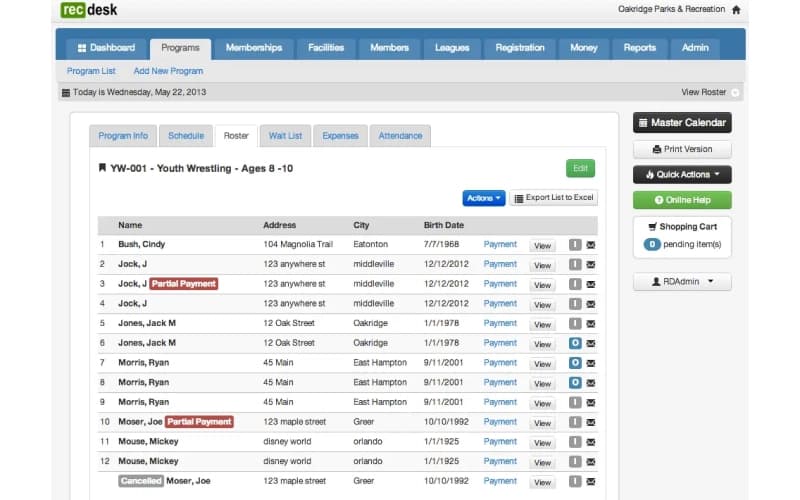
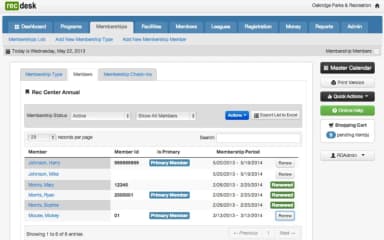
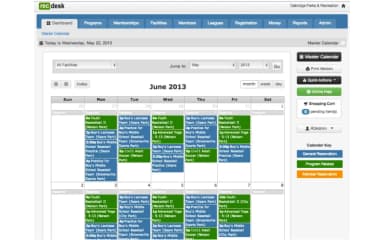
RecDesk Specifications
- Reporting And Analytics Dashboards
- Mobile Accessibility
- Compliance And Safety Management
- Visitor And Resource Booking
RecDesk Features
Facility Reservations
Using the software, administrators can manage booking requests, approval workflows, and usage schedules through configurable calendars and reservation tools. This capability allows organizations to oversee space utilization, coordinate availability, and maintain accurate records while optimizing planning and preventing scheduling conflicts.
FlexForms
Organizations can digitize paperwork using advanced form-building tools designed to create configurable templates for registrations, waivers, and internal processes. This functionality reduces administrative burden and improves record accuracy while enabling structured data collection that supports compliance requirements.
Program Management
RecDesk enables staff to coordinate activities, track enrolments, and manage instructor assignments through structured program administration tools. These capabilities help organizations maintain participant oversight and ensure operational logistics remain consistent across multiple offerings.
Billing And Payments
Finance teams can process transactions, generate invoices, and monitor activity using built-in payment handling and reporting features. These tools strengthen financial transparency while helping maintain accurate records and simplifying payment experiences.
Pros And Cons of RecDesk
Pros
Clear workflows that simplify task management and class roster tracking
Helpful master calendar for planning programs across multiple locations
Simple and efficient admin-side functionality
Cons
Limited direct communication with enrollees from individual staff members
Limited customization options and administrative flexibility
RecDesk Reviews
Total 45 reviews
4.5
All reviews are from verified customers
Rating Distribution
5
Stars64%
4
Stars24%
3
Stars11%
2
Stars0%
1
Stars0%
Share your experience
Non-Profit Organization Management, 11-50 employees
More than a year
“clear reporting”
Pros
Getting around the app is simple and the system gives a clear direction for handling pretty much any task. Keeping track of class rosters is simple and the reporting tools are excellent while still being organized enough to make auditing and tracking much easier.
Cons
One of the harder parts of using this is staying in touch with enrollees. There's no option to message someone directly as an individual since all communication has to come from the institution. I'm also not really a fan of the overall look of the platform because the design feels pretty outdated.
Rating Distribution
Ease of use
9
Value for money
7
Customer Support
8
Functionality
10
Government Relations, 11-50 employees
More than a year
“Huge time saver”
Pros
One thing I really appreciate is being able to attach documents directly to a member so customers don't have to keep bringing in the same paperwork again and again. It's also very simple to build a league from a program registration which saves time.
Cons
At this point, there isn't anything that really stands out as something I'd want changed.
Rating Distribution
Ease of use
10
Value for money
10
Customer Support
10
Functionality
9
Recreational Facilities and Services, 51-100 employees
More than a year
“Quick setup process”
Pros
Setup and then rollout was pretty quick and efficient. It was also simple to catch and fix user mistakes when they happened. Any time I needed help, support responded quickly and resolved the issue without hassle.
Cons
Right now I'm the sole administrator right now and I wish I had more staff members to assign to the program because otherwise I haven't run into any problems.
Rating Distribution
Ease of use
10
Value for money
10
Customer Support
9
Functionality
10
Frequently Asked Questions
Does RecDesk have a mobile app?
Yes, RecDesk offers the Copilot mobile application supporting administrative functions. It is available for iOS devices.
What languages does RecDesk support?
RecDesk software is primarily available in English.
What types of pricing plans does RecDesk offer?
The vendor offers multiple price plans. These include Essential (starting at $3,835/year), Standard (starting at $6,240/year), Plus (starting at $10,790/year), and Enterprise (starting at $16,250/year). These plans come with an unlimited number of users, free training and support, and no start-up cost. Get in touch for a tailored RecDesk cost estimate.
Who are the typical users of RecDesk?
Typical users who benefit from RecDesk features include businesses across industries such as parks and recreation, aquatic centers, education, HOA communities, and nonprofit.
What other apps does RecDesk integrate with?
RecDesk integrates with systems such as Musco, Kisi, LenelS2, and Reach Media.
Does RecDesk offer an API?
The vendor has not publicly detailed API availability on its official resources.
What level of support does RecDesk offer?
The vendor provides support via phone and ticket system.