


Xcelerate
Last Updated
Overview
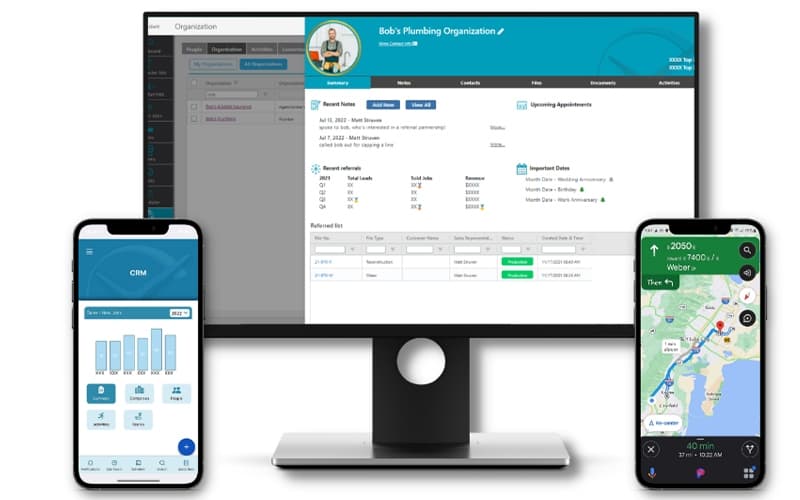
Xcelerate delivers an industry-focused field service platform that helps contractors efficiently manage jobs, teams, and customer relationships. While it offers limited customization, its strong scheduling, reporting, and mobile tools make it a reliable choice for restoration businesses aiming to streamline operations effectively.
Be the first one to leave a review!
No review found

Starting Price
Custom

Xcelerate Specifications
- Work Order Management
- Scheduling & Dispatching
- Mobile Access
- Customer Management
Xcelerate Features
Clear Business Insights
Xcelerate provides a clear, data-driven view of business performance. The platform includes an intuitive dashboard, real-time KPI tracking, and a robust reporting suite with Microsoft BI integration, enabling users to identify trends, measure outcomes, and take informed steps toward sustainable growth.
Automation
The software leverages intelligent automation to handle repetitive administrative tasks efficiently. By streamlining routine processes, teams can focus on high-value work, reduce manual effort, and enhance overall productivity while maintaining accuracy and consistency across all operational areas in the organization.
Route Mapping
Xcelerate enables efficient travel planning through mobile route mapping. Users can quickly create or reuse saved routes, saving valuable time and resources. This feature ensures technicians reach job sites promptly while reducing travel inefficiencies and improving overall operational productivity.
Work Type And Territory Management
The platform enables effective management of diverse work types and territories. It ensures strategic task allocation across multiple locations, balancing workloads and maximizing coverage, which helps improve service delivery, reduce bottlenecks, and support consistent performance across a geographically distributed workforce.
Centralized Dispatch
Xcelerate streamlines operations through a centralized dispatch hub. It allows teams to assign, track, and manage jobs from a single location, providing greater visibility, faster coordination, and optimized resource deployment across multiple sites for improved service consistency and reduced operational delays.
Pros And Cons of Xcelerate
Pros
Extensive integration options with popular industry tools
Real-time visibility improves job tracking and communication
Dynamic workflows and automation streamline restoration processes
Cons
Mobile app could benefit from enhanced usability and added features
Not highly flexible for unique or evolving workflows
Xcelerate Reviews

No reviews yet!
Be the first to review this product
Frequently Asked Questions
Who are the typical users of Xcelerate?
Xcelerate features are used by restoration contractors, project managers, and field technicians.
Does Xcelerate have a mobile app?
Yes, Xcelerate offers a dedicated mobile app for both iOS and Android.
Does Xcelerate offer an API?
Yes, Xcelerate offers an API.
What other apps does Xcelerate integrate with?
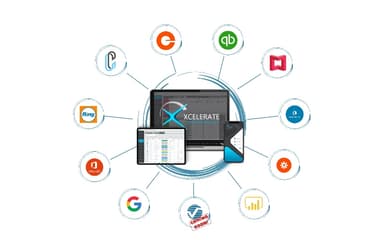
Xcelerate supports integrations with QuickBooks, Google Calendar, Gmail, Power BI, DocuSketch, Encircle, and RingCentral.
What language does Xcelerate support?
Xcelerate software primarily supports English.
What level of support does Xcelerate offer?
Xcelerate provides support via phone, email, contact form, live chat, and a knowledge base.
What types of pricing plans does Xcelerate offer?
Pricing for Xcelerate is customized according to business requirements. Get a detailed Xcelerate cost breakdown to make an informed decision.