


PopSQL
Last Updated
Overview
PopSQL offers a collaborative Structured Query Language (SQL) editor that helps teams query, visualize, and manage data efficiently. While it lacks built-in risk management tools, its audit logs, version history, and data governance features support documentation and compliance tracking, making it useful for teams handling sensitive data.
PopSQL Specifications
- Policy and Document Management
- Audit Management
- Version Control and Change Tracking
- Risk Assessment and Mitigation
What Is PopSQL?
PopSQL is a collaborative data analysis platform designed for teams looking to streamline query creation, visualization, and sharing. The software provides a central repository where queries can be organized into a shared library, eliminating redundant work and preserving institutional knowledge. With features like version control, teams can track changes to ensure transparency and accountability. This centralized approach addresses the common issue of fragmented tools and inconsistent results, enabling organizations to foster data-driven decision-making and gain faster access to critical business insights.
PopSQL Pricing
PopSQL offers the following plans:
- Free: $0/editor/month
- Premium: $24/editor/month
- Business: $45/editor/month
- Enterprise: Custom pricing
Disclaimer: The pricing is subject to change.
PopSQL Integrations
The software supports integration with multiple systems and platforms, such as:
Who Is PopSQL For?
PopSQL is ideal for a wide range of industries and sectors, including:
- E-commerce and retail
- Real estate
- Transportation and logistics
- Education
- Financial technology
- Business technology
Is PopSQL Right For You?
PopSQL is ideal for organizations seeking a collaborative data culture while maintaining strong governance and compliance standards. Its unified workspace enables teams to share queries and track changes with full version history in real time. With audit logs, SOC 2 Type II certification, and GDPR compliance, the platform supports documentation and compliance tracking, providing a scalable, secure, and robust solution for modern data-driven teams.
Still unsure about PopSQL? Connect with our customer support staff at (661) 384-7070 for further guidance.
PopSQL Features
Real-Time Collaboration
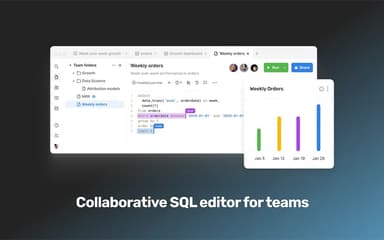
PopSQL allows teams to collaborate directly within the SQL editor, supporting real-time peer reviews and seamless remote teamwork. Users can comment, share queries, and work simultaneously on the same projects, enhancing productivity and ensuring consistency across all data operations.
Autocomplete
The platform offers intelligent autocomplete suggestions as users write SQL queries, speeding up query creation and reducing errors. This feature provides instant recommendations based on context, helping teams write accurate queries efficiently while minimizing syntax mistakes and improving overall workflow.
Schema
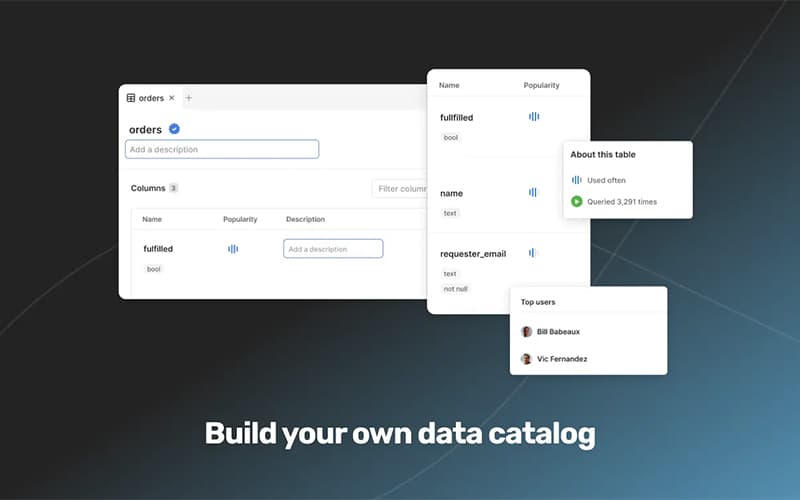
The software provides a comprehensive view of your database schema, including usage statistics on tables and columns. Users can pin frequently used tables, apply advanced filters, and quickly understand the data model, ensuring faster onboarding and effective data exploration.
Version History
PopSQL tracks all changes to queries, showing who modified them and when. Users can compare differences, revert to previous versions, or copy changes as needed, providing accountability, transparency, and control over collaborative data projects.
Charts
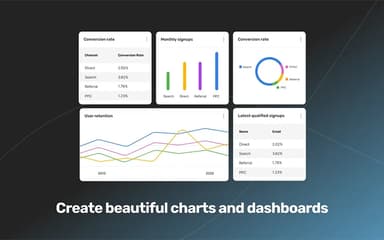
The platform enables users to create charts and data visualizations directly within the SQL editor. Teams can uncover patterns, trends, and correlations in the data without leaving the platform, improving analysis efficiency and supporting informed, data-driven decision-making.
Pros And Cons of PopSQL
Pros
Real-time collaboration boosts team productivity
Works with every major database provider
Version history allows tracking and reverting changes
Cons
SQL suggestions occasionally miss some vocabulary words
Built-in graphs are limited, requiring external visualization tools
PopSQL Reviews
Total 3 reviews
4.3
All reviews are from verified customers
Rating Distribution
5
Stars33%
4
Stars67%
3
Stars0%
2
Stars0%
1
Stars0%
Share your experience
Information Technology and Services, 1-10 employees
Less than a year
“Helpful SQL learning tool”
Pros
Using it while learning SQL was really helpful. The interface feels user-friendly, it's simple to work with and it suits beginners as well as more experienced users.
Cons
The free version is pretty limited and prompts you to upgrade quite often. Still, if your needs are basic like mine were when I was using it to learn, it gets the job done.
Rating Distribution
Ease of use
8
Value for money
10
Customer Support
10
Functionality
9
Internet, 51-100 employees
Less than a year
“Fast access to data”
Pros
Getting access to data is incredibly convenient with this tool especially for things that would normally take a developer or data analyst much longer to prepare. At one point someone on our team put together a data sheet in just 10 minutes so we could review messages right when we urgently needed it which was a huge help.
Cons
Its design is not really the strongest part of the product but it works well enough and honestly the functionality matters more than the look.
Rating Distribution
Ease of use
8
Value for money
8
Customer Support
9
Functionality
10
International Affairs, 1-10 employees
Less than 6 months
“Free version available”
Pros
It is quite user-friendly. Even without knowing much about SQL, it really helped make writing queries much simpler for me. I also appreciate that there's a free version available which makes it accessible to anyone who wants to use it.
Cons
the free version comes with limited features and access compared to the premium plan though I still think upgrading is worth it if you need the extra capabilities.
Rating Distribution
Ease of use
8
Value for money
8
Customer Support
10
Functionality
7
Frequently Asked Questions
What language does PopSQL support?
PopSQL software primarily supports English.
Does PopSQL offer an API?
Yes, PopSQL offers an API.
What types of pricing plans does PopSQL offer?
PopSQL price starts at $0/editor/month for the Free plan. The Premium plan costs $24/editor/month, the Business plan is $45/editor/month, and Enterprise pricing is available on a custom basis. Get a detailed PopSQL cost breakdown to make an informed decision.
What other apps does PopSQL integrate with?
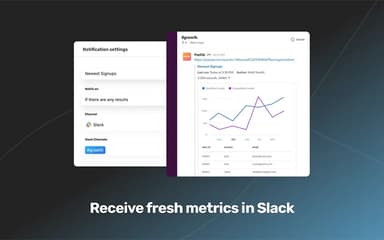
PopSQL software supports integration with multiple platforms and systems, including GitHub, GitLab, dbt Core, and Slack software.
What level of support does PopSQL offer?
PopSQL offers email support for all plans, while the Enterprise plan additionally provides tailored onboarding and a dedicated Customer Success Manager.
Who are the typical users of PopSQL?
PopSQL features are used by data analysts, data engineers, business intelligence teams, and analytics professionals in various industries.
Does PopSQL have a mobile app?
No, PopSQL does not offer a dedicated mobile app.