


Sigma Computing
Last Updated
Overview
Sigma Computing helps data teams convert live warehouse data into dashboards, reports, and AI-driven applications without extra extracts. While it lacks a dedicated mobile app, its spreadsheet-style interface and warehouse-native security make analysis fast and trustworthy. Overall, it is a reliable choice for enterprises looking for scalable and self-serve analytics.
Sigma Computing Specifications
- Data Visualization
- Customizable Dashboards
- Data Analysis and Reporting
- Scheduled Reporting
What Is Sigma Computing?
Sigma Computing is an AI runtime that lets organizations explore, analyze, and build applications on live data stored in their cloud data warehouse. Rather than requiring teams to move warehouse data into a separate analytics environment, Sigma queries the existing data platform directly. This approach allows businesses to retain their warehouse’s security and governance controls.
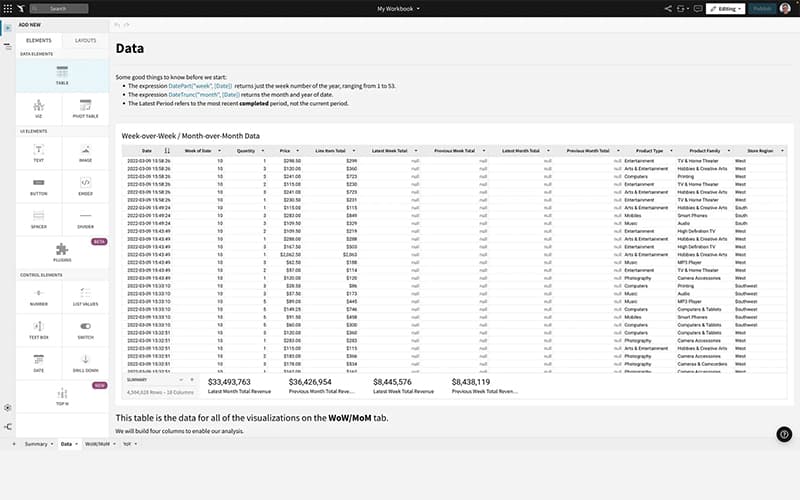
The software combines business intelligence with a spreadsheet-style interface, allowing users to work with formulas, tables, charts, and other familiar spreadsheet concepts while querying large datasets. Technical users can also work with SQL and Python, while business users can perform self-service analysis without depending on engineering teams for every report or data request.
For organizations already operating a modern cloud data warehouse, Sigma functions as a layer for analysis and AI-driven workflows on top of that existing data infrastructure.
What Is Sigma Computing Best For?
The software is best known for its 'Agents' functionality, which helps firms turn live warehouse data into automated action. Agents allow users to monitor billions of rows on a schedule and identify defined conditions, such as low inventory or excessive spending. When a condition is met, they further help trigger the next step directly, whether that means updating a Jira ticket, sending a Slack alert, or writing back to the warehouse. Because agent logic is configured through a spreadsheet interface, business teams can set these rules themselves without opening an engineering ticket. This makes the feature especially useful for finance and operations groups that need to react quickly across large and fast-moving datasets.
How Much Does Sigma Computing Cost?
Sigma Computing price is estimated to start at approximately $300/month. The enterprise pricing can vary based on the number and type of users, selected license tiers, deployment requirements, and specific functionality.
A free trial is also available for prospective users.
In addition to the base subscription costs, organizations should account for the following potential expenses:
- Implementation And Deployment: $5,000–$25,000 for connecting data warehouses, configuring permissions, setting up workspaces, and deploying Sigma across the organization
- Data Warehouse Integration: $2,000–$15,000, depending on the number of warehouse connections, data sources, security requirements, and integration complexity
- Admin And User Training: $1,000–$10,000 for administrator training, user enablement, and ongoing adoption programs
- Analytics And Data Modeling Services: $5,000–$25,000 for developing data models, dashboards, workbooks, and analytics workflows based on organizational requirements
- API And Enterprise Integrations: $3,000–$15,000, depending on API development, identity management, automation, and integration scope
Reviews of Sigma’s pricing are mixed. Some users find it relatively affordable compared with similar tools and value the features included. Others raise concerns about the base platform fee and costs that increase with usage, particularly for smaller businesses.
Disclaimer: Pricing references are based on publicly available third-party information and industry benchmarks. Actual costs may vary.
Sigma Computing Integrations
The software supports integration with multiple systems and platforms, such as:
- Snowflake
- Databricks
- ClickHouse
- Google Cloud
- Azure
How Does Sigma Computing Work?
Here's how you can get started with the software:
- Log in and connect your cloud data warehouse, such as Snowflake, Databricks, or BigQuery
- Configure user roles and permissions inherited from the warehouse
- Create a data model to define shared tables, metrics, and joins
- Build workbooks using spreadsheet formulas, SQL, Python, or natural language
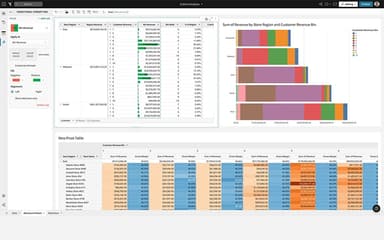
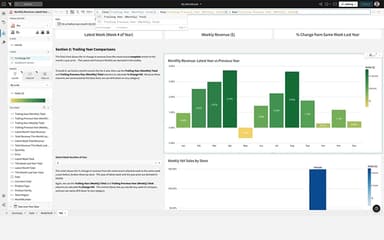
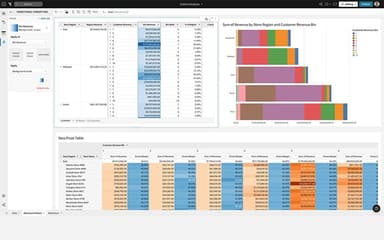
- Set up dashboards and visual elements to explore live data
- Configure agents to monitor conditions and trigger actions automatically
- Schedule reports for automated delivery by email, Slack, or file export
- Review audit logs and usage data to track adoption across teams
Who Is Sigma Computing For?
Sigma Computing caters to the following industries and sectors:
- Financial services
- Healthcare
- Retail and Consumer Packaged Goods (CPG)
- Manufacturing
Sigma Computing Use Cases
Based on our analysis of user feedback and Sigma Computing features, we have identified key scenarios where this software is a good fit for data, finance, and operations teams:
1. Investment Firms Cutting Manual Reporting Time Across Billions In Assets
Investment managers overseeing tens of billions in assets can use Sigma to replace manual, Excel-based reporting cycles. Makena Capital reports cutting analyst reporting time significantly by moving penny-level accuracy checks into a Sigma workflow built on Databricks. The software suits teams that need consistent and auditable numbers without adding headcount.
2. Logistics Providers Managing Freight Networks
Freight and logistics companies managing multiple contracts and freight operations can use Sigma to bring data from different sources into a shared analytical environment. Instead of relying on manually maintained spreadsheets, teams can use live dashboards to monitor network activity and investigate changes as they occur. Users particularly appreciate its AI capabilities that can identify trends, helping them make informed decisions.
3. Healthcare Networks Reducing Decision Latency Across Care Sites
Healthcare organizations managing data across multiple medical groups can use Sigma to consolidate reporting that would otherwise remain distributed across legacy systems. Its dashboards give data teams a shared environment for analyzing operational information and distributing updated insights to stakeholders. This is relevant for organizations where delays between data collection, reporting, and operational decisions can affect how efficiently care sites manage appointments and resources.
4. Retail Partner Networks Automating Embedded Partner Reporting
Retail organizations managing large partner networks embed live analytics directly into partner-facing tools can benefit from Sigma Computing. The Emerson Group reports that the software helped them automate reporting and accelerate partner decision-making. This approach helped the organization cut the manual back-and-forth typically required to share performance data with retail partners.
Is Sigma Computing Right For You?
Sigma Computing is a suitable choice for organizations that already run a cloud data warehouse and seek a self-serve analytics tool. It lets users analyze data directly from the existing warehouse, without creating a separate copy of the data in another system. It is trusted by renowned names, such as Workday, DoorDash, and Duolingo.
Additionally, the platform holds SOC 2 Type II, ISO/IEC 27701, GDPR, and CCPA compliance certificates. They help ensure data protection for organizations in regulated industries handling sensitive financial or customer information. It has recently signed an agreement with Amazon Web Services (AWS) to expedite AI-powered analytics and agents to simplify data management.
Need expert guidance before choosing Sigma Computing? Speak with us at (661) 384-7070 to get advice tailored to your requirements.
Sigma Computing Features
Data Modeling
The software lets teams define tables, metrics, and joins once, then reuse them across dashboards, reports, and AI workflows. Users can keep numbers consistent across departments by centralizing these definitions on the warehouse. Plus, its column-level security ensures admins can restrict sensitive fields, while version tagging supports safer iteration as models evolve over time.
Headcount Planning
This feature helps finance and HR teams build headcount plans tied directly to revenue targets. It empowers users to generate AI-assisted hiring recommendations and routes approvals that help update the live roster automatically. Instead of relying on a spreadsheet that drifts from the actual plan, teams can work from one source of truth.
Provider Anomaly Detection
Built for healthcare and payer organizations, the 'Provider Anomaly Detection' application enables teams to surface providers whose billing or claims behavior looks unusual compared to peers. Sigma's embedded AI agent further helps users flag outlier cases. Plus, the staff can add notes, attach files, and escalate the matter directly within the workspace, all backed by a complete audit trail for compliance review.
Insights And Analytics
Sigma Computing's 'Business Intelligence' layer lets users explore live warehouse data through dashboards, a spreadsheet interface, SQL, Python, or natural-language chat. Users can click into any chart to drill down to underlying transactions or pivot to a new dimension instantly. This flexibility helps both technical and non-technical staff investigate the same numbers.
Reporting
This feature helps users produce boardroom-ready, pixel-perfect documents such as P&Ls and financial statements, formatted directly from warehouse data. Teams can control page breaks, headers, and conditional formatting, then schedule delivery. They can also burst personalized versions to thousands of recipients by email, Slack, or cloud storage, all governed by row-level security.
Pros And Cons of Sigma Computing
Pros
Can export reports to different destinations
Easy data-source connections accelerate analytics setup and access
Spreadsheet-style analysis lets teams explore data with less training
The ‘Column Details’ tool helps speed up understanding of data value ranges
Flexible visualization and manipulation support deeper data analysis
Cons
Vague error messages can slow down troubleshooting and resolution
Complex user permissions can slow down administrative workflows
Limited on-the-fly sorting can delay timely report adjustments
Sigma Computing Reviews
Total 52 reviews
4.7
All reviews are from verified customers
Rating Distribution
5
Stars75%
4
Stars19%
3
Stars6%
2
Stars0%
1
Stars0%
Share your experience
Food & Beverages, 11-50 employees
“Fast dashboard creation”
Pros
Using the spreadsheet-style interface, I can build dashboards quickly and respond to ad-hoc business questions without much effort.
Cons
When I'm working with very large datasets some dashboards can take a little longer to load.
Rating Distribution
Ease of use
9
Value for money
8
Customer Support
9
Functionality
7
Computer Software, 101-500 employees
“Top-tier UX”
Pros
It's biggest advantage is the UI/UX. It's the first BI platform I've used that genuinely feels like working in a spreadsheet while still scaling with a cloud warehouse. Since it stays live-connected to Snowflake, there's no waiting around for extracts and no concern about reports going stale. Performance is basically as fast as the warehouse itself. The integrations also work really well, whether I'm writing data back to the database or embedding analytics into client portals without needing a huge engineering effort.
Cons
What stands out most is how quickly the value shows up because onboarding is incredibly fast. I can take a client who only knows Excel and get them building advanced pivots within an afternoon. The AI features have also been a pleasant surprise, especially AI Forecast and the natural language formulas which remove a lot of the guesswork from trend analysis. Another unexpected plus has been Input Tables which finally fixed the issue of letting users comment on or update data without leaving the dashboard. It has made our once-static reports feel truly interactive. I haven't noticed any downsides.
Rating Distribution
Ease of use
10
Value for money
9
Customer Support
10
Functionality
8
Computer Software, 101-500 employees
“Simplest BI I've ever used”
Pros
Working with it has honestly been the most simple BI experience I've had. It has the familiarity of a spreadsheet but it's connected directly to live Snowflake data so there's no dealing with extracts or outdated numbers. Connecting it to Snowflake is really simple as well and the support for key pair authentication or OAuth makes the setup both fast and secure. We use it across all kinds of needs, client project dashboards, migration tracking and internal trackers and it handles each of those without creating extra work. It's also approachable for non-technical users since people can get started quickly without needing SQL. Overall, it makes day-to-day reporting a lot easier for me.
Cons
Performance can slow down a little once a workbook becomes more complex, especially when there are lots of elements or larger datasets involved. A few of the more advanced features also aren't immediately obvious so there's a bit of trial and error when learning them on your own. It's not a major issue but the experience in those areas could definitely be a bit more polished.
Rating Distribution
Ease of use
7
Value for money
9
Customer Support
7
Functionality
7
Frequently Asked Questions
Does Sigma Computing have a mobile application?
No, it does not offer a native mobile application.
What types of pricing plans does Sigma Computing offer?
Its pricing is estimated to start at $300/month. You can request a personalized Sigma Computing price quote now.
What other apps does Sigma Computing integrate with?
The platform supports integration with Google Cloud, Snowflake, ClickHouse, Azure, and Databricks.
What level of support does Sigma Computing offer?
The platform offers support through a help desk and email.
What language does Sigma Computing support?
Sigma Computing software is primarily available in English.
Who are the typical users of Sigma Computing?
Businesses across various industries, including manufacturing, financial services, retail and CPG, and healthcare, benefit from Sigma Computing.
Does Sigma Computing offer an API?
Yes, it offers a REST API.