


CompuLaw
Last Updated
Overview
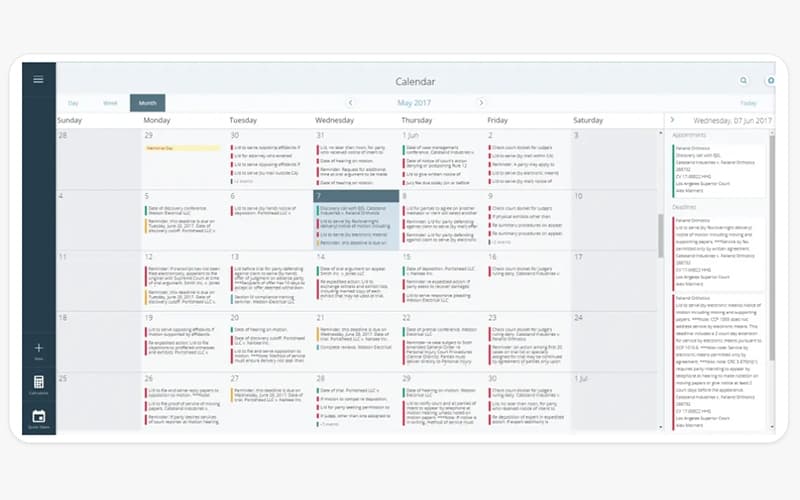
CompuLaw, Aderant's leading legal calendaring and docketing solution, ensures deadlines are met through automated calculations and a rules-based system. While manually managing complex legal schedules can lead to costly errors, CompuLaw supports automated calendaring to enhance accuracy, minimize risk, and keep firms compliant with evolving court rules.
CompuLaw Specifications
- Court calendaring and scheduling
- Case Management
- Document Management
- Client Management (CRM)
CompuLaw Features
Rules-based Deadline Calculation
CompuLaw provides access to an extensive library of rule sets covering Local, State, Federal, Appellate, and Bankruptcy jurisdictions. Deadlines are continuously maintained and updated based on rule changes to ensure compliance while minimizing the need for manual adjustments.
Automated Reporting
This platform automates case deadlines and generates reports, eliminating manual workload and reducing risks. Comprehensive reporting tools allow users to filter, design, and distribute reports in multiple formats while automatically updating calendars for accurate scheduling.
Constant Monitoring
A dedicated team within the software research, review, and track rule changes. Legal experts ensure precise compliance by integrating technology-driven processes with manual verification, reducing administrative burdens and keeping rule sets up to date.
Actionable Analytics
CompuLaw offers a centralized dashboard that provides insights into invoice statuses. You can easily identify reductions and rejections while tracking performance optimizes expense management. Thus, this feature helps streamline workflows and enhances financial oversight across legal operations.
Pros And Cons of CompuLaw
Pros
Intuitive interface for easy navigation
Competitive pricing for affordability
Time-saving features like pre-filled forms and templates
Comprehensive legal resources, including articles, guides, and videos
Cons
Limited functionality for complex legal needs
Presents a steep learning curve for beginners
Lack of timely and effective customer support
CompuLaw Reviews
Total 5 reviews
3.8
All reviews are from verified customers
Rating Distribution
5
Stars20%
4
Stars40%
3
Stars40%
2
Stars0%
1
Stars0%
Share your experience
Legal Services, 11-50 employees
“Good, but it could be better”
Pros
It really helps me with managing cases, especially with its calendaring function. Also it lets me organize and schedule deadlines related to cases and it syncs with Outlook and other email programs.
Cons
Troubleshooting is not as simple as I expected because there are so many specific settings that can cause issues and it often requires working with support to track down the problem. Also we had some calendar sync issues with Outlook that kept popping up and it took weeks of going back and forth with support to finally pinpoint the root cause.
Rating Distribution
Ease of use
8
Value for money
8
Customer Support
7
Functionality
7
Enterprise, 500+ employees
“Feels a bit outdated”
Pros
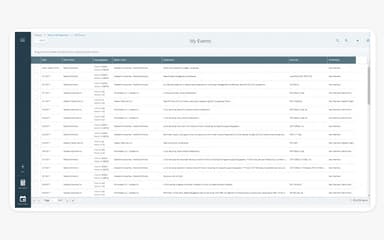
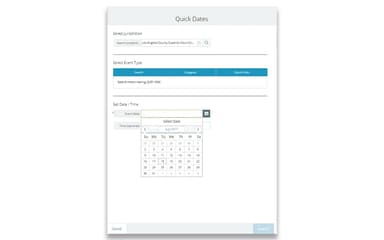
What I like about it is that it has all the tools I need for my work. It is kind of like a big computer where you tell it what to do and it handles it. For example you can create an event, add the matter type and client details, attach a document to the event, assign timekeepers and even create a team code though you will need to create that separately. But you can always go back to edit your events. It is like you say, Do this and that then print me a report and it is all ready for you. You can then share it with your firm and all the info you entered will be included in the email you send.
Cons
It could really use an update to make it more manageable. I know Compulaw has other software, like Compulaw MyView that is more modern but this just feels way too outdated. Using it reminds me of using an old Windows program. The colors and design look pretty dated. Even though it works well for what it does but it could definitely be upgraded to look more appealing like what they did with Compulaw MyView.
Rating Distribution
Ease of use
10
Value for money
10
Customer Support
10
Functionality
9
Legal Services, 11-50 employees
“Does the job but nothing special”
Pros
The calendaring feature works great for me as it allows me to keep track of deadlines.
Cons
Well the user-friendliness of the software is not great and I feel like the functionality could definitely be better.
Rating Distribution
Ease of use
4
Value for money
6
Customer Support
6
Functionality
4
Frequently Asked Questions
What types of pricing plans does CompuLaw offer?
The CompuLaw cost varies based on the features and services a law firm requires. A pricing analysis quote can be requested for a detailed rundown of available options.
Who are the typical users of CompuLaw?
CompuLaw is typically used by legal professionals, including law firms, docketing teams, attorneys, legal administrators, and corporate legal departments.
Does CompuLaw have a mobile app?
No, CompuLaw does not offer a dedicated mobile app.
Does CompuLaw offer an API?
Yes, CompuLaw provides API access.
What other apps does CompuLaw integrate with?
CompuLaw integrates with various third-party applications, including Handshake, iManage, Microsoft Outlook, and Elite.
What level of support does CompuLaw offer?
CompuLaw offers support through a porta, phone, email, and a knowledge base.
What language does CompuLaw support?
CompuLaw supports English.