


Last Updated
Overview
Expert Case makes legal case management effortless with intuitive tools for organization and collaboration. Although few performance issues slow productivity occasionally, the software is easily customizable to firm needs. Stay focused on winning cases as its automation and smart features handle the workload, ensuring efficiency and smooth case tracking.
Be the first one to leave a review!
No review found

Starting Price
Custom
Expert Case Specifications
- Case Management
- Document Management
- Billing & Invoicing
- Time Tracking
Expert Case Features
Task Management
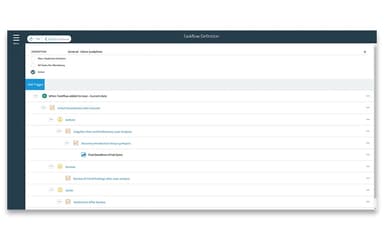
Task Management feature helps legal teams streamline workflows by defining key business processes. It ensures tasks are well-organized, improving efficiency and keeping teams on track with priorities and deadlines.
Document Assembly
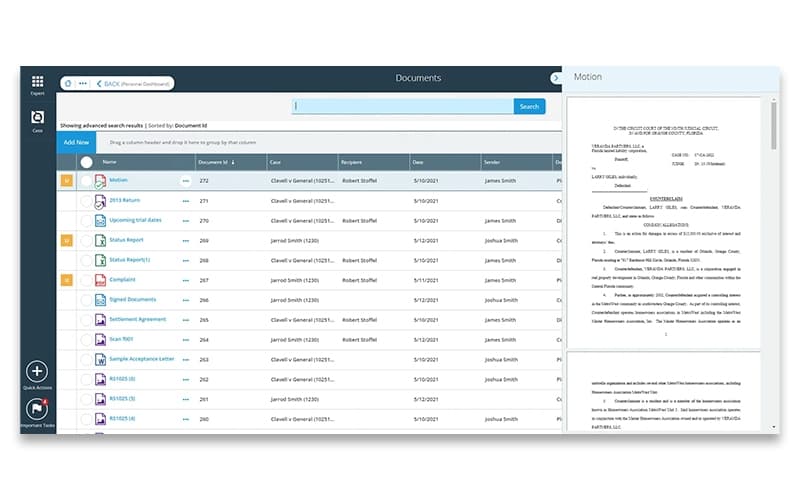
Expert Case offers this feature, enabling users to create Microsoft Word templates that auto-fill case details. It simplifies the creation of contracts, court filings, and letters, saving time and reducing manual effort.
Case And Personal Dashboards
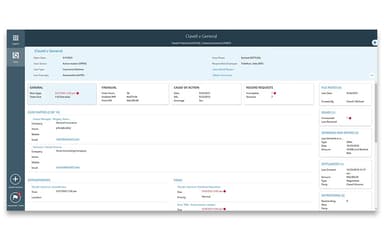
This powerful feature provides real-time updates on case progress, overdue tasks, documents, and financials. It ensures legal professionals always have access to critical case information for better decision-making.
End-To-End Managed Billing
This efficient feature by Expert Case assists users simplify billing with accurate invoices and faster processing. It reduces errors, improves cash flow, and ensures timely payments—all within a single billing solution.
Process Automation
Process Automation is an intelligent feature that automates workflows and minimizes manual tasks using OCR technology. It helps firms reduce human errors, standardize processes, and enhance operational efficiency.
Real-Time Data Access And Collaboration
It centralizes case-related information, allowing teams to collaborate smoothly. It ensures real-time updates on case status, documents, and deadlines, helping prevent missed tasks and improving communication.
Pros And Cons of Expert Case
Pros
Comprehensive features streamline legal practice management efficiently
Easily customizable to fit specific firm needs and preferences
Offers both on-premise and cloud-based deployment options
Provides flexible solutions for legal firms of all sizes
Cons
Some users find the system complex and not very intuitive
Occasional performance issues slow down productivity
Improvement needs in reporting features to meet advanced analytical needs
Expert Case Reviews

No reviews yet!
Be the first to review this product
Frequently Asked Questions
What types of pricing plans does Expert Case offer?
Expert Case cost is based on the customer's requirements.
What other apps does Expert Case integrate with?
Expert Case integrations seamlessly with Milana, Deadlines.com, CompuLaw, Forms Workflow, iTimekeep, BillBlast, and Microsoft Office Suite.
Who are the typical users of Expert Case?
Typical users of Expert Case are legal professionals.
Does Expert Case have a mobile app?
Yes, Expert Case offers a mobile app for access on the go.
Does Expert Case offer an API?
Yes, Expert Case offers an API.
What language does Expert Case support?
The platform supports only the English language.
What level of support does Expert Case offer?
The software offers phone, email/helpdesk, and customer portal support.