


Last Updated
Overview
Hero SectionFactBox is a cloud-based fact-management tool designed for litigators, enabling the organization and connection of case facts to source documents and key issues. While it lacks time-tracking features, its intuitive design and seamless integrations enhance case preparation and collaboration.
FactBox Specifications
- Case management
- Document management
- Mobile access
- Compliance & security features
FactBox Features
Categorized Capture
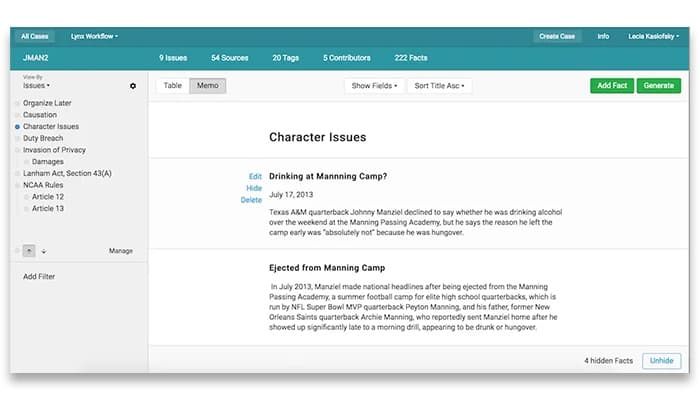
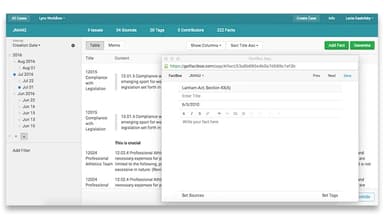
FactBox enables users to categorize facts and ideas during case development, establishing a structured framework from the outset or adapting it as new topics arise. This centralization ensures all case content is organized, facilitating efficient information retrieval and streamlined case management.
New Connections
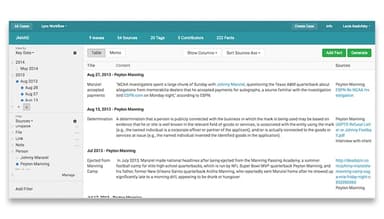
With this feature, users can analyze cases from multiple perspectives, effortlessly uncovering new connections. The platform's advanced sorting and filtering capabilities enable rapid identification of fact clusters, enhancing analytical insights and supporting informed decision-making throughout the legal process.
Effortless Reports
FactBox enables the generation of editable, client-ready reports directly from the case view. This functionality streamlines the reporting process, saving time and ensuring that all relevant information is accurately compiled for effective client communication and case presentation.
Security
This feature ensures robust data protection through rigorous security measures, including regular penetration testing, encryption for data in transit and at rest, and two-factor authentication. These safeguards keep sensitive information secure, maintaining client confidentiality and defending against potential threats.
Pros And Cons of FactBox
Pros
Responsive technical support
Streamlined case management
Eliminates need for physical servers
Efficient organization of case details
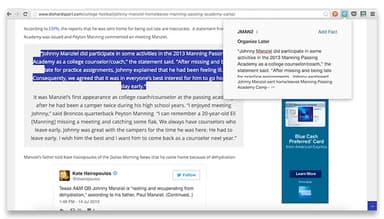
Direct linking to source documents
Cons
Limited to litigation focus
No email management function
Cannot track expenses
Requires integration for specialized needs
FactBox Reviews
Total 10 reviews
4.5
All reviews are from verified customers
Rating Distribution
5
Stars50%
4
Stars50%
3
Stars0%
2
Stars0%
1
Stars0%
Share your experience
Steven
Law Practice, 1-10 employees
More than a year
“Streamlining the organization of issues and facts”
Pros
I loved how quickly I could find important information. I could also add detailed notes to each link. Organizing facts into a "tree" structure with main issues and sub-issues was incredibly helpful. However it was a bit challenging to keep track of which documents had been added to the system.
Cons
It doesn't let you organize imported sources or documents, making it hard to quickly tell if I've already added a document or source to the database.
Rating Distribution
Ease of use
8
Value for money
8
Customer Support
8
Functionality
8
Nathan
Law Practice, 11-50 employees
Less than a year
“An excellent tool for keeping things organized”
Pros
FactBox has been a tremendous help in organizing my cases. It keeps track of key documents, testimony and even my thoughts and ideas in one place.
Cons
The print options aren't very customizable so I have to adjust font size, spacing, margins, etc manually each time. Also, the navigation panel is a little small and tends to autoscroll to the top.
Rating Distribution
Ease of use
10
Value for money
10
Customer Support
9
Functionality
8
Richard
Law Practice, 1-10 employees
More than a year
“It helps a lot in organization”
Pros
It's great for organizing the elements of a cause of action or criminal elements. You can link those elements to facts that support them and it really encourages you to think through the IRAC process.
Cons
I'd love it if some of the reports could be formatted the way I prefer to use them.
Rating Distribution
Ease of use
8
Value for money
10
Customer Support
10
Functionality
8
Frequently Asked Questions
What language does FactBox support?
FactBox supports English.
What other apps does FactBox integrate with?
FactBox integrates with Dropbox, Box, Clio and imanage. Schedule a free FactBox demo to learn more about its integrations.
Does FactBox offer an API?
No, FactBox odoes not offer an API.
Does factBox have a mobile app?
No, FactBox does not have a mobile app.
What types of pricing plans does FactBox offer?
factBox price starts at $45/user/month for the Pro plan. Users can also get a tailormade quote according to their needs.
Who are the typical users of FactBox?
The typical users of FactBox are legal services and law practices.
What level of support does FactBox offer?
FactBox offers email, chat and phone support.