




Clinical workflows vary significantly across different medical specialties, yet many Electronic Health Record (EHR) systems rely on the same one-size-fits-all configuration and templates. What works for a dermatologist may not suit an orthopedic surgeon, and a gastroenterologist cannot be expected to follow the same anatomical structures as a urologist.
As a result, physicians often spend time navigating generic workflows, modifying templates, and completing extra steps to document specialty-specific care. This is where specialty-specific EHRs like ModMed's EMA EHR can help.
It offers workflows and documentation tools tailored to the needs of individual specialties. This article explores how EMA EHR supports workflows across different medical specialties.
ModMed Electronic Medical Assistant (EMA) is a specialty-specific EHR designed for practices across multiple specialties, including dermatology, orthopedics, ophthalmology, gastroenterology, urology, and OB/GYN.
Unlike many EHR systems that rely on the same templates across all specialties, EMA adapts documentation to the needs of individual fields. Furthermore, each part of ModMed EMA is connected within a single workflow instead of operating as separate systems.
This allows information to follow the patient throughout the care journey. The following sections explore how ModMed EMA supports clinical workflows before, during, and after patient care is completed.
Patient intake in many clinics typically takes around 15-20 minutes per patient when paper-based registration is used. The patient manually fills out intake forms, and the staff later enters the same information manually into the EHR system.
In specialty practices using ModMed EMR, new patient intake can involve multiple documents, including consent forms, insurance information, medical history, medication lists, and HIPAA acknowledgments. These are handled as separate paper forms that need to be collected and entered into the system.
In ModMed EMA, the patient intake process is structured so that information is captured earlier and transferred directly into the patient's record. This reduces duplicate data entry and improves consistency between what patients submit and what appears in the clinical chart.
Patient Intake Features That Support Faster Check-Ins
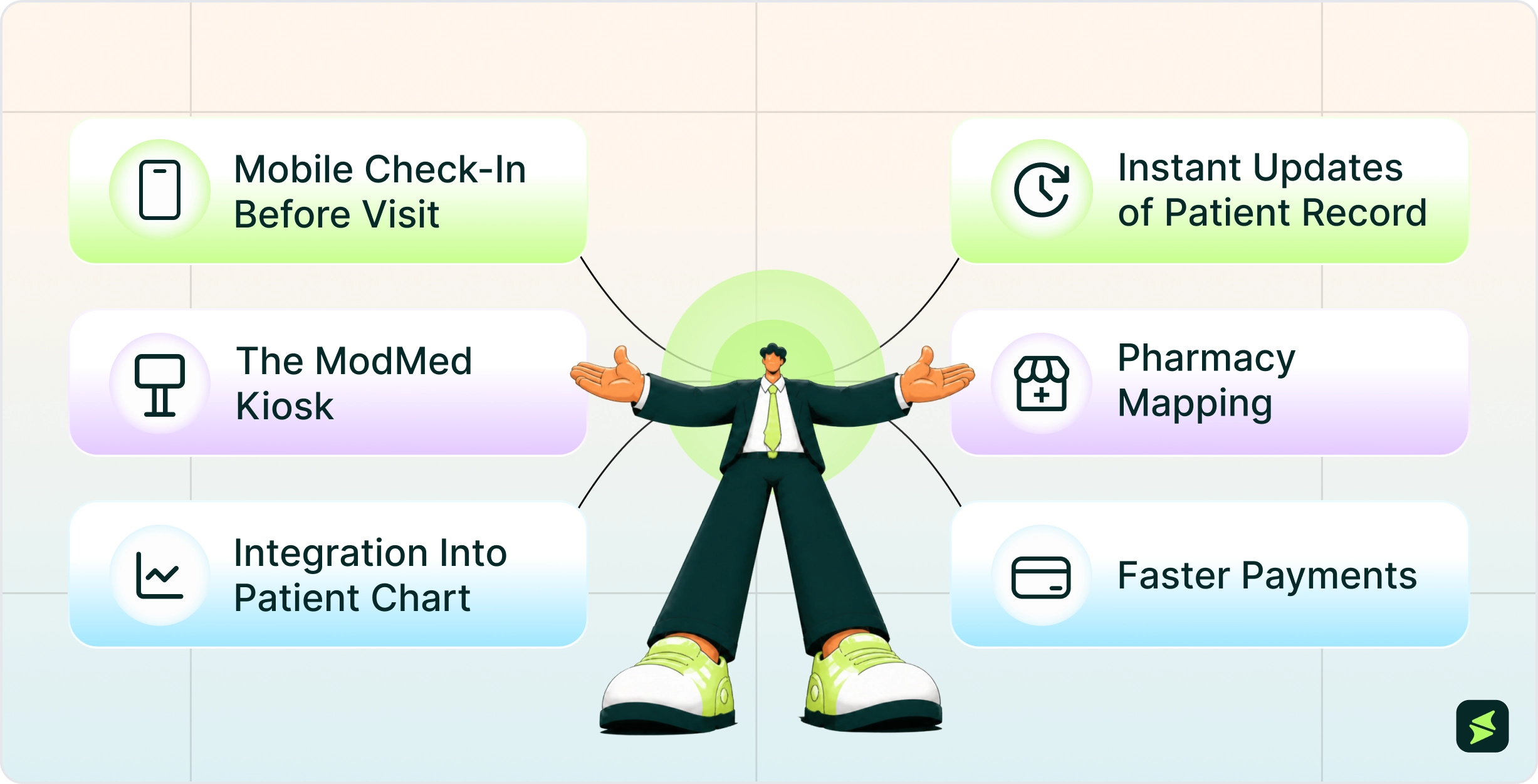
- Mobile Check-In Before Visit: Staff can send patients a link to a mobile intake form before the appointment. Patients can also complete medical history, insurance details, and consent forms on their own device
- The ModMed Kiosk: If patients do not fill out forms pre-visit, they can enter the same information using a Kiosk at the clinic. The form includes sections such as medical history, family history, and allergies. As patients type the information themselves, there are fewer typing mistakes
- Integration Into Patient Chart: Patients can easily update their medical history, verify demographics, sign consents, and submit insurance card photos. This data syncs right into the ModMed EMA EHR, meaning staff do not need to manually re-enter it
- Instant Updates Of Patient Record: If a patient changes something like their phone number, insurance, or intake form details during check-in, the system updates the chart so the front desk and clinical team see the newest version instantly
- Pharmacy Mapping: The kiosk uses a map to help patients find and select their favorite pharmacy. This ensures the doctor's electronic prescriptions go to the correct location right away. In most states, physicians can use PocketEMA to write and submit prescriptions. Meanwhile, pharmacies can also send refill requests back to the physician electronically
- Faster Payments: Patients can use the ModMed Kiosk or their mobile phone to pay co-pays or balance payments during or after check-in to speed up the check-out process

According to a 2025 study published in the Journal of the American Medical Informatics Association, ambient AI scribes can reduce clinicians' documentation time and ease charting workloads. Reflecting this approach, ModMed EMA EHR includes several tools, including ambient AI, built directly into the exam room workflow to support charting and reduce repetitive documentation tasks.
Clinical Documentation Features That Support Faster Charting
- AI-Assisted Documentation with Scribe 2.0 generates draft-based notes based on recorded conversations or structured inputs. These drafts are then placed into standard note sections such as Chief Complaint and History of Present Illness (HPI) for clinician review and editing
- Through the adaptive learning engine, it can remember your individual charting habits and bubble your most frequently used diagnoses, prescriptions, and treatment plans to the top of your screen automatically
- Protocols and macro templates let providers apply pre-set treatment plans, orders, and follow-up notes. A pre-set ‘Protocol’ populates the entire note for common medical conditions in seconds
These documentation gaps can have real billing consequences. CGS Medicare has published the top 5 coding errors identified in claims submissions. The most common error is Correct Coding Initiative (CCI) violations, where two procedures are billed for the same patient on the same day even though one is considered part of the other and should not be billed separately.
It also highlights missing or incorrect modifiers as a second major coding error. Claims are often denied when physicians fail to manually append Modifier 25 (same-day E/M visit and procedure), Modifier 24 (unrelated post-op visit), or Modifier 26 (professional interpretation only).
These errors can occur in manual coding workflows where documentation and coding are reviewed separately and rely on multiple steps before claim submission. In healthcare claim processing, inconsistencies between documentation and billing codes may lead to mismatches.
Coding Features That Support Accuracy And Claims Management
- Documentation-Driven Coding Suggestions: The system generates coding suggestions based on clinical documentation entered during the patient encounter. It compares documented diagnoses and procedures with relevant ICD-10 and CPT codes and presents options aligned with the record. Codes that are not supported by the documentation are not included in the suggestions
- Pre-Submission Claim Validation: ModMed EMA includes validation checks that review claims for missing information, formatting issues, and incompatible coding combinations before they are sent to payers
- Modifier And Coding Support: By linking coding activities with documentation, the system helps reduce inconsistencies that can contribute to errors such as incorrect modifier usage and unsupported procedure combinations

Some government legislators have considered banning the use of fax in medical communication. However, hospitals and healthcare providers use fax for sending medical records between institutions because it is widely used and generally considered compliant with HIPAA privacy requirements.
ModMed includes AI-based fax handling features that cut down on manual sorting and re-entry. As Dr. James Bienvenu of University Urology describes it, “With just a click on the ‘link patient,’ suggestions for the patient’s name, results category and ordering provider are pre-populated, streamlining the process.”
Features That Support Fax Management And Record Sharing
- ‘Enhanced Faxing,’ identifies document types such as lab results, referrals, and prior authorizations
- The system extracts patient information and suggests matching records wherein documents can be linked directly to the chart
- Once the chart is closed, staff can send documents to pharmacies or other providers without switching systems, and the communication remains attached to the patient record
ModMed’s EMA EHR customizes documentation for each medical specialty by using unique, physician-designed templates, adaptive AI, and visual anatomy maps. Instead of forcing every provider to use the same screens and workflows, EMA adapts to the unique needs of different specialties. The table below shows some common challenges across specialties and how EMA is designed to address them.
Specialty | Common Workflow Challenge | How ModMed EMA EHR Handles It | Primary Benefit |
Allergy | Allergy testing, immunotherapy management, specialty documentation | Allergy-specific EMA EHR with specialty workflows and AI-powered practice tools | Specialty-tailored documentation and workflow support |
Dermatology | Lesion documentation, clinical photography, pathology workflows | Integrated photography, adaptive learning, pathology/lab integration, dermatology-specific workflows | Faster lesion documentation and more streamlined dermatology charting |
ENT (Otolaryngology) | Repetitive documentation and specialty-specific clinical workflows | ENT-specific EMA workflows and specialty-tailored documentation tools | Standardized ENT documentation |
Gastroenterology | Endoscopy documentation and GI-specific clinical workflows | gGastro® platform with gastroenterology-specific workflows and documentation tools | Streamlined GI documentation and specialty-focused workflows |
OBGYN | Women's health documentation and specialty workflows | OBGYN-specific EMA workflows and specialty-tailored EHR | Documentation aligned with OB/GYN practice needs |
Ophthalmology | Managing diagnostic images and ophthalmic documentation | DICOM image integration, ophthalmology-specific protocols, IRIS Registry integration | Better integration of imaging with clinical documentation |
Orthopedics | Imaging review and musculoskeletal documentation | Interactive anatomical diagrams, PACS integration, orthopedic-specific workflows | Imaging-supported documentation |
Pain Management | Procedure documentation and specialty-specific charting | Pain Management-specific EMA workflows and specialty-tailored EHR | Documentation designed for pain management practices |
Plastic Surgery | Before/after image management and cosmetic workflows | Integrated photography, photo recall capabilities, quoting tools, cosmetic workflow support | Better organization of cosmetic consultations and documentation |
Podiatry | Foot and ankle documentation and specialty workflows | Podiatry-specific EMA workflows and specialty-tailored documentation | Structured podiatry charting |
Urology | Urology-specific documentation and specialty workflows | Urology-specific EMA workflows and specialty-focused EHR tools | Documentation aligned with urology practice workflows |
Merit-based Incentive Payment System (MIPS) is part of Medicare’s Quality Payment Program (QPP) under MACRA and links clinical performance with payment outcomes.
MIPS-eligible clinicians can receive a positive, neutral, or negative Medicare payment adjustment based on their final MIPS score following successful and complete reporting of MIPS requirements.
The score is based on their performance in four categories: quality, cost, improvement activities, and promoting interoperability (secure use of EHR to exchange patient health information).
ModMed EMA EHR helps improve MIPS and compliance reporting efficiency through several targeted automation features:
Real-Time Performance Analytics

- Exam-Integrated Tracking: Clinicians capture required MIPS data automatically during patient exams without additional clicks or separate data entry fields
- Built-In Scorecard: A real-time MIPS dashboard displays an ongoing estimate of the practice’s overall composite score
- Granular Drill-Downs: Practice managers can open individual performance categories (like Quality) to see precisely which patients met specific requirements and which did not
- Competitive Benchmarking: The analytical tools show how the practice's scores compare to national peers, so teams can adjust operations mid-year to protect their Medicare reimbursements
Simplified MIPS Submission And Registries
ModMed EMA supports direct CMS submissions, so ModMed users can submit final data directly to Medicare via the Modernizing Medicine Qualified Registry.
For specialty-specific reporting, EMA includes native interfaces with major registries (such as IRIS, DataDerm, and AQUA) to seamlessly fulfill clinical data exchange measures. The system also supports both traditional MIPS tracking and newer MIPS value pathways (MVPs), providing tailored dashboards for specialty-specific frameworks.

Implementing ModMed EMA EHR typically involves configuring specialty-specific workflows, migrating data, integrating external systems, and training staff before go-live. Here’s what the implementation process typically looks like:
- Before go-live, practices configure specialty-specific templates, documentation preferences, diagnoses, procedures, and treatment workflows. EMA comes preloaded with specialty-focused content and clinical protocols, allowing organizations to tailor workflows to their operational needs
- Data migration is typically one of the earliest implementation activities. Practices determine which patient demographics, appointment histories, and clinical records should be transferred from legacy systems and work with implementation teams to ensure the migration is completed accurately
- Integration with external systems such as laboratories, imaging centers, and clearinghouses is configured to support communication. EMA allows bidirectional communication with labs, enabling providers to send orders and receive results directly in EMA. ModMed supports 20+ integrations, spanning patient messaging, reminders, intake, documentation, and reputation management
- Some clinics assign internal users to support adoption and training during rollout, helping staff become familiar with system workflows. Training programs and onboarding sessions introduce staff to documentation, coding, and scheduling workflows. Implementation models include ModMed U (self-paced), remote instructor-led training, and onsite workshops
- During the initial phase of adoption, ModMed typically advises some practices to reduce patient schedules by about 20% during the first week of implementation to allow staff time to become familiar with workflow changes
- Coding support tools within EMA are typically activated during setup so that ICD-10 and CPT suggestions can be used during documentation review, though final coding decisions remain part of the clinical and billing workflow. ModMed Scribe 2.0 suggests ICD-10 codes in near real time, leaving providers to review and approve them
- After implementation, reporting and analytics tools track operational metrics such as documentation completion time and workflow activity. ModMed provides near real-time analytics dashboards directly within workflow to monitor practice performance and compliance
Discussions among dermatology, podiatry, and ophthalmology professionals reveal several recurring themes about day-to-day use of ModMed EMA. While experiences vary by specialty and implementation approach, the following topics appear frequently in user discussion.
Topics | What Users Commonly Report |
User Adoption | New users often need time to become familiar with specialty-specific workflows and navigation |
Template Configuration | Documentation efficiency is frequently linked to how well templates and protocols are configured |
AI Documentation | AI-powered notes can assist with drafting documentation but still require physician review and editing |
Specialty Workflows | User experience varies across specialties depending on documentation, imaging, and procedural requirements |
Workflow Adoption | Consistent use of templates and workflows across staff members can influence the overall experience |
Some users stressed the importance of setup and customization during implementation. One clinician noted that “it takes a while to get everything configured the way your specialty actually works in practice,” highlighting how workflow configuration can influence day-to-day usability.
Discussions around AI-assisted documentation were generally balanced. While users appreciated having draft notes generated automatically, one user commented that “you still have to go through and fix parts of the note, especially for complex visits,” suggesting that review and editing remain part of the documentation process.
A recurring theme was that EMA experience varies significantly across specialties. Users in documentation-heavy and imaging-focused fields discussed workflow customization more often than those with simpler documentation needs.

A 2024 Forrester Consulting Total Economic Impact™ (TEI) study, commissioned by ModMed, modeled a composite 15-provider specialty practice and found that ModMed software delivered a three-year ROI of 206% with payback in under six months.
The findings are based on a composite organization built from 10 customer interviews and 10 additional customer survey responses, rather than a single real-world practice. As a result, the outcomes represent modeled projections and should be interpreted as directional estimates rather than guaranteed results.
The study highlights efficiency gains in administrative workload, documentation processes, and revenue cycle operations, including faster charting, front-office efficiency improvements, reduced denial rates, and improved revenue recovery. However, these outcomes may vary depending on practice size, specialty, and how the system is implemented and used in real-world settings.