


Reusing the same passwords is a common practice because it's easier to remember. But when one login is exposed, it puts multiple accounts at risk. Nowadays, phishing attacks trick users into giving up credentials every day. Credential leaks and data breaches happen often, leaving business and personal data vulnerable. As a result, many people rely on built-in browser password managers for convenience, despite their limited advanced security, cross-platform control, and recovery options.
To address these limitations dedicated password managers like Proton Pass and LastPass come into place. Proton Pass emphasizes privacy with open-source code and Swiss data protection. LastPass delivers password management for both individuals and businesses, with strong collaboration tools.
This comparison guide covers how each platform works, how it differs in security, and trust models. It also provides a detailed overview of their pricing so you can make an informed decision.
Feature | Proton Pass | LastPass |
Password Storage And Autofill | Unlimited storage, end-to-end encryption, cross-device sync, instant autofill | Unlimited storage, encrypted vault, cross-device sync, payment/address autofill |
Two-Factor Authentication | Integrated 2FA, generates TOTP codes, automatic code copying | 6-digit passcodes, SMS, push notifications, Duo Security partnership, biometric authentication |
Cross-Platform Availability | Windows, macOS, Linux, iOS, Android; Browser extensions for Chrome, Edge, Brave, Firefox; Free users sync all devices | Windows, macOS, iOS, Android; Premium users get unlimited device sync; Free users limited to one device type |
Security Dashboard | Pass Monitor identifies weak/reused passwords, dark web monitoring, 2FA alerts, Proton Sentinel protection | Numerical security score, monitors weak/reused passwords, dark web monitoring, automatic updates, centralized dashboard |
Email Aliases And Identity Protection | Unlimited hide-my-email aliases, automatic creation, deactivate to stop spam, privacy protection | No native email alias feature; focuses on username generation only |
Password Sharing | Share single items or vaults, secure links with expiration, share with non-users, supports passwords, credit cards, and notes | Personal & business sharing, folder-based sharing, admin controls, password visibility options, zero-knowledge encryption, AES-256 encryption |
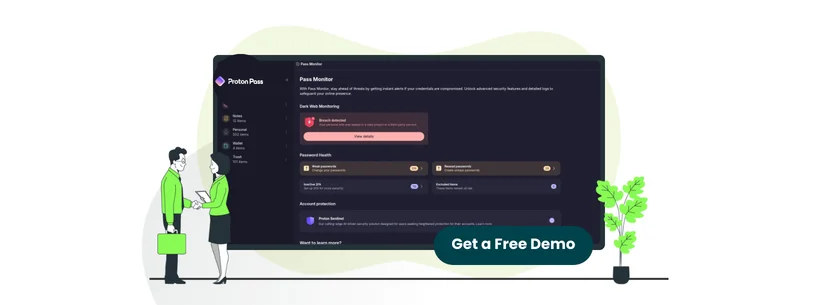
Proton Pass is a cloud-based, end-to-end encrypted password manager that is designed to protect organizations from credential risks. It creates unique passwords to prevent data breaches and reuse, whereas the dark web scans alert teams to compromised accounts. The tool syncs across devices, ensuring seamless access to credentials wherever you need them.
Moreover, the platform helps log in faster with the autofill option that automatically completes login forms across apps and websites. This saves time, reduces errors, and improves team efficiency.
Unique Features Of Proton Pass
- 256-bit AES-GCM Vault Encryption: The platform stores passwords in encrypted vaults using the 32-byte vault key. All data is encrypted with 256-bit AES-GCM encryption
- OpenPGP with ECC: The OpenPGP encryption standard with Elliptic Curve Cryptography (ECC Curve25519) to protect vault keys and enable secure sharing. It allows easy upgrading to post-quantum encryption algorithms in the future
- Swiss Privacy: Based in Switzerland, the platform is protected by privacy laws outside the USA and the European Union (EU) jurisdictions
Pros And Cons Of Proton Pass
Pros
- Provides multiple password vaults, making it easier to separate work and personal profiles
- Allows instant controls over unwanted emails by deleting an alias instead of unsubscribing manually
- Supports 2-factor authentication to increase account security
Cons
- The autofill option does not apply to some fields
- The platform lacks a dedicated desktop application
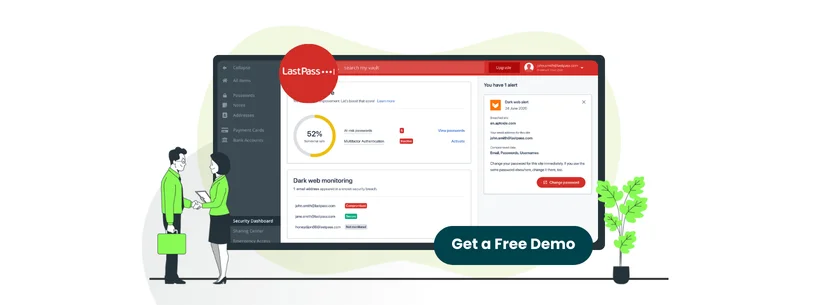
LastPass is a dedicated password and identity management solution that creates, stores, and autofills strong passwords. The platform is designed for individuals, teams, and enterprises. This all-in-one solution helps generate strong passwords, autofill logins, store account information, and share credentials.
Furthermore, the tool allows users to save unlimited passwords and log in from any browser or device. This ensures that users can access the passwords whenever needed.
Unique Features Of LastPass
- Digital Will: It allows users to create and store a digital will of passwords, online accounts, and digital assets for the family. Moreover, it gives access to passwords for the laptop, social media accounts, bank accounts, voicemail pin, legal documents, and more
- SaaS Protect: The platform enables businesses to block, restrict, or grant user access across apps. This helps eliminate Shadow IT by controlling which apps are allowed, restricted, or blocked
- Identity As A Service (IDaaS): It manages identity and access through multi-factor authentication (MFA), adaptive authentication through integrations, and Single Sign-On (SSO). It also automates user provisioning, assigns permissions by role and group, and generates audit trails for compliance
Pros And Cons Of LastPass
Pros
- Easy to store passwords and sync across various devices and web browsers
- Enables instant password refill after reopening the browser
- Allows login using biometrics instead of typing the password
Cons
- Conflicts with Google Password Manager, which forces manual disabling to access the dropdown options
- Does not allow seeing the password with one click in the online version
Proton Pass offers pricing plans based on business size and required features.
For individuals
- Free - $0 (free forever)
- Pass Plus - $4.99/month
- Pass Family - $6.99/month
- Proton Unlimited - $12.99/month
For businesses
- Pass Essential - $4.99/user/month
- Pass Professional - $6.99/user/month
- Enterprise – Custom Pricing
LastPass offers multiple pricing plans that depend on various factors. The platform also offers a free trial for a limited time. The plans include:
- Premium - $3/month
- Families - $4/month
- Teams - $4.25/user/month
- Business - $7/user/month
- Business Max - $9/user/month
Users who prioritize budget over privacy features, LastPass is the better choice. With Proton Pass, the cost reflects open-source security and Swiss data protection laws.
Disclaimer: The pricing is subject to change.

While both Proton Pass and LastPass are excellent password management tools, it’s better to assess which tool fits best for your specific interests.
Proton Pass is well-known due to its open-source code, Swiss data protection, unlimited hide-my-email aliases, and integrated 2FA authentication. LastPass, stands out for its dedicated personal and business password sharing, and security dashboard with numerical scoring.
Overall, Proton Pass is the best for users seeking a privacy-first password manager built on security and trust!