

Comparison
SnapSuite Vs Jobber: Choosing The Right Field Service Management Software
7 mins read
Last Updated

Both SnapSuite and Jobber assist service businesses, be it contractors and home-service companies, by offering digital tools for every field management task. Even though both platforms are used for the same purpose, the way either one approaches customization, scalability, and day-to-day usability is different.
This guide will give you a comprehensive breakdown of their features, pricing, and overall strengths to help you decide which platform aligns better with your service workflow.
Feature | SnapSuite | Jobber |
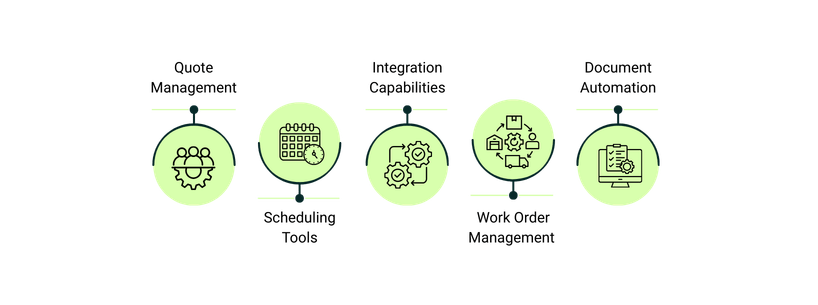
Quote Management | Optional line items, markups, detailed job quotes, personalized brochures | Request changes, direct signing, automated follow-ups |
Scheduling Tools | Real-time scheduling, priority job assignment, easy updates through mobile app | Drag-and-drop calendar, route optimization, appointment reminders |
Integration Capabilities | QuickBooks, Xero, Microsoft Office, HubSpot, Sage, etc | QuickBooks, Zapier, Mailchimp, Stripe, NiceJob, CompanyCam |
Work Order Management | Attach paper forms, convert work orders to invoices | Digital job forms, checklists, progress tracking |
Document Automation | Auto-fill Word templates, one-click complex quotes | Automated templates, pre-filled client details |
Pricing | Starts from $350/month | Starts from $39/user/month |

SnapSuite is a cloud-based field service management platform that is specifically built for contractors and trade businesses. It enables both office and field stakeholders to manage scheduling, dispatching, quoting, work orders, invoicing, and inventory through a single platform. Through its assistive feature set, SnapSuite reduces paperwork, and improves job visibility for service companies who are aiming for an all-encompassing workflow solution.
Unique Features Of SnapSuite
- Advanced Search Filters: SnapSuite allows users to locate any document, quote, purchase order, or invoice using detailed filters such as item number, status, job type, or technician – ensuring that teams can retrieve essential information. promptly
- Field Worker Mobile App: The mobile app allows technicians and contract workers to manage their schedule, receive dispatched job notifications, update job status, record voice notes, and send digital copies of work or purchase orders back to the office
- Multi-View And Print Scheduling: Offers hour, day, week, and custom schedule views so teams can plan workloads with precision. A dedicated print view is also available for businesses that still prefer physical schedules, which provides workflow flexibility
Pros And Cons Of SnapSuite
Pros
- Enhances professional efficiency by helping teams manage time and schedules
- Field worker updates via mobile (even simple phones with text notifications) enhance real-time communication
- Onboarding and demos are personalized to cater to specific business needs
Cons
- Highly customized features may feel overwhelming at first
- Reporting and analytics dashboard can be complex for new users

Jobber is a field service management platform that operates in the cloud and. helps home-service and contract businesses optimize their operational workflows. The platform combines quoting, scheduling, invoicing, and payment collection into a single system, and is designed to facilitate online booking, professional quotes, and automated invoices. Jobber is widely adopted by small and mid-sized service businesses that want control over customer requests, job progress tracking, and billing management.
Unique Features Of Jobber
- Drag-And-Drop Calendar: Allows you to move jobs around your calendar and reassign them instantly, with a clear view of team availability to keep schedules efficient
- Free Work‑Order And Proposal Templates: Provides ready-to-use templates (work orders, proposals, inspection checklists, job-cost calculators, etc.) so you can standardize documentation, even before committing to a paid plan
- Instant Payouts: Empowers you to quickly and immediately access the funds after a customer pays—bypassing the standard two-day wait, even on weekends and holidays
Pros And Cons Of Jobber
Pros
- Daily imports keep your data updated and make financial tracking reliable
- Provides a clear audit trail with supporting files for every transaction, giving accountants confidence in reconciliations
- Simplifies international sales with multi-currency support, reducing errors when reconciling global marketplaces
Cons
- Some inventory adjustments and complex fee allocation may require manual adjustments
- Setup and account mapping for multi-marketplace operation is time-consuming
SnapSuite offers simple tiered pricing with three varying plans, namely; Basic, Professional and Premium. All plans offer basic functionalities and the management of unlimited number of clients, and we have given a concise breakdown of additional features below:
1. Basic: $350/month
You get up to 100 jobs/month, one sales quote template, and Excel export support.
2. Professional: $550/month
Includes 300 monthly jobs, three sales quote templates, QuickBooks Online sync, five automated business rules, and three hours of phone support each month.
3. Premium: $950/month
With this plan, you get 1,500 jobs/month, 10 sales quote templates, QuickBooks Desktop sync, 15 automated business rules, inventory management, three auto-fill PDF reports, mobile customization, and 10 hours of technical support each month.
Disclaimer: The pricing is subject to change.
Jobber, on the other hand, offers tiered plans for both solo operators and teams, all backed by premium support. Each plan includes essential tools to manage field service operations efficiently, and every plan comes with a 14-day free trial. A concise breakdown of additional features for each plan is provided below:
1. Core: $39/month
Designed for solo operators, this plan includes one user, online booking and scheduling, professional quotes and invoices, client hub, basic reporting, and access to the app marketplace.
2. Connect: $169/month
Supports small teams with automated reminders, online payment collection, job forms for documenting work, automated quotes and invoice follow-ups, QuickBooks Online sync, and time and expense tracking.
3. Grow: $349/month
Built for growing teams, it adds advanced quote customizations (optional line items, markups, images), job costing, two-way SMS with customers, custom workflow automations, and tools to scale operations.
4. Plus: $599/month
Covers up to 15 users and includes all Grow features plus Jobber Marketing Suite, reception/lead-booking service, premium support, dedicated onboarding, and guided API/integration support for larger operations.
Note: Connect and Grow plans can also be leveraged by solo users for $119/month and $199/month, respectively.
Disclaimer: The pricing is subject to change.
SnapSuite is ideal for small to medium-sized service businesses or teams that want to manage unlimited clients while keeping quotes, work orders, and documents organized. Some prominent features including optional line items, customizable pricing, and Word/PDF templates, make it highly aligned for businesses that value consistency in client communication. SnapSuite’s tiered plans for teams, coupled with a transparent pricing structure, are useful for budget-conscious and growing teams looking for transparency in costs.
Jobber, on the other hand, is best for larger operations that need advanced scheduling, automated follow-ups, and workflow automation. Features like two-way SMS, job costing, custom quote templates, and QuickBooks integration make it particularly fruitful for scaling operations or handling multiple technicians. It can also be leveraged by individual.