


Selecting a survey platform often becomes complicated once real business or product requirements enter the picture. If the survey customization features meet the criteria, there can be integration limitations with existing systems. Some tools focus on being easy to use but lack flexibility, which often means users end up creating workarounds and dealing with fragmented or disconnected survey reporting.
Two popular tools address these challenges in their own ways: SurveyJS and SurveySparrow.
SurveyJS and SurveySparrow both let businesses design and run surveys. SurveyJS is ideal for embedding surveys directly into websites or applications you already use. SurveySparrow takes a cloud-based approach, letting users build, send, and analyze surveys entirely within its platform.
This SurveyJR vs SurveySparrow guide covers how these two platforms differ in core areas to help clarify which solution better meets specific survey needs.
Feature | SurveyJS | SurveySparrow |
Survey And Form Creation | JSON-driven survey creator with drag-and-drop builder, reusable schemas, and multi-framework support | No-code builder with multiple question types, conditional logic, customizable themes, and mobile-friendly sharing |
Analytics And Reporting | Dashboard component with interactive charts, multilingual support, filtering, sorting, and CSV/Excel/PDF export (requires license) | Built-in analytics with real-time reports, customizable dashboards, multiple chart types, and AI-powered sentiment analysis |
Integration | Client-side library integrates via JSON objects and custom backends, offering full control, but requires developer setup | Pre-built integrations with HubSpot, Salesforce, Slack, MailChimp, Intercom, plus API/webhook support |
Branding And Customization | Complete CSS control with Theme Editor, custom themes, and programmatic visual modifications | White-labeling, custom domain, logos, fonts, and advanced CSS styling options |
Export And Offline Support | Exports to CSV, XLSX, PDF, and fillable PDFs, with offline collection possible via local storage workflows | Mobile offline survey app with auto-sync and exports to CSV, XLSX, SPSS, PDF |
Data Control And Security | Self-hosted with complete control over data storage, access, and backend performance, ensuring HIPAA/GDPR compliance | Cloud-hosted with AES-256 encryption, SOC 2 Type II, ISO 27001 compliance, role-based access, and customer data control |
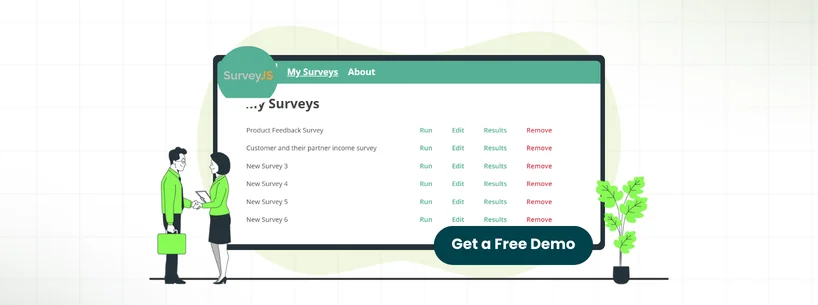
SurveyJS is an open-source JavaScript library that lets developers embed fully customized surveys and forms directly into their apps, portals, or internal systems. Because everything runs in the codebase, users can have complete control over design, functionality, and behavior.
It is particularly popular with teams that require surveys to be seamlessly integrated with their existing systems, or that need specific ways to handle data. The library supports complex logic, skip patterns, and various question types. This makes the software ideal for technical projects where the users need surveys that do exactly what they want without platform limitations.
Unique Features Of SurveyJS
- JSON‑Driven Form Architecture: SurveyJS stores surveys and forms as JSON schemas, which allows developers to define, modify, and version-control forms programmatically. This makes surveys easy to reuse, update, and integrate into apps
- Fully Programmatic Conditional Logic: The platform lets developers set rules in code, so survey questions change dynamically based on previous answers. This helps create adaptive surveys for each respondent
- PDF Generator Library With Fillable Output: This feature lets surveys be exported as fillable PDFs, keeping all questions and layout intact. It allows respondents to complete them offline or print them for records
Pros And Cons Of SurveyJS
Pros
- Easy to design a questionnaire and build logic
- Highly customizable and flexible survey implementation
- Versatile library for enterprise survey needs
Cons
- Documentation sometimes feels lacking for deep customization
- License updates are available for a short period

SurveySparrow is a cloud-based survey platform designed around a conversational, chat-like experience rather than traditional forms. It manages everything from customer feedback and employee engagement to market research through an interface that helps increase the completion rates.
Users can take advantage of features like recurring surveys, multi-channel distribution, and real-time analytics, all built into the platform. SurveySparrow caters to businesses looking for ready-made survey solutions without the need for a developer. With its automation and integrations, survey teams can easily collect feedback and turn it into actionable insights.
Unique Features Of SurveySparrow
- Video Surveys And Multimedia Integration: SurveySparrow lets users embed videos in survey questions and use video backgrounds to make surveys more engaging and visually appealing. It also allows the capturing of video responses to ensure more authentic feedback
- Ticket Management: The platform can automatically convert survey responses into tickets or tasks, which makes it easier for teams to track and follow up on feedback directly. This is particularly helpful in closing the feedback loop and streamlining issue resolution
- Bell Curve: This feature plots assessment or survey results collected from participants on a bell-shaped distribution chart. It highlights averages, outliers, and overall spread. It proves helpful in identifying top performers, skill gaps, and areas needing improvement
Pros And Cons Of SurveySparrow
Pros
- User‑friendly User Interface (UI) simplifies dashboard navigation
- Allows anonymous conversational feedback collection
- Helpful for customer outreach and engagement
Cons
- Cannot create separate links for sharing on different sites
- Requires expert tech skills for some features


SurveyJS Pricing
SurveyJS offers different pricing plans based on business size and required features. The plans include:
- Essential: Free
- Basic:
- License: $579 (once/developer)
- Renewal: $229 (for 12 months)
- PRO:
- License: $1,039 (once/developer)
- Renewal: $419 (for 12 months)
- Enterprise: Starts at $2319
Disclaimer: The pricing is subject to change.
SurveySparrow Pricing
SurveySparrow provides flexible pricing plans tailored to teams of all sizes. For its survey offerings, the plans are billed quarterly, giving organizations the option to choose what fits their needs. They also offer a 14-day free trial on exclusive features.
Free Plan: $0
For Individuals
- Basic: $39/month
- Starter: $59/month
For Teams
- Business: $149/month
- Professional: $399/month
- Enterprise: Custom pricing
The vendor also offers CX Suite (starting at $399/month), Documents (from $49 per 100 documents), and custom-priced options, which include Brand (Reviews & Social), 360 Assessment, and the Full Suite.
Disclaimer: The pricing is subject to change.

Based on the comprehensive comparison, SurveyJS stands out for organizations that need technical control, customization, and absolute data security. It excels in branding flexibility, offline capabilities, and complete data ownership through self-hosting. Even more, developers get unmatched control over survey implementation, with the ability to customize every detail without being limited by the platform.
While SurveySparrow offers the convenience of a no-code builder and ready-made integrations, it can’t match SurveyJS’s level of flexibility and control. Hence, organizations with development resources looking for a survey solution that bends to their needs rather than forcing them to adapt, SurveyJS is the clear choice.