




In the construction industry, operational efficiency directly determines project profitability. It is often the difference between making a profit and losing money. And if you are seeking to secure margin stability in an increasingly cost-sensitive market, you have likely narrowed your search to two industry heavyweights: TimeSuite vs Viewpoint. Both platforms offer strong project management and ERP capabilities, such as job costing, scheduling, payroll, and document management. But they distinguish themselves through the specific construction business sizes they cater to and their unique strategic approaches to guiding projects from planning through completion.
The ultimate question remains: which architecture fits your team's specific workflow? To help you get to this critical decision, we have dug out the marketing jargon to offer a comprehensive, side-by-side comparison. Here, we break down the features, user reviews, and pricing so you can choose the software that best supports your construction work.
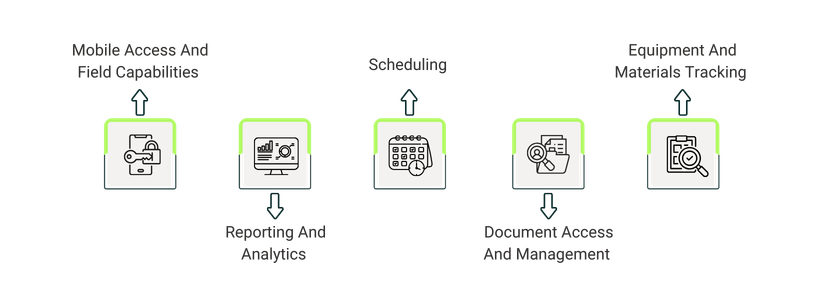
Feature | TimeSuite Highlight | Viewpoint Highlight |
Mobile Access And Field Tools |
|
|
Reporting And Analytics |
|
|
Document Management |
|
|
Equipment And Materials |
|
|
Scheduling |
|
|

TimeSuite is a cloud-based, fully unified construction Enterprise Resource Planning (ERP) with built-in job costing and financial controls. It is built on a relational architecture designed for contractors who manage project-based work, including general contractors, specialty trades, and construction firms that need detailed job-cost tracking.
Unlike modular construction platforms, it serves as a single source for functions like project management, accounting, estimating, and CRM. It offers project progress updates like client interactions or final invoicing, with accessibility across different devices. It works on desktop, web, and mobile, so field and office teams can stay coordinated on-site or off-site. This eliminates the workflow gaps common in multi-system environments.
Unique Features Of TimeSuite
- Geo-Enabled Timecards: It offers GPS-enabled timecard features that allow field employees to clock in and out from job sites with location verification. Employee clock-outs instantly update job cost reports with labor expenses, delivering visibility into real-time costs
- POC Projection Logs With Gain/Fade Tracking: The tool logs detailed Percentage-of-Completion (POC) projections and tracks gains and fades throughout the project. This enables advanced forecasting and variance analysis that tie directly into financial statements for accurate project oversight
- Blue-Number Drill-Down Substantiation: It provides interactive blue-number links in grids and dashboards. These are for instant drill-down into supporting data, facilitating quick verification, and detailed analysis
Pros And Cons Of TimeSuite
Pros:
- Centralized, real-time data improves visibility and decision-making
- Powerful reporting and historical data retrieval for jobs, financials, and payroll
- Responsive and helpful customer support; customizable workflows
- Some users find it fast and easy to learn
Cons:
- Advanced features (e.g., custom reporting, project forecasting) take time and training to master
- The software can feel overwhelming when first starting out

Viewpoint, part of the Trimble Construction One suite, is a connected construction ERP designed for mid-sized and enterprise-level contractors that need unified financial management, project operations, and field collaboration. Its two core systems—Vista for on-premises integrated project and financial management, and Spectrum for cloud-based accounting and operations—work within the same ecosystem. It also connects to field tools like mobile time tracking (Traqspera) and service management, allowing hassle-free field work management.
Contractors get real-time project information and simple tools for document sharing (Viewpoint Team), safety checks, and BIM needs. This helps teams stay organized, control costs, and finish work on the scheduled time.
- Field Service: This service by Viewpoint empowers field service technicians with mobile access to assignments, data sharing, and electronic signatures. It has real-time approvals to replace paper-based processes
- Financial Controls: This unifies accounting and operations teams through more visibility, productivity tools, and direct integration for detailed financial oversight and collaboration
- HR Management: It digitizes and streamlines HR processes like hiring, onboarding, payroll timesheets, time-off requests, and training specifically for Spectrum users
Pros And Cons Of Viewpoint
Pros:
- Stores documents, drawings, and photos efficiently with multi-level security controls
- Features a clean, easy-to-understand interface that guides users through tasks
- Supports secure link-based document sharing instead of bulky attachments
- Delivers frequent updates and ongoing product improvements
Cons:
- Generating shareable links for drawings and sending links to multiple users is cumbersome
- Some features are not intuitive and require training to use effectively
- Product updates do not consistently address common user feedback
TimeSuite pricing is also customized depending on the features and number of users required. Both services recommend contacting their sales teams for detailed quotes, demos, and tailored pricing.
Viewpoint pricing varies based on platforms and modules. Vista, a core ERP product, has costs that rise with additional features, users, and implementation options.
This method ensures companies pay only for what they use, but the exact costs depend on project scope and company size.
The choice between the two depends on your organization’s size, needs, and budget. TimeSuite is known for its simplicity and cost-effectiveness. It is a good fit for construction professionals who want a quick setup and built-in automation without managing multiple modules or add-ons.
Viewpoint, on the other hand, stands for scalability, depth in HR, and field connectivity. Its strong collaboration tools suit those requiring extensive customization and ecosystem integrations (e.g., with Trimble).
If you value effortless efficiency, TimeSuite edges out as the winner. For growth-oriented scalability and HR/field capabilities, Viewpoint takes the lead. You can always consider getting a demo or trial for both to align with your specific workflows.