



Modern businesses generate data across every function, from sales and invoices to inventory, HR, and operations. Problems begin when each department manages that data in a separate system. Finance may work with accounting systems; sales may rely on a CRM, HR may keep its own records, and operations may continue to depend on spreadsheets. Enterprise Resource Planning (ERP) solves this by bringing those functions into one connected system.
For business owners and managers, ERP goes beyond a technical concept. The system improves visibility and coordination across departments, helping teams make more informed decisions as the business grows.
This guide explains what ERP is, how ERP works, how it evolved, and how it differs from standalone systems like SCM software and CRM systems. The aim is to make ERP clear and accessible, particularly for organizations deciding whether they need a more unified way to run the business.
Enterprise Resource Planning software is a business management solution designed to help organizations coordinate and streamline their essential processes within one system. Instead of relying on separate tools for each department, ERP uses a shared data structure so information can move consistently across the organization.
This gives businesses a clearer view of day-to-day activity, improves reporting accuracy, and supports workflow automation across teams. In practice, ERP helps reduce duplicate data entry, strengthens coordination between departments, and gives decision-makers more reliable information as the business grows.
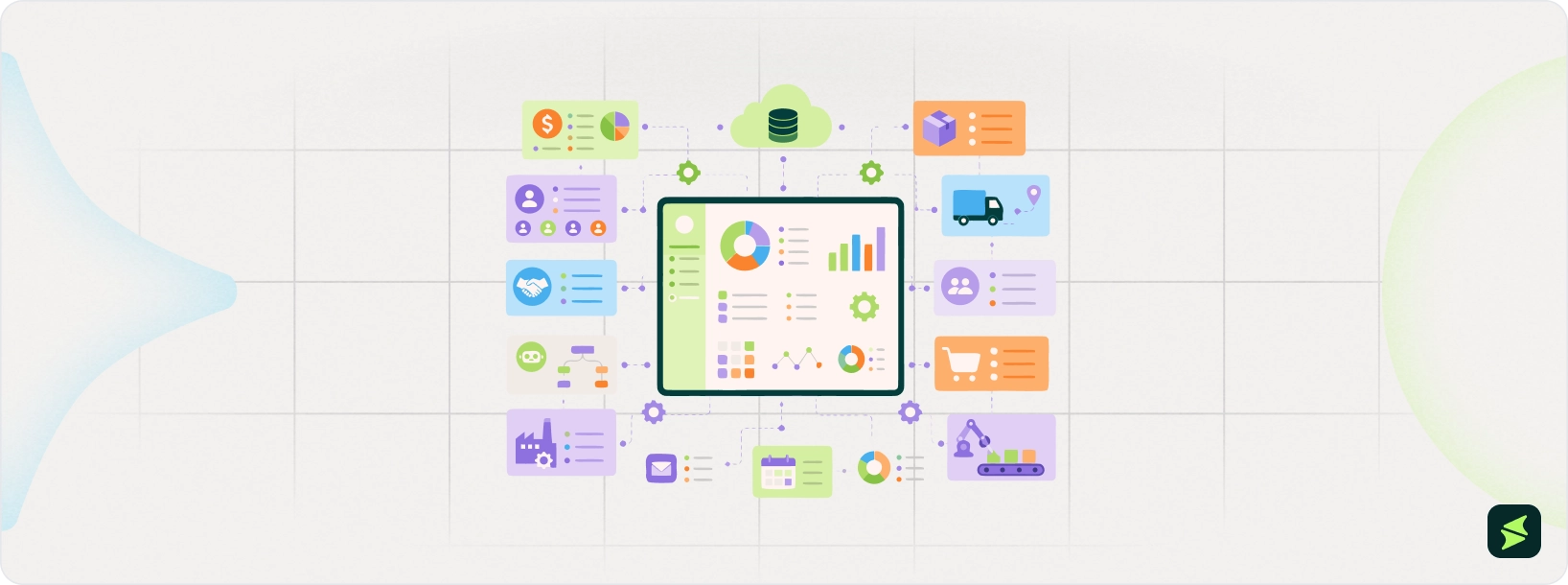
ERP software gives the business a unified environment where all departments access and work from the same data.
Centralized Database And Real-time Data
A well-designed ERP system operates on a shared, centralized database. When information is updated, it can flow across other linked workflows instantly. This allows departments to work from the same current records instead of waiting for manual data entry, separate reports, or end-of-month reconciliation.
Automation And Process Orchestration
ERP software does more than store records. It also automates the routine operations and integrates functions between departments. Instead of one team finishing a task and emailing another team to take over, the system can automatically move information and processes forward. Approvals, billing, purchasing, expense management, cash handling, replenishment, and audit controls can all be routed through structured workflows.
Cross-department Visibility And Reporting
Since ERP links various functions by unifying data, the software provides teams with more visibility throughout the organization. Finance can assess the impact of purchasing on budgets; operations can monitor inventory and demand, and leadership can look across departmental performance without needing to extract isolated reports.
This cross-department view is one of the main reasons companies adopt ERP. When each department works in its own software bubble, reporting becomes slower. ERP helps solve that by giving access to shared records and more standardized reporting.
Integration With External Systems
Even a strong ERP system does not replace every tool a company uses. Many firms continue to work with ecommerce and CRM platforms, payroll providers, or industry-specific applications. That is why integration matters. A well-designed ERP setup can share data with external systems, so information circulates more effectively between tools rather than being held up in isolated apps.
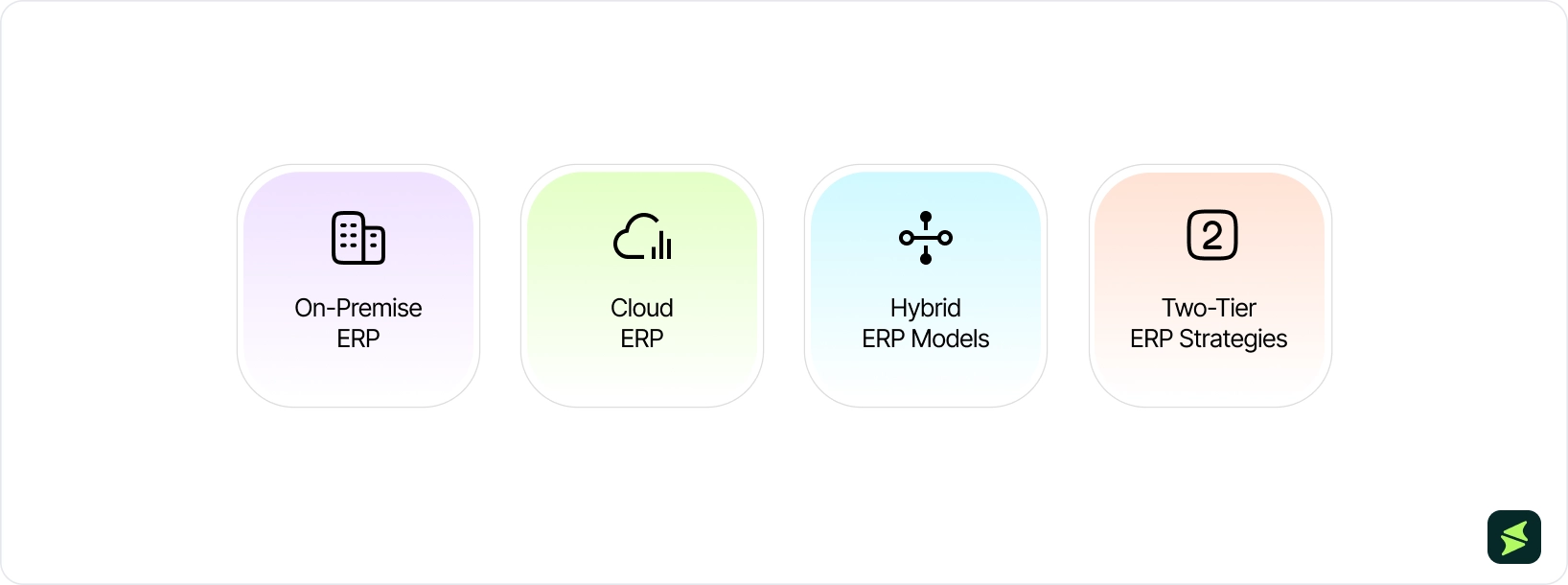
Not every ERP system is deployed in the same way. One of the biggest decisions a business must make is where the system will run, who will manage it, and how much control the company wants to keep in-house. In practice, most ERP deployments fall into the following four models:
On-Premise ERP
On-premises ERP systems are installed on a company’s own data center or on its own servers, which means the business is responsible for the hardware, software, and maintenance. Organizations that prefer to have control over their systems and data are likely to be interested in this approach, where legal, regulatory, or internal governance rules are strict. This type of ERP is often a good fit for a highly regulated industry or business with skilled in-house IT units.
Cloud ERP
A cloud ERP system is hosted on the vendor’s servers and available online. For many growing businesses, cloud ERP is appealing because it lowers the need to buy and maintain on-site infrastructure. This type of deployment is also easier to scale, generally as the business evolves, which is important when companies are adding users, locations, or new processes.
Hybrid ERP Models
A hybrid ERP model combines on-premise and cloud elements within the same setup. This may be a practical middle ground for businesses unwilling to make a complete transition to the cloud or requiring some of their systems to be on-premises due to compliance, security, or operational considerations.
Two-Tier ERP Strategies
A two-tier ERP strategy uses one ERP system at the corporate or parent-company level and a different ERP system for subsidiaries, regional offices, plants, or specialized business units. Businesses often adopt a two-tier ERP strategy amid mergers, acquisitions, or rapid business expansion.
Which ERP Deployment Option Fits Your Business?
There is no universal winner here, because the best deployment approach depends on business priorities. Companies that want maximum in-house control may prefer on-premise ERP. Businesses prioritizing flexibility, faster scaling, and less infrastructure management often prefer cloud ERP.
Hybrid ERP works well when an organization needs a combination of both, while two-tier ERP becomes relevant when various parts of the business have different workflow demands.
The biggest benefit of ERP is not that it gives a company more software. It gives the business a shared operational backbone. Here are some benefits of ERP:
- Automation And Operational Efficiency: ERP enhances efficiency by minimizing manual workloads and creating more standardized workflows across the business. Automation of routine processes, such as approvals, order handling, reconciliations, and reporting, can be done to ensure that teams do not have to enter repetitive data
- Better Reporting And Analytics: ERP also improves reporting by bringing information into a shared system instead of leaving it spread across disconnected applications. This supports the creation of insightful dashboards, tracking of performance, and reviewing real-time data across teams
- Data Accuracy And Better Collaboration: When teams work in separate systems, they often end up with duplicate records, mismatched numbers, and spend time reconciling which spreadsheet contains the real data. ERP helps solve that by giving employees access to standardized and centralized information in one place. The software also strengthens collaboration by making handoffs between teams smoother and reducing miscommunication
- Cost Savings And Scalability: ERP enables cost reduction through less manual effort, stronger budget control, and the decrease in friction caused by managing too many disconnected systems. Meanwhile, ERP is frequently selected due to scalability. The system can scale as a company acquires users, adds geography, or even becomes more complex, rather than needing another software upgrade
ERP becomes most relevant when a company’s challenges extend beyond one department. In many growing businesses, the real issue is that business units may be working at the same time but not truly working together. Here are some common challenges that ERP helps businesses solve:
Silos Across Functional Units
One of the most common problems ERP helps solve is departmental silos. When each group depends on its own software and keeps its own records, information does not flow easily across the departments. That slows decision-making, creates handoff issues, and makes it harder to see how one function affects another.
Poor Data Quality And Duplication
In fragmented setups, the same information is often entered in multiple places, updated inconsistently, or copied manually from one system to another. That leads to errors and leaves teams debating which numbers are actually current. ERP helps address these problems by automating workflows and providing real-time visibility, ensuring teams work with accurate and current data.
Manual Processes And Errors
Another pain point is the manual processes. Companies with extensive use of spreadsheets, email authorizations, repetitive data input, or reporting tend to waste time and make errors. ERP helps reduce that burden by automating routine processes such as purchase approvals, invoice matching, order processing, inventory updates, and report generation. ERP not only saves time but also reduces human errors, ensures data consistency, and improves overall operational accuracy.
Difficulty Scaling Operations
ERP becomes more valuable when a business starts to outgrow its existing systems. Entry-level tools may work for a while, but as transaction levels, teams, product lines, and reporting needs increase, isolated systems become more difficult to manage. ERP helps support growth by building a more integrated and scalable operating environment.

ERP total cost is shaped by company size, user count, deployment model, licensing structure, required modules, integrations, training, customization, and how complex the implementation will be. The total ERP software costs can vary from $10,000/year for small-business cloud systems to more than $10 million for global enterprise deployments.
Estimated ERP Cost Range
For smaller organizations, the cost is estimated annually at roughly $10,000 to $75,000. Implementation can add another $15,000 to $150,000. For mid-market companies, annual software costs generally rise to about $50,000 to $400,000, with implementation generally costing between $100,000 and $750,000.
At the enterprise level, costs may escalate rapidly, with annual software spending reaching the high hundreds of thousands into millions, and total five-year ownership costs climbing into the millions as well.
ERP is not limited to one kind of company or department. The basic idea of integrating finance, HR, operations, procurement, and reporting under a single system can be implemented in various ways, based on the industry.
Manufacturing And Production
ERP is commonly applied in production to integrate production plans, purchasing inventory, production scheduling, and financial management. This is particularly significant when output relies on the availability of the appropriate material and equipment.
Modern manufacturing ERP systems support production planning using live inputs such as sales orders, inventory levels, and operational capacity. This assists in reducing any delays and product shortages.
Retail And E-Commerce
In retail and e-commerce, ERP helps connect inventory, order management, fulfillment, and finance in one system. This is especially useful when businesses sell across physical stores, online shops, marketplaces, warehouses, and third-party logistics partners.
An integrated ERP system gives teams real-time visibility into stock across channels, supports smoother order processing from sale to delivery, and reduces the confusion that often comes from managing sales, inventory, and financial data in separate tools.
Healthcare
Among healthcare providers, ERP is commonly used to support billing, workforce management, procurement, planning, and other core administrative functions. Hospitals and clinics often work on numerous lines of service, departments, and geographic locations, making coordination and visibility more challenging to sustain with disconnected systems. ERP helps by bringing these functions into one system, so teams can track staffing, purchasing, budgets, and administrative workflows more consistently. This improves visibility across departments, supports better resource planning, and helps healthcare providers manage day-to-day operations with more control.
Professional Services
In businesses such as engineering companies, consulting firms, and agencies, ERP is more about people, time, budget, and billing. These businesses need a clear view of resourcing, project progress, costing, and invoicing. The ERP approach helps contact sales, delivery, finance, and staffing, making it easier for leaders to see whether the work is on track and whether projects are profitable.
ERP implementation is not a simple software project. It is an operational change initiative that affects how teams collaborate every day. That is why strong ERP rollouts usually depend on preparation, executive support, user adoption, and a careful rollout plan.
- Evaluating The Readiness For ERP: Before choosing a system, the business needs to decide whether it is ready for ERP. That includes financial, operational, technical, and cultural readiness. It is about leadership alignment, internal capacity, and willingness to change how work gets done. This part is also where the company should define its goals
- Planning And Scoping Requirements: Once the business is ready, the next step is defining the scope and requirements clearly. A strong ERP plan should outline goals, timelines, phases, responsibilities, integrations, resources, and data migration needs. This work should be cross-functional. It needs input from the people who will run those functions
- Selecting The Right Solution And Vendor: ERP selection should be based on business needs. The optimal solution varies with the priorities of the company, workflow, complexity, business expansion plans, integration requirements, scalability, and usability. The systematic selection process is of assistance. Shortlists, comparison criteria, and formal evaluations keep the decision tied to real operational needs
- Project Oversight And Change Management: ERP projects need strong governance because they involve cross-functional decisions. That usually means executive sponsorship, a dedicated project manager, functional owners, and a team that can address issues without delay. Change management is equally important, as ERP changes how people work, so resistance is normal. The strongest rollouts prepare users early, communicate frequently, and actively engage employees in testing and design. The objective is not simply to launch the system, but to make sure people use it well
- Testing And Deployment Phases: Training should begin before go-live. It works best when it is role-based, tied to real workflows, and continued after launching through guided help. Testing needs to cover functionality, performance, and user acceptance. Data migration and connected systems also need close attention. The first days after launch matter a lot, because that is when the system either stabilizes or the old workarounds start shambling back to life
From MRP to ERP: A brief history. ERP did not begin as the large, all-in-one business platform many people picture today. It began with material requirements planning (MRP), which was created to help manufacturers determine what materials they needed, how much they needed, and when those materials had to be available to support production schedules.
At its core, MRP was built to solve a specific manufacturing problem: making sure the right parts arrived at the right time without burying the company in excess inventory. Gradually, businesses understood that production planning could not practically be isolated from purchasing, finance, logistics, and other essential operations. As these systems expanded beyond manufacturing and began supporting a broader set of business functions, the idea evolved into ERP, laying the foundation for the integrated business systems organizations rely on today.
ERP is evolving from a system of record into a system of action. Businesses are demanding it to be more cloud-based, smarter, conveniently available to use anytime, and more industry-focused than generic back-office procedures.
Cloud ERP
Cloud ERP has become the main way many vendors deliver updates, automation, and scalability. NetSuite identifies cloud ERP as the leading trend, pointing to easier deployment, more scalability, reduced infrastructure demands, and simpler expansion as major reasons businesses continue moving in that direction.
Today, most organizations choose cloud ERP solutions, and many are planning to migrate their existing on-premises ERP systems to the cloud.
Embedded AI, Analytics, And Automation
The more important ERP development is not just that vendors are adding AI chat interfaces. It is that AI is becoming more deeply integrated into real business workflows. Recent product roadmaps from Microsoft, Oracle, and SAP show a clear shift from AI as a side assistant to AI built directly into finance, procurement, and supply chain tasks.
That changes the purpose of ERP in a very practical way. Instead of only helping teams access information faster, ERP systems are beginning to automate reconciliations, supplier interactions, production-planning checks, and other multi-step tasks that once required manual coordination.
Data Readiness And Predictive Analytics
ERP was once judged primarily on transaction processing and reporting. That still matters. Increasingly, though, the real differentiator is whether the system can convert operational data into forward-looking insight. Predictive analytics is a major ERP trend, especially in areas such as maintenance planning, demand planning, and workforce decisions.
ERP data is critical for timely decision-making and effective analysis, and delays and gaps in data access can slow operations and planning.
What Does This Mean For Buyers?
For businesses considering ERP today, the most significant trend is not a specific feature. It is a transition to ERP as an integrated operating platform. ERP solutions that integrate cloud delivery, embedded AI, and predictive analytics to enable meaningful business change over time are becoming the most powerful.
That means buyers should ask tougher questions during evaluation. Is the ERP system improving how information flows across the business? Can it support predictive and automated decision-making with clean, accessible data?
What Are The Common Risks And Challenges Of ERP Implementation?
ERP can solve major operational problems, but its implementation also comes with real risks. Several challenges that organizations face include:
Security And Data Protection Issues
An ERP system often becomes one of the most sensitive systems in the business because it centralizes employee information, supplier data, and operational workflows. That centralization can improve control, but it also increases the impact of weak access management or inadequate privacy safeguards.
That is why ERP security should be treated as a core implementation priority rather than a technical add-on. Practically, it implies the clear definition of access privileges, sensitive activity monitoring, high-risk data protection, and strict control over information storage, sharing, and retention.
Security structures like the NIST Cybersecurity 2.0 are oriented towards cybersecurity risk management at the organizational level, and the NIST SP 800-53 provides security and privacy controls at the system, asset, or individual level. ERP security is not something that can be added later. It must be integrated into access controls, monitoring, governance, and data-handling practices early on.
Implementation Complexity
Implementing ERP is often complex because the system has to reflect how the business actually operates. A typical rollout involves planning, configuration, data migration, third-party integrations, deployment, and training.
That complexity affects both timeline and cost, especially when the business has messy legacy data or too many customization requests. The more departments involved, the more disciplined the scoping and governance need to be.
Change Resistance
One of the biggest ERP risks has nothing to do with technology; it’s human. When employees do not understand why the change is happening, how it affects their work, or what support they will receive, resistance tends to appear quickly. Even a technically solid ERP system can fall behind if users avoid it, work around it, or retreat to old habits and side spreadsheets.
Maintenance And Ongoing Improvement
ERP is not a one-and-done project. After go-live, the system still needs maintenance, testing, support, and ongoing improvement as business processes evolve. Long-term ERP success depends more on how well the system is maintained over the long run, rather than only how well it launches.
Why Do These Risks Matter?
These challenges do not necessarily mean a business should avoid ERP. They mean ERP should be approached realistically. Security, implementation effort, user adoption, and long-term maintenance all need serious attention if the system is going to deliver value. The companies that get the most from ERP are usually the ones that treat it as a business transformation with technical components, not as a technical purchase that somehow transforms the business by magic.
ERP Compared To Other Business Systems
ERP is often confused with other types of business software because there is some overlap in what these systems cover. The actual distinction normally comes down to scope. ERP is designed to coordinate and integrate the key business processes of various functions, whereas CRM, SCM, and HRM systems are more focused on customer relations, supply chain activity, or workforce management, respectively. Below is the breakdown:
ERP Vs CRM
ERP and CRM support different sides of the business. ERP is mainly focused on day-to-day operations such as finance, procurement, inventory, and workforce-related processes collectively. CRM, on the other hand, is focused on customer-facing work such as marketing, sales, and service. Put simply, ERP helps run the back office, while CRM helps oversee how the business attracts, serves, and supports customer retention.
As an example, CRM can help sales teams track leads, conversations, proposals, and closed deals. After a deal is won, ERP can take over the operating part by taking care of order processing, invoicing, inventory impact, fulfillment, and financial reporting. Thus, the two systems are distinct, but they are often most effective when used together.
ERP Vs SCM Systems
Supply Chain Management is more specialized than ERP. These systems emphasize the flow of goods, materials, planning, logistics, sourcing, fulfillment, and supply chain visibility. ERP can aid most of these functions, but its scope is larger as it also links supply chain operations with finance, sourcing, inventory control, and general business reporting. Practically, an organization might utilize ERP as the primary business and depend on specialized SCM tools when the supply chain requirements become more advanced.
ERP Vs HRM Software
Human Resource Management (HRM) software is built to handle staff-related processes. That usually includes employee data, payroll, time tracking, benefits management, recruiting, performance management, and workforce planning. ERP may include HR functionality, but standalone HRM or Human Capital Management (HCM) platforms are usually more targeted and often go deeper into employee experience, talent management, and analytics.
The easiest way to think about it is this: ERP treats HR as one part of the wider business, while HRM treats the workforce itself as the center of the system. A growing company may use ERP to connect payroll costs, headcount data, and approvals to financial operations, while using a dedicated HRM platform for recruiting, performance reviews, learning, and employee lifecycle management.
A Simple Way To Evaluate The Difference
A useful rule of thumb is this: if the primary question relates to running the business, ERP is usually at the center of the conversation. If the focus is mainly on customers, supply chains, or employees, then CRM, SCM, or HRM may need closer attention. The real goal is to understand which one should serve as the backbone and which ones should integrate with it.
What Are The Best ERP Vendors Out There?
Software | Starting Price | Deployment |
$80/user/month/annual | Cloud ERP | |
$400/user/month | Cloud-based SaaS | |
$150/user/month | Cloud ERP; broader portfolio also includes other deployment options | |
$7,000/year | Cloud ERP |
Frequently Asked Questions (FAQ)
The Bottom Line On ERP
The core message is straightforward: ERP is not for every business. However, where companies encounter increased complexity, siloed systems, and scaling pressure, the appropriate ERP approach can be a powerful catalyst for efficiency, visibility, and long-term growth.
A well-implemented ERP platform provides the framework necessary to standardize processes, tie together information, enhance decision-making, and scale with greater control. ERP platforms, whether deployed on-premises, in the cloud, or in hybrid environments, are becoming more flexible, scalable, and easier to upgrade as business requirements evolve.