


Last Updated
Overview
Catalyst helps sales teams organize leads, manage pipelines, and track activities through centralized CRM, automation, and performance reporting. While it offers limited advanced AI-driven insights, its customizable dashboards support clear visibility. Overall, it suits small to mid-sized businesses seeking structured sales management and operational consistency.
Catalyst Specifications
- Lead Management
- Sales Pipeline Management
- Contact Management
- Sales Automation
Catalyst Features
Unified Financial Reporting Suite
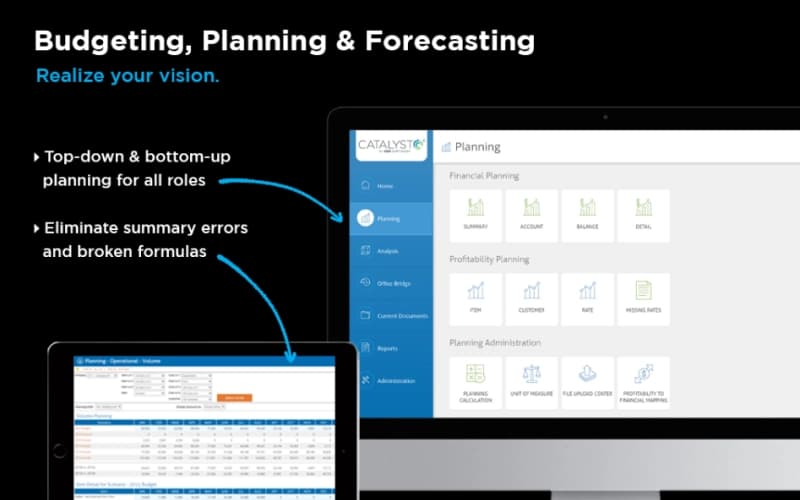
This feature automates the consolidation of multiple financial projections, ensuring 100% data accuracy across the organization. It allows users to roll up P&L statements with a single click, freeing up finance teams to focus on strategic insights instead of manual entry.
Granular Profitability Planning Tools
The platform enables detailed planning by volume, price, and cost of goods to optimize margins. Sales and procurement teams can update forecasts on the fly, allowing for a laser-focused approach to improving drivers of profitability at the SKU or customer level.
Interactive Power BI Visualizations
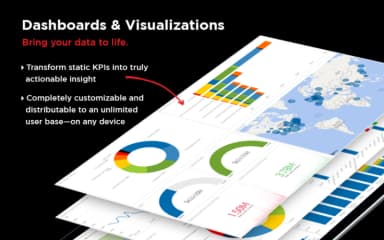
Leveraging the industry-leading Power BI engine, Catalyst distills complex datasets into clear, actionable dashboards. These visualizations provide real-time visibility into business metrics, allowing stakeholders to identify trends and anomalies through dynamic drill-downs and interactive charts on any mobile device.
Centralized Cloud Data Lake
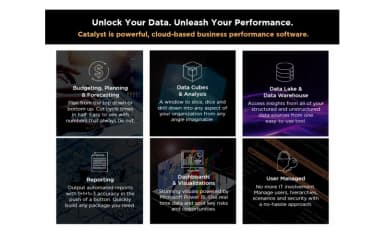
This robust ecosystem seamlessly integrates vast volumes of information from disparate sources into one accessible view. It serves as a single source of truth that ties back to the transaction level, democratizing data access while maintaining rigorous security through role-based permissions.
Pros And Cons of Catalyst
Pros
Simplifies data sharing across different functions
Provides one source of truth consistently
Interface is intuitive for Excel users
Cons
Hierarchy updates sometimes cause long delays
Browser may close unexpectedly during refreshes
Catalyst Reviews
Total 10 reviews
4.2
All reviews are from verified customers
Rating Distribution
5
Stars50%
4
Stars20%
3
Stars30%
2
Stars0%
1
Stars0%
Share your experience
Anonymous
Enterprise, 500+ employees
“sharing data is easy”
Pros
Across the organization, this software makes sharing data between different teams much simpler and gives us one reliable source of truth instead of juggling multiple spreadsheets and data sources. The interface being in Excel for most business users especially with cubes, is a big advantage because anyone already comfortable with Excel pivot tables can start using it with almost no learning curve. Permission management is easy and the ability to impersonate different users is something I really appreciate. It's also very convenient that the system can be accessed directly through the browser.
Cons
I'd really like to see email alerts whenever a job failure occurs. Updates to hierarchies can also take longer than expected at times. That said, EBM has been making plenty of improvements lately, including UI updates that should give users more visibility and control, along with SQL Enterprise which is expected to cut cube processing time by more than 3x.
Rating Distribution
Ease of use
7
Value for money
7
Customer Support
8
Functionality
9
Anonymous
Mid Market, 51-100 employees
“excel integration feels accessible”
Pros
The Excel integration makes the software feel very accessible to use.
Cons
It relies heavily on pivot tables for most tasks although there are workarounds available.
Rating Distribution
Ease of use
10
Value for money
9
Customer Support
10
Functionality
9
Anonymous
Mid Market, 51-100 employees
“dashboard visuals are helpful”
Pros
Data is presented through dashboard-style visualizations which makes it easier to review and understand at a glance.
Cons
Some of the data points in the EBM export are not very accessible so they can be a bit confusing to interpret.
Rating Distribution
Ease of use
6
Value for money
6
Customer Support
5
Functionality
5
Frequently Asked Questions
What languages does Catalyst support?
Catalyst software is primarily available in English.
Does Catalyst offer an API?
The vendor hasn’t provided details about API availability.
Does Catalyst offer a mobile app?
No, it doesn’t offer a mobile app.
Who are the typical users of Catalyst?
Typical users who benefit from Catalyst features include businesses across various industries and sectors, such as logistics, food and beverage, and health and wellness.
What types of pricing plans does Catalyst offer?
The vendor offers customized pricing plans, making it suitable for businesses with diverse requirements. Get in touch for a personalized Catalyst cost estimate.
What other apps does Catalyst integrate with?
Catalyst integrates with Excel.
What level of support does Catalyst offer?
EBM Software provides support via phone, email, and ticket system.