


Clearbit
Last Updated
Overview
Clearbit is a leading B2B data intelligence platform that enriches CRM records and identifies anonymous website traffic to drive sales pipelines. While initial setup and integration may take time, its reliable data and seamless HubSpot integration deliver powerful insights. It empowers marketing and revenue teams to accelerate growth efficiently.
Clearbit Specifications
- Lead Management
- Sales Pipeline Management
- Contact Management
- Sales Automation
What Is Clearbit?
Clearbit is an AI-powered sales intelligence tool that helps B2B organizations identify, route, and convert high-value leads. The software leverages a vast database to provide real-time data enrichment, capturing detailed firmographic and technographic attributes. Integrated into HubSpot’s Breeze Intelligence, it enables teams to deanonymize web traffic and understand visitor intent. Clearbit also shortens lead capture forms to improve conversion rates. Additionally, it ensures CRM data stays accurate and actionable for personalized outreach.
Clearbit Pricing
- Professional – $100/user/month
- Enterprise – Starts at $150/user/month
Disclaimer: The pricing has been sourced from third-party websites and is subject to change.
Clearbit Integrations
The software supports integration with multiple systems and platforms, such as:
- Greenhouse
- Gong
- Asana
- Frame
- Segment
Who Is Clearbit For?
Clearbit software is ideal for a wide range of industries and sectors, including:
- Saas and software development
- B2B marketing agencies
- Financial services
- Professional services and consulting
Is Clearbit Right For You?
Clearbit is a top-tier choice for mid-market and enterprise companies that rely heavily on data-driven marketing and account-based sales. Its standout feature, the real-time Reveal engine, gives teams an unfair advantage by identifying intent signals before a prospect even fills out a form. If your organization is already within the HubSpot ecosystem or requires high-precision firmographic data to scale your outbound efforts, Clearbit offers the robust infrastructure needed to maximize ROI.
Still doubtful if Clearbit software is the right fit for you? Connect with our customer support staff at (661) 384-7070 for further guidance.
Clearbit Features
Enrich Contact And Company Records
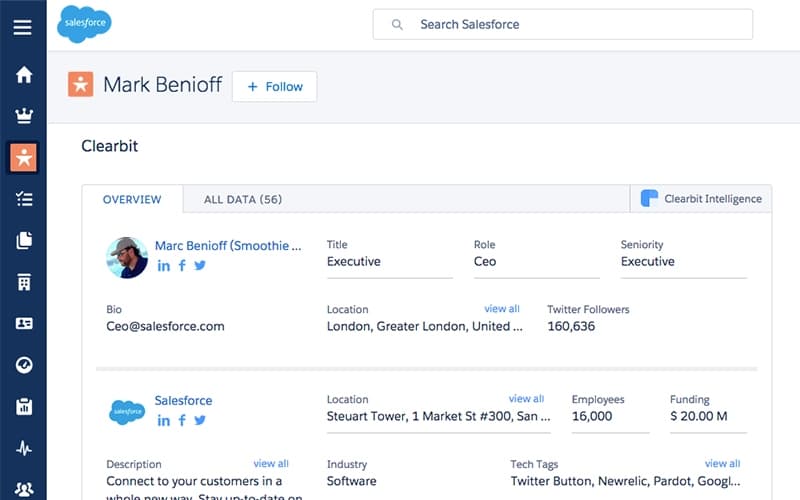
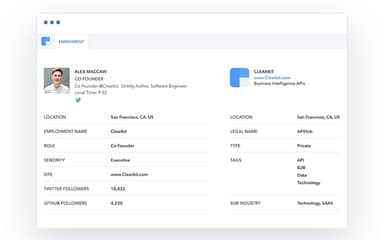
Real-time enrichment ensures your contact and company records are always complete and up to date, giving sales and marketing teams the context needed to act at the right time. Add 100+ B2B data points, including technologies installed, employee count, revenue, location, and more.
Optimize Forms
Clearbit dynamically shortens forms while still capturing essential data, enabling faster lead collection without losing critical information. Teams can score, route, and qualify leads efficiently to maximize conversion rates.
Build Target Markets
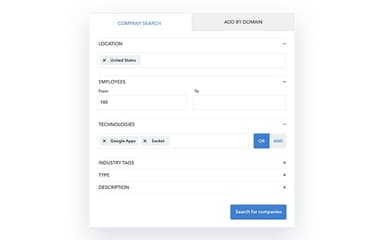
Gain access to global B2B company data to identify every potential buyer quickly. Select technology tags, employee range, business model, and more to create a comprehensive, actionable target audience for precise lead generation.
Reveal Intent
See which companies are visiting your website in real-time and uncover buying intent. Filter by page visits, channel source, and HubSpot status to prioritize leads, refine targeting, and never miss a high-value opportunity.
Close Deals Faster
The platform streamlines the sales process with automated follow-ups, lead scoring, and actionable insights. Teams can reduce deal cycles, improve forecasting, and accelerate revenue growth with more efficient pipeline management.
Pros And Cons of Clearbit
Pros
Provides detailed, accurate company and contact information
Streamlines workflow and increases lead generation
Supports effective prospecting and customer targeting
Robust lead management and conversion tracking
AI and automation improve marketing campaign efficiency
Helps prioritize high-quality prospects for sales pipeline
Enhances customer support and retention with insights
Cons
Contact information can occasionally be inaccurate or incomplete
Platform may become confusing with large lists
Some data may be missing for certain contacts
Limited ability to segment or group emails efficiently
Occasional glitches when extracting extensive client information
Clearbit Reviews
Total 10 reviews
4.1
All reviews are from verified customers
Rating Distribution
5
Stars20%
4
Stars70%
3
Stars10%
2
Stars0%
1
Stars0%
Share your experience
Small Business, 11-50 employees
“reliable enrichment for targeting”
Pros
A dependable tool for cleaning up and enriching raw lead data without a lot of manual effort on my end! I use the built-in enrichment feature every day because it automatically fills in missing company information, job titles, industry categories and firmographic details which saves me a significant amount of time each week. The accuracy of the company and contact profiles is another big plus especially when it comes to business background, employee count and location data which is usually current and trustworthy. I also get a lot of value from the audience segmentation options since they let me filter prospects by industry, company size and seniority level making it much easier to create targeted lists for campaigns. On top of that, the platform is easy to use and fits neatly into our existing marketing processes without requiring a difficult setup or much training, thanks to its accessible design and sensible configuration options.
Cons
Using this software daily in a Marketing Operations Analyst role, I can say it does a solid job with lead enrichment and basic segmentation but there are a few recurring frustrations that really stand out. The first is inconsistent contact-level coverage. It performs very well for large, established companies and common industries, where the profiles are usually complete and accurate. However, when I work with smaller local German companies, niche boutique firms or very new startups, the data often feels incomplete. Direct phone numbers are frequently missing, job titles are not always specific enough and verified decision-maker contacts can be hard to get. Because of that, I still end up checking LinkedIn, company websites and business directories myself to complete the records which brings back a lot of the manual research I wanted to avoid. Another weak point is the audience segmentation feature. The available filters work well enough for basic list building but they are not flexible enough for more advanced, multi-layered segments. I cannot create more complex combinations of rules and there is also no convenient way to permanently save custom audience groups. As a result, whenever I launch a new campaign, I often have to recreate the same filters from the beginning which becomes repetitive and slows my workflow down more than it should.
Rating Distribution
Ease of use
5
Value for money
7
Customer Support
6
Functionality
3
Small Business, 11-50 employees
“Helpful data for outreach”
Pros
Very easy to use which really helps with my sales workflow. The data quality is solid compared with other platforms and that makes my outreach much more effective because I depend on accurate email addresses and phone numbers. Getting everything set up at the beginning was also simple which was a big relief.
Cons
The search filters could be improved.
Rating Distribution
Ease of use
7
Value for money
8
Customer Support
9
Functionality
9
Small Business, 11-50 employees
“accurate visitor insights”
Pros
Does a really good job of accurately identifying the contacts behind the users visiting our site. That has helped us understand visitors better and customize our marketing with more personalized messaging based on detailed company and user information especially from organic traffic. The option to save lists, set notifications for custom events and get weekly reports has also been very useful. HubSpot integration is another big plus. Getting started was pretty simple too, you just add the code to your site and results start showing up in about 30 minutes.
Cons
Only downside is the API seems to have been deactivated, at least from what I can tell.
Rating Distribution
Ease of use
9
Value for money
7
Customer Support
7
Functionality
8
Frequently Asked Questions
What other apps does Clearbit integrate with?
Clearbit integrates with multiple platforms, including Greenhouse, Gong, Asana, Frame, and Segment, enabling seamless workflow and data enrichment across systems.
Does Clearbit have a mobile app?
Clearbit does not have a dedicated mobile app, but its data and alerts are accessible through integrated platforms like HubSpot and Salesforce on mobile devices.
Who are the typical users of Clearbit?
Typical users include Sales Development Representatives (SDRs), Marketing Operations managers, and Growth Leads at B2B technology and service companies.
Does Clearbit offer an API?
Clearbit does not explicitly mention API availability on its official resources.
What level of support does Clearbit offer?
Clearbit by HubSpot provides support via email and phone.
What types of pricing plans does Clearbit offer?
The pricing for HubSpot Sales Hub begins with the Starter plan at $10/user/month, offering essential marketing, sales, service, content, and data management tools for small teams. The Professional plan costs $100/user/month, while the Enterprise plan starts at $150/user/month. Get a Clearbit price quote.
What language does Clearbit support?
The Clearbit by HubSpot interface is presented in English, but the product supports global data and can enrich data from companies and contacts in any language.