


Last Updated
Overview
Databook empowers enterprise teams with strategic relationship management and guided selling capabilities. However, maximizing its predictive insights requires consistent data hygiene across systems. Nonetheless, its ability to align seller actions with executive priorities ensures higher win rates. Overall, Databook’s intelligent platform is a vital choice for driving scalable revenue growth.

Databook Specifications
- Lead Management
- Sales Pipeline Management
- Contact Management
- Sales Automation
Databook Features
Sales Capacity Planning
This feature enables organizations to forecast and allocate headcount based on enriched market and pipeline data. It supports revenue growth by aligning resource distribution with verified financial signals. In this regard, Databook ensures that sales teams are deployed efficiently to meet targets.
Account Scoring And Segmentation
Databook supports predictive modeling to fuel scoring models with deep signals reflecting buyer intent and readiness. Users can prioritize accounts based on proprietary financial data. Therefore, it helps sellers focus their efforts on high-value opportunities with the highest propensity to buy.
Territory Planning And Management
The platform allows operations leaders to design smarter territories that balance coverage with quota attainment. Databook utilizes a proprietary reasoning layer to align territories with real market opportunities. Thus, it helps teams maximize revenue potential across different geographic and vertical segments.
Seller Maturity Analytics
This module measures and uplevels every seller based on actual performance and productivity data. It provides closed-loop analytics that connect seller behaviors to outcomes. Moreover, it identifies skill gaps and invokes coaching workflows to elevate average performers to top-quartile productivity.
Pipeline Progression
Databook supports the identification of deal risks and guides next-best actions that close opportunities. Users receive real-time alerts on stalled deals and urgency signals. At the same time, its automated recommendations suggest executive plays to maintain momentum and ensure accurate forecasting.
Pros And Cons of Databook
Pros
Generates actionable insights from financial data
Aligns sales strategy with execution workflows
Enhances forecast accuracy with verified signals
Cons
Reporting exports with more file formats could be beneficial
The historical data analysis requires manual import
Databook Reviews
Total 10 reviews
4.1
All reviews are from verified customers
Rating Distribution
5
Stars40%
4
Stars50%
3
Stars0%
2
Stars0%
1
Stars10%
Share your experience
Anonymous
Enterprise, 500+ employees
“powerful business case creation”
Pros
Putting together business cases and EB decks with this software has been really helpful and it lets me do it with a lot of accuracy and efficiency.
Cons
The value coach prompts can be unreliable at times and the search feature occasionally gets stuck in a loop.
Rating Distribution
Ease of use
8
Value for money
8
Customer Support
7
Functionality
8
anil g.
Enterprise, 500+ employees
“shared insights that keep teams aligned”
Pros
Something that stands out is how naturally it brings teams together around the same insights. It helps everyone stay aligned on strategy, spot new opportunities and collaborate toward shared goals. The platform also feels very accessible which makes it easier for people to stay informed, connected and on the same page.
Cons
There really are no major downsides for me with this software though a few parts of the experience could be better. At times, certain insights take a little longer to load than I'd prefer and more dashboard customization options would help teams customize the platform more closely to their own workflows. Still, these feel more like opportunities for improvement than real problems because the core value it provides remains incredibly strong.
Rating Distribution
Ease of use
10
Value for money
10
Customer Support
8
Functionality
10
Anonymous
Enterprise, 500+ employees
“works well”
Pros
It works well for handling different account planning tasks and is easy to use across those activities.
Cons
A big limitation is the lack of an organizational structure which gets in the way of effective account planning.
Rating Distribution
Ease of use
1
Value for money
1
Customer Support
1
Functionality
1
Frequently Asked Questions
Does Databook offer an API?
Yes, Databook offers an API.
What level of support does Databook offer?
Databook provides support through email, phone, chat, and a help center.
What other apps does Databook integrate with?
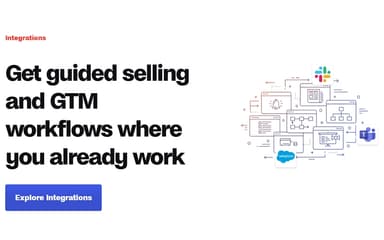
Databook software integrates with Salesforce, Slack, and Microsoft Teams.
Who are the typical users of Databook?
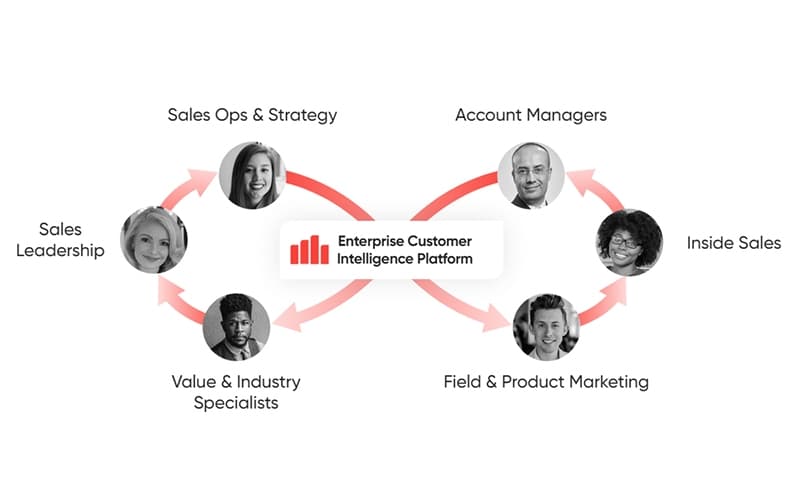
The typical users of Databook features are different professionals, such as sales and revenue operations, GTM leadership, account executives, and account-based marketing.
What language does Databook support?
Databook is primarily available in English.
Does Databook have a mobile app?
No, Databook does not offer a standalone mobile app.
What types of pricing plans does Databook offer?
The average Databook price is estimated at $44,000/year, as per third-party sources. Request a personalized Databook pricing quote for your business.