


GMass
Last Updated
Overview
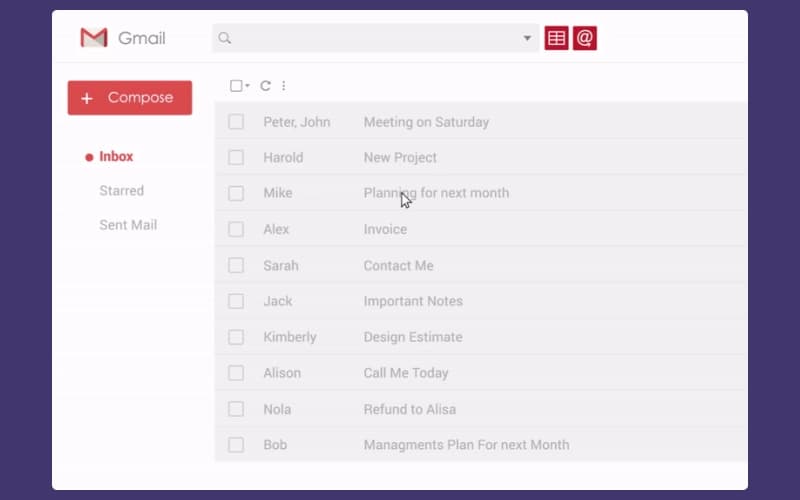
GMass helps users send large-scale email campaigns directly from Gmail, featuring automated follow-ups and seamless Google Sheets integration. While it lacks a standalone desktop interface, its powerful mail-merge capabilities and high deliverability make it an essential tool for sales teams and marketers seeking efficient outreach management.
GMass Specifications
- Lead Management
- Contact Management
- Sales Automation
- Activity Tracking
What Is GMass?
GMass is a cloud-based email marketing and marketing automation solution built specifically as an extension for the Gmail and Google Workspace ecosystems. It caters to a diverse user base, including sales professionals, recruiters, and small business owners who require robust outreach capabilities within their existing inbox. By providing sophisticated mail-merge and mass communication tools, it transforms standard email accounts into powerful platforms for cold emailing and distribution, offering a streamlined alternative to traditional, complex email marketing software.
GMass Pricing
GMass cost is structured around the following plans:
Individual:
- Standard: $29.95/month
- Premium: $39.95/month
- Professional: $59.95/month
Team:
- 5 Users: $175/month
- 10 Users: $295/month
- 25 Users: $725/month
- 50 Users: $1350/month
- 100 Users: $2200/month
Disclaimer: The pricing is subject to change.
GMass Integrations
Who Is GMass For?
GMass is ideal for a wide range of industries and sectors, including:
- Marketing and advertising
- Information technology and services
- Real estate
- Computer software
- Education management
Is GMass Right For You?
If you are an individual or organization looking to transform your Gmail account into a powerful mass email platform, GMass provides a deep integration that allows you to send mail merges and cold email campaigns directly from your inbox. It is an ideal solution for professionals focused on cold email outreach, recruitment, or internal communications who want to break through standard Gmail sending limits while utilizing their existing Google Sheets data for personalization at scale.
GMass supports GDPR compliance and enables users to request data deletion. Trusted by over 300,000 users who have sent over six billion emails, the platform offers proprietary technology to ensure maximum deliverability. By keeping your workflow entirely within the Gmail interface, GMass provides a dependable foundation for teams prioritizing efficiency and authentic communication.
Still doubtful if GMass is the right fit for you? Connect with our customer support staff at (661) 384-7070 for further guidance.
GMass Features
Mass Emails In Gmail
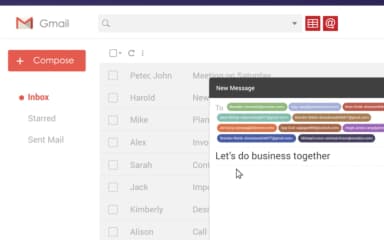
The software allows users to bypass Gmail’s standard limitations by sending mass email campaigns to thousands of recipients. It manages the distribution process internally, ensuring high deliverability rates. This feature enables the creation of large-scale distributions without leaving the familiar Gmail interface or requiring external email servers.
Mail Merge With Google Sheets
Users can link a Google Sheet to their campaign to facilitate advanced data integration. This feature automatically pulls contact information and custom data points from spreadsheet rows, allowing for the efficient management of large recipient lists. The software monitors the sheet for updates to keep mailing lists current.
Automatic Follow-up Emails
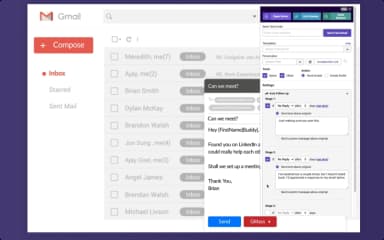
GMass software enables the configuration of automated sequences that send follow-up messages based on recipient behavior, such as not opening or not replying. This feature continues until a response is received or a meeting is booked, ensuring persistent outreach and significantly increasing engagement rates without manual intervention.
Personalization
This platform offers deep personalization tools that go beyond basic name tags. Users can insert custom paragraphs, images, and links tailored to individual recipients based on spreadsheet data. This feature allows for the creation of highly targeted, relevant messages that appear as if they were written individually.
Email Reporting Analytics
The software provides comprehensive campaign reports directly within the Gmail environment. Users can track essential metrics such as open rates, click-through rates, replies, and bounces in real-time. These analytics help teams evaluate the effectiveness of their outreach and make data-driven decisions to optimize future email performance.
Pros And Cons of GMass
Pros
Works directly inside Gmail for outreach
Personalizes bulk emails with dynamic fields
Easy setup with minimal technical knowledge
Cons
Interface can feel dense to beginners
Support responsiveness varies by plan tier
GMass Reviews
Total 200 reviews
4.8
All reviews are from verified customers
Rating Distribution
5
Stars81%
4
Stars18%
3
Stars2%
2
Stars0%
1
Stars0%
Share your experience
Real Estate, 11-50 employees
“Fantastic product!”
Pros
Right from the start, this has been a fantastic product to use! It's easy, simple and does exactly what I need without any hassle.
Cons
There really isn't much to complain about. If I had one suggestion, it would be to add a running tally or list of recipients who opened an email, similar to the existing bounce and unsubscribe lists.
Rating Distribution
Ease of use
10
Value for money
9
Customer Support
10
Functionality
10
Not Specified, 11-50 employees
“Google sheets integration saves time”
Pros
Connecting it with Google Sheets happens automatically and that saves me a lot of time because I don't have to copy and paste email addresses from a sheet into Gmail by hand anymore. It feels accessible to use and the feature that reads the email content and lets me pull in a specific column from the sheet is especially useful. Getting started was simple too since the setup only required installing a Chrome extension.
Cons
It is a paid service.
Rating Distribution
Ease of use
8
Value for money
9
Customer Support
7
Functionality
8
Not Specified, 11-50 employees
“Good enough for professional communication”
Pros
Using this software has been a really positive experience because it feels simple and familiar while still being powerful enough for professional communication. It works right inside Gmail which I really appreciate since I can handle email outreach from a platform I already know instead of constantly switching between different tools. The mail merge and personalization features are especially useful because they help keep each message relevant to the person receiving it. I also get a lot of value from the campaign tracking and follow-up tools since they make it easier to understand engagement and stay organized. Having automation built into something as familiar as Gmail makes the whole process much easier to learn. Overall, it saves me a lot of time and lets me focus more on building relationships instead of repeating the same email tasks over and over which has been a big help while I get more comfortable with professional outreach.
Cons
There were a few small issues at the beginning. I had to unsubscribe using my personal email first and later I ended up upgrading to Google Workspace. Since I'm still fairly new to it, those are the main problems I've run into up to this point. The biggest area for improvement, in my opinion, is the learning curve around some of the more advanced features. If someone is not especially technical, it can take a while to understand all the available options and figure out the best setup for a specific campaign. Thankfully, it's possible to look things up easily and there are a lot of helpful videos online. Still, a more beginner friendly onboarding experience with clearer step-by-step examples for recruitment and cold outreach would make it much easier for new users to get started confidently. I'd also really appreciate more guidance around best practices for campaign setup, personalization, follow-ups and deliverability. The functionality is definitely there but sometimes the real challenge is just knowing how to use it in the most effective way. Overall, these feel like relatively minor issues to me. I'm still learning the platform and the fact that it works directly inside Gmail makes that learning process easier.
Rating Distribution
Ease of use
7
Value for money
7
Customer Support
7
Functionality
7
Frequently Asked Questions
Does GMass offer an API?
Yes, GMass offers an API.
Who are the typical users of GMass?
GMass features are used by organizations across industries and sectors, including marketing, real estate, computer software, and education management.
What language does GMass support?
GMass primarily supports the English language.
Does GMass have a mobile app?
No, GMass does not offer a dedicated mobile app.
What types of pricing plans does GMass offer?
GMass price starts at $29.95/month for the Standard plan, with Premium at $39.95/month, Professional at $59.95/month, and Team plans ranging from $175 to $2200/month. Get a detailed GMass cost breakdown tailored to your specific requirements.
What other apps does GMass integrate with?
GMass integrates with Zapier software.
What level of support does GMass offer?
GMass offers support through FAQS and support forms.