


Last Updated
Overview
Cody helps teams get instant, AI-powered answers from their own knowledge base. While setup requires uploading and organizing documents, it quickly provides context-aware support for employees, marketing teams, HR departments, and consultants. Overall, it is a reliable assistant that boosts productivity and helps teams work smarter.
Be the first one to leave a review!
No review found

Starting Price
Custom
Cody Specifications
- Natural Language Dialogue
- Automation
- Bot Design And Deployment
- Multi-language Support
What Is Cody?
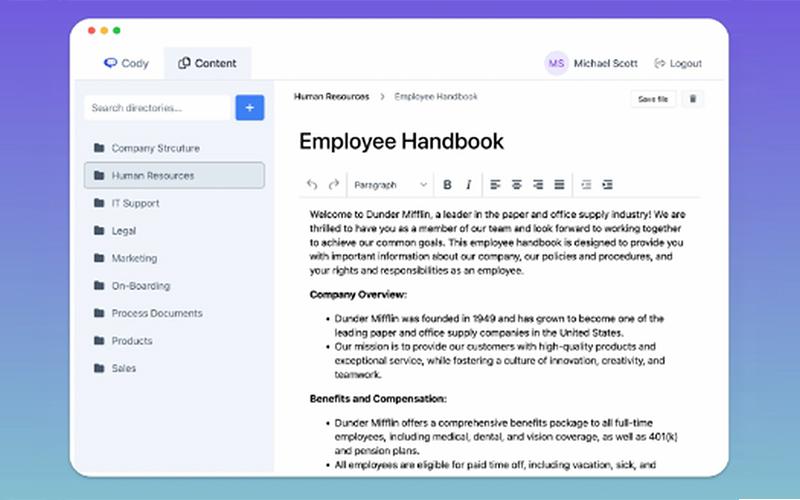
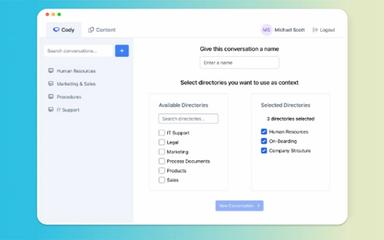
Cody is an AI-powered software designed for businesses seeking a customizable assistant that can answer questions, support tasks, and provide insights using their internal documents and data. It analyzes files, websites, and knowledge bases to deliver context-specific responses, complete tasks, and assist with troubleshooting. The software also supports multilingual interaction, custom chatbot creation, and source-based verification for each answer. Cody helps teams access information quickly and improve workflow efficiency through structured, document-driven automation.
Cody Pricing
The Cody cost is structured around the following plans:
- Basic - $29/month
- Premium - $99/month
- Advanced - $249/month
Disclaimer: The pricing is subject to change.
Cody Integrations
Cody features seamless integration with various applications, including:
- Microsoft Word
- Microsoft Powerpoint software
- Slack software
- Zapier software
- Discord software
Who Is Cody For?
Cody software is designed for teams and organizations across a wide range of industries and operational functions, including:
- Marketing
- Human resources
- Business consultation
- Sales
- Training
- Recruitment and hiring
Is Cody Right For You?
If you are a team seeking an AI assistant that can answer questions, support tasks, or troubleshoot issues using your existing documents and knowledge, Cody offers a customizable approach built around your own data. It can also assist with creative work, onboarding, multilingual communication, and idea generation.
With secure document handling, permission-based access controls, and the ability to train specialized chatbots for different roles, Cody may be a strong fit for organizations prioritizing centralized information access and efficient task support.
Still not sure if Cody software is right for you? Our support staff is available at (661) 384-7070 to help you make the right choice.
Cody Features
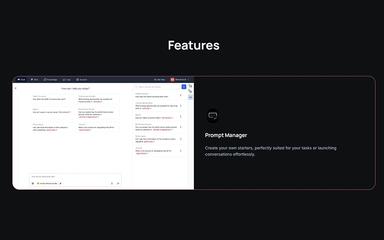
Prompt Manager
The platform introduces structured starter prompts tailored for recurring workflows, supporting consistent task alignment and efficient conversation initiation. It enhances operational flow by presenting predefined directions that guide interactions toward clearer intent, improved accuracy, and smoother process execution.
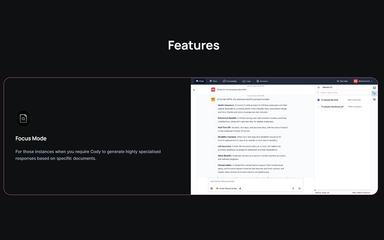
Focus Mode
Cody enables a specialized environment where responses rely strictly on selected documents, ensuring sharply focused output rooted in verified material. Focus Mode enhances precision, eliminates unrelated context, and strengthens reliability whenever tasks demand tightly controlled knowledge application for accuracy.
Conversation Logs
The software aggregates every interaction from interfaces, APIs, and widgets into a unified timeline for streamlined oversight. It facilitates effortless filtering by bot or date, improving transparency, traceability, and organizational monitoring across evolving assistant activity records.
Scratchpad
Cody offers detailed refinement capabilities for shaping bot behavior through iterative adjustments of generated content and knowledge elements. This feature strengthens response specificity by enabling derivative edits that guide future outputs, improving alignment with complex requirements, and evolving operational expectations.
Check Sources
Cody provides clear visibility into the documents influencing each response, supporting validation and credibility checks. This functionality enhances diagnostic efficiency by revealing underlying materials, ensuring trustworthy outputs for workflows requiring dependable tracing of informational origins and reasoning paths.
Pros And Cons of Cody
Pros
Collaboration tools improve how teams work together
Code quality and automation tools boost productivity
Knowledge-based answers feel fast and reliable
Cons
Terminal errors require manual copying for analysis
The interface can feel less intuitive for some users
Cody Reviews

No reviews yet!
Be the first to review this product
Frequently Asked Questions
Does Cody offer an API?
Yes, Cody offers an API.
Does Cody have a mobile app?
No, Cody does not offer a dedicated mobile application.
What language does Cody support?
Cody supports multiple languages, including English, Spanish, French, German, Japanese, Korean, Portuguese, Polish, and Arabic.
What other apps does Cody integrate with?
Cody integrates with tools such as Microsoft Word, Microsoft PowerPoint, Slack, Zapier, and Discord, enabling smoother workflows and more connected operations across teams.
Who are the typical users of Cody software?
Cody features are used by various teams and organizations, including those in marketing, human resources, business consulting, creative work, sales, training, and recruitment.
What types of pricing plans does Cody offer?
The vendor offers tiered plans, starting with Basic at $29/month, followed by Premium at $99/month, and an Advanced option priced at $249/month. Request a personalized Cody price plan for your organization today.
What level of support does Cody offer?
Cody offers support through a blog, chat, FAQs, email, help center, and a knowledge base.