


Datature
Last Updated
Overview
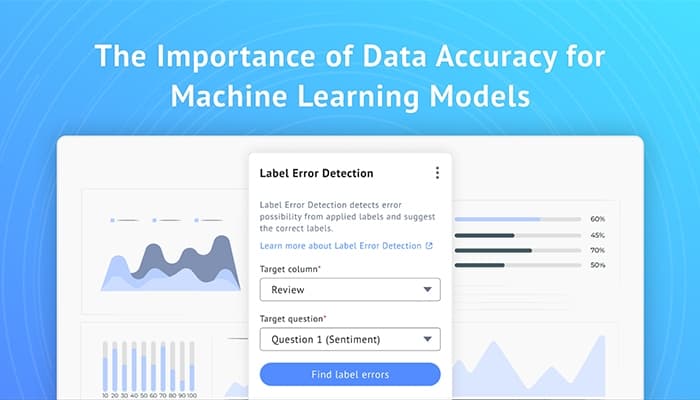
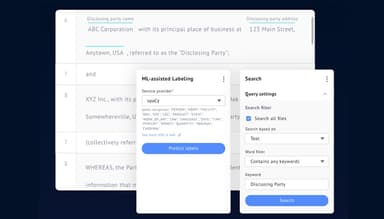
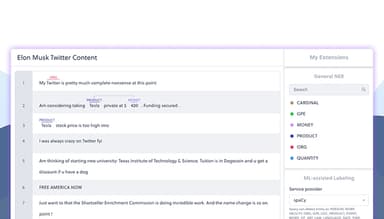
Datature is a unified AI-supported platform for managing datasets, annotations, training, and deploying computer vision models. It offers robust features to accelerate AI development. However, some users may take time to have full command of a few of these. Nonetheless, its scalable deploy model and 3D data tools boost performance.
Datature Specifications
- Natural Language Dialogue
- Smart Data Discovery
- Self-Service Dashboards
- Text to Speech & Speech to Text
Datature Features
Training Datasets
This feature enables the quick creation and management of training datasets through advanced tools. It will help the rapid development and iteration of AI models. It reduces preparation time for high-quality datasets to train or experiment on by order of magnitude.
Dataset Management
Datature provides intuitive tools, such as organization and search for data alongside versioning for handling large datasets. It further supports 2D and 3D visual data and facilitates competent handling and maintenance of large datasets.
Custom Training Workflow
The software enables users to create and practice customized workflows for specific project needs. It provides flexibility and optimization for model training procedures. It allows teams to manage their work effectively and enhance productivity.
Classification
This feature will enhance the capabilities of AI models to be more accurate, using classification techniques that identify and categorize objects within the images. It supports various applications, from simple image recognition to complex categorization tasks.
Detailed Insights With Segmentation
Datature provides detailed insights regarding image segmentation into meaningful parts or regions. It optimizes the precision and accuracy of data analysis and suits applications requiring detailed image understanding and interpretation.
Pros And Cons of Datature
Pros
User-friendly interface
Simple to navigate
Quick processing and results
Flexible and adaptable to various needs
Cons
Users might require continuous IT assets
Few features take time to understand, according to some users
Some users suggest that igher tiers can be a little expensive for small projects
Datature Reviews
Total 16 reviews
4.8
All reviews are from verified customers
Rating Distribution
5
Stars88%
4
Stars6%
3
Stars6%
2
Stars0%
1
Stars0%
Share your experience
IT, 11-50 employees
Less than 6 months
“Easy to use, Fast turn around”
Pros
The team behind the software is both supportive and efficient. Navigating the software's interface is simple, and there are plenty of tools available to enhance my experience and cut down on work time. Exporting and testing models using the provided scripts and documentation is also a seamless process.
Cons
While it's simple to export trainings, you're restricted by the computing minutes. This can lead to wasting valuable time on failed experiments. Still, it's understandable, as this is a tough issue to fully avoid and somewhat expected.
Rating Distribution
Ease of use
9
Value for money
10
Customer Support
10
Functionality
10
IT, 11-50 employees
Less than 6 months
“Datature is a very powerful web application for annotation and model training.”
Pros
Datature offers a range of tools for annotating data and training models that can be deployed in production. The team is incredibly supportive and responsive, which I find invaluable. The annotation software is also simple and instinctive, making it easy to work with.
Cons
There's not much to say. The software is growing steadily, and bugs are being fixed while new features get rolled out daily.
Rating Distribution
Ease of use
10
Value for money
9
Customer Support
10
Functionality
10
IT, 500+ employees
More than a year
“Powerful and user-friendly for model training and deployment”
Pros
We use the Nexus software extensively for PhD research at the National University of Singapore. It's incredibly easy to set up and use, allowing us to train and deploy various models quickly without needing to dive deep into technical details. The software also offers customization options, providing flexibility that other softwares don't. Plus, the pricing for annotation is reasonable.
Cons
The school has several AI research projects happening simultaneously, each with its own complexities. A software that provides end-to-end features and allows researchers to fine-tune the training and deployment process is incredibly powerful. After evaluating multiple options, we chose Datature, its Nexus software, and Intellibrush, which fit our needs perfectly.
Rating Distribution
Ease of use
9
Value for money
10
Customer Support
10
Functionality
10
Frequently Asked Questions
Does Datature offer an API?
Yes, Datature offers API.
What language does Datature support?
Datature supports English and Korean languages.
Does Datature support mobile devices?
Yes, Datature supports mobile devices.
What types of pricing plans does Datature offer?
Datature cost comes in three pricing plans: A Developer plan is free for starters and developers only, alongside Professional and Enterprise plans with customized pricing. Get tailored pricing details as per your requirements.
What other apps does Datature integrate with?
Datature integration details are not available on the official website.
Who are the typical users of Datature?
Datature users typically include data scientists, AI engineers, and researchers in the pharmaceutical, healthcare, e-commerce, energy, agriculture, and manufacturing industries.
What level of support does Datature offer?
Datature offers support through Slack community, live chat, email, and FAQs/forums.