



Last Updated
Key Takeaways
Generated from the text of customer reviews
Zoho CRM is a cloud-based platform used by sales and marketing teams. Real estate and insurance businesses are among the strongest fits. Reviewers consistently praise its affordability and feature depth. That said, stup time for advanced automation draws the most complaints. Recently, Zoho CRM added Workqueue, which is a single daily task view for reps.
Our Verdict
Zoho CRM fits sales teams that want deep customization without hiring developers, especially in real estate and insurance. Its starting price offers solid value for the automation and reporting included. However, teams should budget for setup, implementation, and add-on costs as they scale. It works especially well for growing sales teams, while solo users may find it more than they need.
Overall Rating
Based on 1337 users reviews
4.5
Rating Distribution
Positive
93%
Neutral
6%
Negative
1%
Starting Price
$20
per user per month
Zoho CRM Specifications
- Contact Management
- Lead Management
- Opportunity Management
- Sales Forecasting
What Is Zoho CRM Zoho CRM?
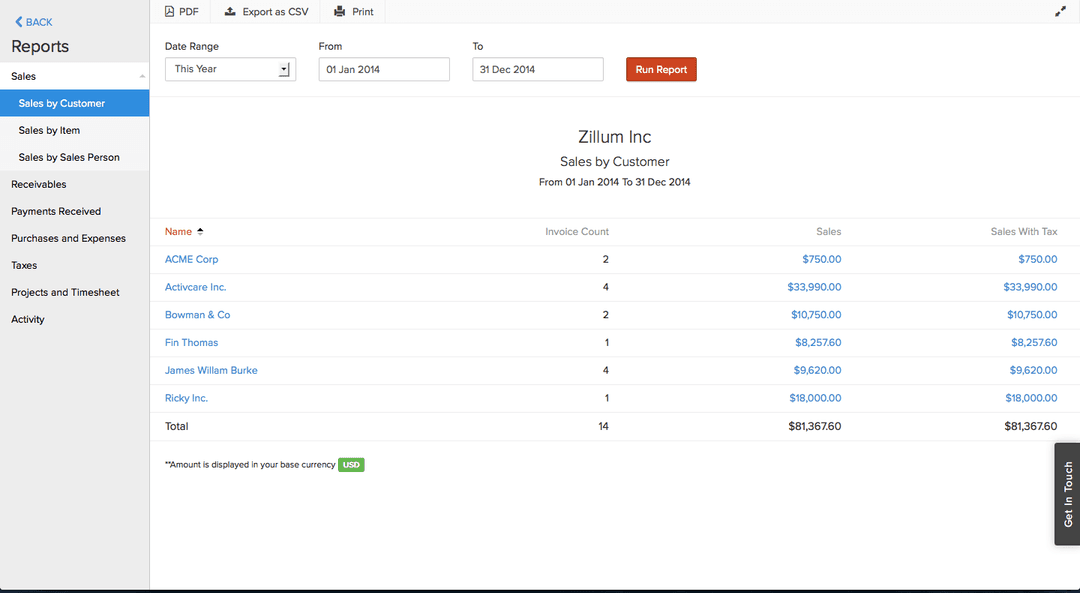
Zoho CRM provides sales and marketing teams one system to track leads, deals, and customer conversations from contact to close. Using the software, teams can automate routine follow-ups and lead assignment, so reps spend more time on outreach than on manual data entry.
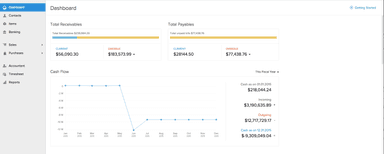
Its built-in analytics and forecasting tools help track pipeline health and team performance in real time. Managers can use this to spot problems before they affect a quarter's numbers. Beyond forecasting, sales and support activity for each customer lands in one record, so any team member can see the full history without switching tools.
What Is Zoho CRM Best For?
The platform is best known for its real-time notification system called SalesSignals. It alerts sales reps the moment a lead opens an email, visits the website, or interacts on social media. Sales teams working time-sensitive deals benefit most, since they can respond to buying signals within minutes rather than checking each channel separately.
How Much Does Zoho CRM Cost?
Zoho CRM pricing starts at $20/user/month for its Standard plan. It is a beginner-friendly plan that includes workflows and assignment rules, AI agents, cadences, reports and dashboards, sales forecasting, and self service kiosks.
The vendor also offers the following plans:
- Professional: $35/user/month
- Enterprise: $50/user/month
- Ultimate: $65/user/month
The vendor also offers a 15-day free trial.
Beyond the base price, you should also consider the following additional costs:
- AI Features: Zia's advanced AI features require Enterprise at $40/user/month
- Storage Overages: Additional storage costs about $4.60/5 GB/month
- Implementation: CRM setup and migration can require 40–120+ hours of paid labor
- Telephony: Zoho Voice can add around $2,940/year for five Standard agent licenses
- Data Backups: Two backups a month come included, but each additional backup costs $12
Users generally view Zoho CRM as good value. Most reviewers praise its affordability and feature depth. However, some buyers note that costs can rise with additional needs and that lower pricing may come with support limitations.
Disclaimer: The pricing is subject to change.
Zoho CRM Integrations
Zoho CRM can integrate with various third-party platforms, including:
- Google Workspace software
- Microsoft 365 software
- PandaDoc software
- RingCentral
- Zoom
- MailChimp software
- Slack software
How Does Zoho CRM Work?
Here's how you can get started with Zoho CRM and put its tools to work:
- Log in with your Zoho account credentials
- Add leads and contacts from web forms, email, or manual entry
- Track deals through each stage of the sales pipeline
- Automate follow-up emails and task reminders for reps
- Set up SalesSignals to get notified when a lead opens an email or visits your website
- Build custom modules and layouts in Canvas Design Studio
- Generate reports and forecasts based on real-time pipeline data
Who Is Zoho CRM For?
Zoho CRM software is designed for businesses of all sizes across various industries and sectors. These include:
- Insurance
- Internet and technology
- Logistics and transportation
- Manufacturing
- Pharmaceuticals
- Real estate
Zoho CRM Use Cases
Based on our analysis of user reviews and Zoho CRM features, we have identified key scenarios where this software is a good fit:
1. Sales Teams Split Across Regions Or Product Lines
Once a sales organization grows past a handful of reps, account ownership tends to get messy. Records land with the wrong person, or reps end up contacting leads that belong to another team. Zoho CRM's territory management groups accounts by geography, industry, or product line, so records route to the right team without a manager reassigning them by hand. This fits organizations running multiple offices or product divisions.
2. Sales Organizations Standardizing A Multi-Stage Deal Process
Zoho CRM's Blueprint feature turns an informal, offline sales process into a defined set of steps inside the CRM. It requires specific fields or approvals before a deal moves to the next stage. This is useful for sales teams where new hires often skip steps or reps handle the same stage differently. It helps keep the process consistent without requiring constant manager oversight.
3. Reps Who Need Approved Talking Points Mid-Conversation
When a rep is on a call and needs a case study, pricing sheet, or comparison document fast, digging through shared drives slows the conversation down. Zoho CRM's Sales Enablement tools keep approved content and quote templates in the same screen reps already work in. This way, the conversation doesn't stall while someone tracks down the right file.
4. Managers Running Quota-Based Sales Teams
Sales managers who want to know who's on track for their number without pulling a report every week get that from Zoho CRM's target tracking. It shows individual and team progress against set goals in real time. This leans more toward teams with a defined quota structure than reps working longer and relationship-based sales cycles where a fixed number matters less.
Is Zoho CRM Right For You?
If you’re looking for a system to manage leads, contacts, deals, and sales activities from one platform, Zoho CRM is worth considering. Its automation capabilities and customizable processes can help sales teams spend less time on repetitive tasks and keep their sales process organized.
Zoho CRM can scale with your business as your team and sales operations grow. Security is another important consideration when customer records are stored in a CRM. Zoho is ISO/IEC 27001, ISO/IEC 27017, and ISO/IEC 27701 certified, and SOC 2 Type II compliant across its cloud services, including Zoho CRM. It also complies with GDPR for handling the personal data of EU citizens.
Data privacy requirements have continued to expand through 2026. Kentucky, Indiana, and Rhode Island introduced new state-level privacy laws in January, while California updated its CCPA rules during the same month with additional consumer rights. For businesses storing customer records, this makes having a documented process for handling access and deletion requests increasingly important.
Zoho CRM addresses this through its published compliance framework, which outlines how it meets GDPR requirements and supports data subject access requests, a mechanism also relevant to many newer US state privacy laws.
Still not sure if Zoho CRM is right for you? Contact us at (661) 384-7070 to get help in making the right decision.
Zoho CRM Features
Sales Force Automation
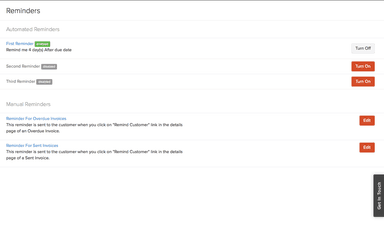
Zoho CRM's Sales Force Automation tools help teams manage routine sales tasks with less manual effort. Rules can automatically assign new leads to reps based on criteria such as territory, deal size, or source. Deals that remain idle can also trigger follow-up tasks or reminders, so reps spend less time checking ownership and more time working their pipeline.
Canvas Design Studio
This feature lets admins customize record pages without writing code. They can drag and drop fields, buttons, and related lists, then assign different layouts to specific teams or profiles. For example, support reps can see a different set of fields than sales reps viewing the same account. It gives each team a workspace built around its needs.
Performance Management
The platform helps managers track team progress without relying on manual reports. Managers can set targets and monitor performance in real time, with results broken down by individual reps or teams. Gamification features, including badges and leaderboards, also show reps how they rank against their targets and peers.
Sales Enablement
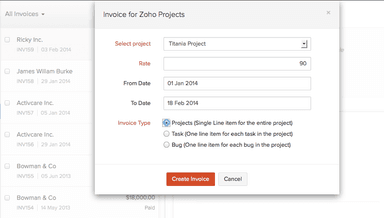
Through its connection to Zoho Finance Suite, the platform lets reps generate quotes, sales orders, or purchase orders directly from a deal record. It also includes account-based marketing tools for grouping high-value accounts and building outreach around that specific group instead of a broad, generic list.
Developer Platform
The developer platform in Zoho CRM gives development teams several ways to extend the CRM and connect it with other business systems. Teams can use REST APIs and SDKs for languages such as Python, Java, and Node.js to move CRM data into systems such as billing platforms. Serverless functions can also trigger custom logic when a deal changes stage, without requiring a separate server.
Pros And Cons of Zoho CRM
Pros
Pipeline views keep leads and deals organized
Zoho Suite connections keep business data unified
Zia helps automate lead and sales processes
Custom modules adapt closely to business processes
Zoho’s workflow automation reduces repetitive sales follow-ups
Cons
Advanced workflows can take significant setup time
Related tasks cannot be linked to each other
Mobile record updates feel less smooth than desktop
Zoho CRM Pricing
Standard | Professional | Enterprise | Ultimate |
|---|---|---|---|
$20 per user per month | $35 per user per month | $50 per user per month | $65per user per month |
|
|
|
|
Disclaimer: The pricing details were last updated on Sep 25, 2026 from the vendor's website. Please contact us for a tailored pricing list.
Zoho CRM Reviews
Total 1337 reviews
4.5
All reviews are from verified customers
Rating Distribution
5
Stars58%
4
Stars35%
3
Stars5%
2
Stars1%
1
Stars1%
Share your experience
Restaurants, 1-10 employees
Less than 6 months
“Excellent value with high-quality automation”
Pros
I find the value for the money simply excellent. Plus Zoho CRM offers high-quality marketing automation tools, striking a great balance between powerful features, customization options and an affordable price.
Cons
To be honest I do not have any specific negative feedback at the moment as I have not been using it for very long. I will be sure to share my thoughts if that changes.
Rating Distribution
Ease of use
9
Value for money
10
Customer Support
8
Functionality
9
Computer Games, 500+ employees
More than a year
“Reasonably priced system”
Pros
The cost of Zoho CRM is reasonable compared to other systems. It is also highly adaptable as you can easily tweak modules, data fields, layouts, automated processes and dashboards to fit your workflow. Plus it works perfectly with other Zoho apps like Books, Desk and Campaigns.
Cons
It has a steep learning curve despite being very customizable. The interface and configuration options can be overwhelming for new users. And the standard support can feel slow and unhelpful unless you pay for a premium plan.
Rating Distribution
Ease of use
8
Value for money
9
Customer Support
7
Functionality
9
Real Estate, 11-50 employees
More than a year
“clear and helpful interface”
Pros
It is simple to use, even for beginners thanks to its simple and clear interface. And it is especially useful for managing the sales pipeline, plus the email features really help get more done.
Cons
In my opinion the only downside is its content management. There are some restrictions when we need to import or export data.
Rating Distribution
Ease of use
9
Value for money
10
Customer Support
8
Functionality
9
Frequently Asked Questions
Does Zoho CRM software offer an API?
Yes, Zoho CRM provides API access.
What languages does Zoho CRM software support?
Zoho CRM supports various languages, including English, Dutch, Spanish, and Portuguese, among others.
What other apps does Zoho CRM software integrate with?
Zoho CRM integrates with various third-party platforms, including Microsoft 365, Google Workspace, PandaDoc, Zoom, RingCentral, MailChimp, Slack, and Dropbox, among others.
Does Zoho CRM software support mobile devices?
Yes, Zoho CRM provides mobile apps for both Android and iOS devices.
What types of pricing plans does Zoho CRM software offer?
The cost of Zoho CRM starts at $20/user/month for its Standard plan. Its Professional plan comes with additional features for $35/user/month. The Enterprise plan is available at $50/user/month, and the Ultimate plan is priced at $65/user/month. Get in touch with us for a personalized Zoho CRM price estimate.
Who are the typical users of Zoho CRM software?
Zoho CRM serves the insurance, internet and technology, logistics and transportation, manufacturing, pharmaceuticals, and real estate industries.
What level of support does Zoho CRM software offer?
Zoho CRM offers support via live chat and email.