


EZ Auto Scheduler
Last Updated
Overview
EZ Auto Scheduler offers a cloud-based solution for automotive businesses to manage appointments, resources, and customer communications efficiently. However, some users may find its extensive features require initial training. Despite this, its customizable scheduling and automated reminders enhance operational efficiency and customer satisfaction.
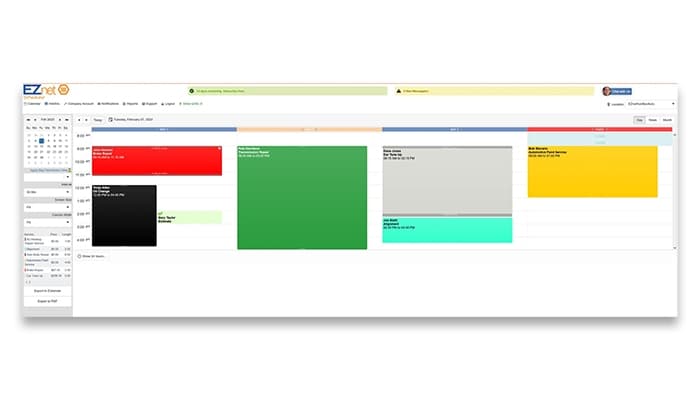
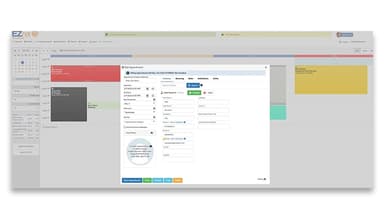
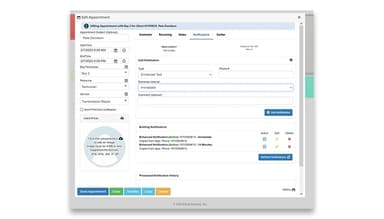
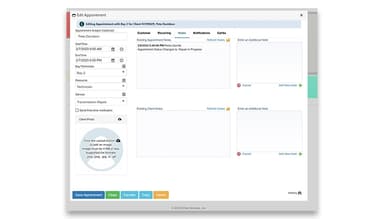
EZ Auto Scheduler Specifications
- Invoicing & Billing
- Accounting & Payroll Integration
- Inventory Management
- Online Parts Ordering
EZ Auto Scheduler Features
Drag-and-Drop Appointments
EZ Auto Scheduler enables users to easily reschedule or modify appointments using a simple drag-and-drop interface. This reduces manual effort, minimizes errors, and improves efficiency. Staff can quickly adjust schedules to accommodate changes, ensuring optimal use of resources and reducing downtime.
3-Level Scheduling
The software offers a structured 3-level scheduling system, enabling businesses to organize appointments by service type, technician availability, and resource allocation. This ensures smoother operations, prevents overbooking, and helps optimize workflow, leading to better time management and improved customer service.
Automated Text & Email Reminders
EZ Auto Scheduler sends automated text and email reminders to customers, reducing no-show rates and improving communication. Businesses can also receive notifications for upcoming appointments and schedule changes, ensuring better coordination and an enhanced customer experience.
Multiple Appointment Bookings
The system supports booking multiple appointments for the same customer or different services in a single session. This helps auto shops manage complex service needs efficiently, saving time and improving convenience for customers by reducing the need for multiple visits.
Cloud-Based SaaS Scheduler
EZ Auto Scheduler, a cloud-based SaaS solution, lets businesses manage appointments from any internet-enabled device. It eliminates the need for on-premises software, lowers IT costs, and provides real-time updates for seamless scheduling across multiple locations.
Pros And Cons of EZ Auto Scheduler
Pros
User-friendly interface simplifies appointment scheduling
Real-time updates enhance team coordination
Flexible scheduling for all service types
Automated reminders reduce no-show rates
Accessible from any internet-connected device
Cons
Limited reporting capabilities for detailed analysis
User interface design appears outdated to some
Managing carryover tasks could be more intuitive
EZ Auto Scheduler Reviews
Total 3 reviews
5
All reviews are from verified customers
Rating Distribution
5
Stars100%
4
Stars0%
3
Stars0%
2
Stars0%
1
Stars0%
Share your experience
Small-Business, 1-50 employees
“Couldn't be easier than this”
Pros
I really love how I can always see what's coming up and get a heads-up on the work. It helps me prepare our team so they're set up for success. We can order parts ahead of time and because we're prepared, our service times get shortened. It's such a game-changer!
Cons
Honestly, I can't think of anything I really dislike. The only thing I'd love to see is a more detailed reporting feature. It would be great to compare what we expected to come in versus what the actual issues were, so we can get a better look at things.
Rating Distribution
Ease of use
10
Value for money
10
Customer Support
10
Functionality
9
Enterprise, 500+ employees
“Best scheduler on the market!”
Pros
I'm a big fan of how it makes scheduling shifts for employees so easy. It takes everyone's availability into account and provides a ton of options for setting up the schedule. It really makes arranging everything way simpler.
Cons
The user interface and design feel a little outdated, especially in the app. It could definitely use a refresh to make it feel more modern and user-friendly.
Rating Distribution
Ease of use
10
Value for money
10
Customer Support
10
Functionality
9
Small-Business, 1-50 employees
“Quick and easy to use”
Pros
It is super easy to use and really convenient. I can schedule appointments without having to go back and forth with someone to fix any scheduling issues. It's just so stmooth!
Cons
Not much to say here. I was just evaluating the product and there wasn't anything negative that stood out or needed fixing. Everything seemed fine during my assessment.
Rating Distribution
Ease of use
10
Value for money
10
Customer Support
10
Functionality
10
Frequently Asked Questions
Does EZ Auto Scheduler offer an API?
Yes, EZ Auto Scheduler offers an API.
What language does EZ Auto Scheduler support?
EZ Auto Scheduler supports English.
What other apps does EZ Auto Scheduler integrate with?
EZ Auto Scheduler integrates with Google, Facebook, Shopify and WordPress.
Does EZ Auto Scheduler have a mobile app?
No, EZ Auto Scheduler does not have a mobile app.
What types of pricing plans does EZ Auto Scheduler offer?
EZ Auto Scheduler price starts at $49.95/month for the Basic plan, $69.95/month for the Standard plan, and $89.95/month for the Power plan. You can also get a custom quote for the Enterprise plan.
Who are the typical users of EZ Auto Scheduler?
The typical users of EZ Auto Scheduler are the real estate, automotive and spa industries. industries.
What level of support does EZ Auto Scheduler offer?
EZ Auto Scheduler offers email, helpdesk, FAQs, Knowledge Base and chat.