

iPlum
Last Updated
Overview
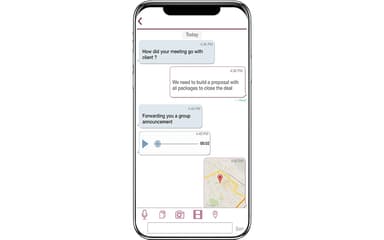
iPlum empowers teams with a professional second phone line, featuring HIPAA-compliant texting, automated attendants, and bidirectional call recording. While it lacks extensive built-in customization options, its secure infrastructure ensures reliable communication for mobile workforces. Overall, it is a robust solution for healthcare and legal professionals seeking privacy and compliance.
iPlum Specifications
- Interactive Voice Response (IVR)
- Call Recording
- Call Reporting And Analytics
- CRM Integration
iPlum Features
Auto-Attendant (IVR)
This professional greeting system acts as a digital receptionist to route incoming calls efficiently. It allows callers to select specific departments or extensions through a touch-tone menu. This automation ensures your business never misses a connection with potential clients.
Phone Tree With Extensions
Users can create a structured communication hierarchy to organize various team members and departments. The software supports unlimited extensions that can ring multiple numbers simultaneously or sequentially. This functionality provides a scalable solution for growing teams to manage high volumes.
Auto-Text Missed Calls And SMS
The software provides an immediate automated text response whenever a call or message is missed. This feature maintains engagement by promptly acknowledging the customer’s inquiry. It helps small businesses retain leads and provide excellent service even during high-traffic periods.
Multiple Call Forwarding – Global
iPlum software offers the flexibility to redirect calls to any domestic or international phone number worldwide. This capability ensures that mobile workforces stay connected regardless of their physical location. It transforms a single business number into a versatile global hub.
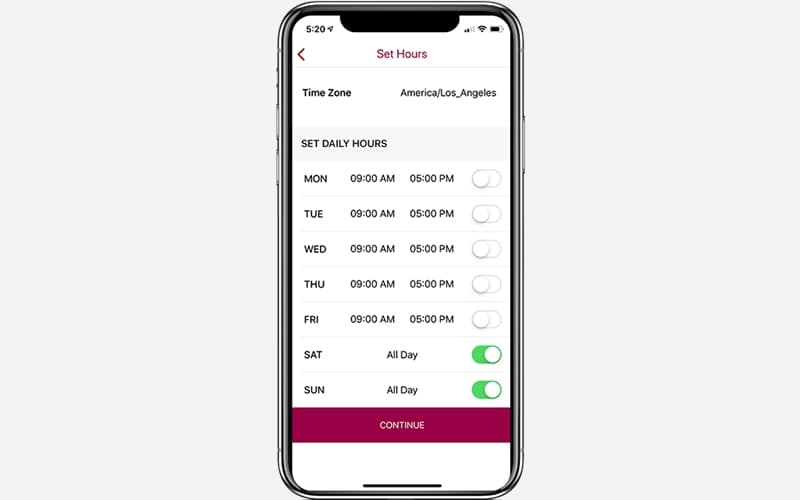
Auto-Text Business Hours
This scheduling tool allows users to program specific automated replies for after-hours or holiday periods. It informs callers of your availability and provides alternative contact information. This ensures professional boundaries are maintained while still providing helpful information to every caller.
Pros And Cons of iPlum
Pros
Reduces the need for multiple communication apps
Easy tracking of conversations and history
Voicemail transcription saves significant time
Cons
Accounts blocked without prior notification
Poor accountability in resolving serious issues
iPlum Reviews
Total 61 reviews
4.6
All reviews are from verified customers
Rating Distribution
5
Stars69%
4
Stars26%
3
Stars3%
2
Stars2%
1
Stars0%
Share your experience
Accounting, 500+ employees
“quick to get started with”
Pros
Having a separate business number without needing to carry another phone has been the biggest plus for me. Getting started was fast and tools like business voicemail, call forwarding and secure messaging helped me come across as much more professional with clients. The app also made it far simpler to keep personal and work communication apart which improved my productivity and gave me a better work life balance.
Cons
Its interface feels like it could use a more modern refresh and some parts of the navigation aren't as simple as they could be for new users. The main features perform well but having more customization options would make the overall experience even better.
Rating Distribution
Ease of use
8
Value for money
8
Customer Support
9
Functionality
9
Financial Services, 101-500 employees
“lets me keep my number private”
Pros
Keeping candidate communication separate without having to share my personal phone number has been a big advantage with this.
Cons
The desktop version could be improved by adding more advanced features.
Rating Distribution
Ease of use
10
Value for money
9
Customer Support
9
Functionality
8
Consulting, 500+ employees
“flexible business communication platform”
Pros
One thing that stands out is how much flexibility it gives for handling business communication across remote and client facing teams. It does a really good job of letting you keep a dedicated business line, manage calls and texts securely and separate professional conversations from your personal device.
Cons
One area that could be better is the initial setup since some of the more advanced configuration options take a while to fully understand especially when you're setting things up for larger teams with multiple users. The platform is generally user friendly but a more organized admin experience and added integrations with enterprise workflow tools would make onboarding even smoother.
Rating Distribution
Ease of use
10
Value for money
9
Customer Support
8
Functionality
8
Frequently Asked Questions
Does iPlum have a mobile app?
Yes, iPlum offers a dedicated mobile application.
What types of pricing plans does iPlum offer?
iPlum offers three pricing plans, i.e., Standard at $13.99/user/month, Professional at $20.99/user/month, and Enterprise at $30.99/user/month. Get in touch for a personalized iPlum cost estimate.
Who are the typical users of iPlum software?
iPlum features are used across various industries and sectors, including technology, construction, real estate, healthcare, transportation, financial, and insurance.
What level of support does iPlum offer?
iPlum offers support through an online form, a ticket system, a help center, FAQs, and a resource center.
What language does iPlum support?
iPlum supports over 23 different languages, primarily English.
What other apps does iPlum integrate with?
Information about third-party integrations has not been specified by the vendor.
Does iPlum offer an API?
Yes, iPlum offers an API.